Get Uchealth Him19000 2019-2026
How it works
-

Open form follow the instructions
-

Easily sign the form with your finger
-

Send filled & signed form or save
How to fill out the UCHealth HIM19000 online
Filling out the UCHealth HIM19000 form online can seem complex, but this guide provides a clear path to ensure you complete it accurately. This form is essential for requesting the release of your protected health information, and following these steps will help you navigate each section with confidence.
Follow the steps to successfully complete the UCHealth HIM19000 form.
- Click the ‘Get Form’ button to access the form and open it in the designated program.
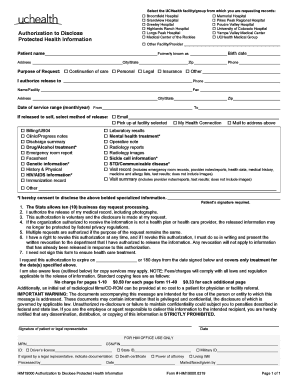
- Select the UCHealth facility or group from which you are requesting records by checking the appropriate box. If your facility is not listed, specify the name in the provided section labeled 'Other Facility/Provider.'
- Complete your personal information by entering your name, any former name (if applicable), birth date, address, city/state, zip code, and phone number. Ensure all information is accurate for effective communication.
- Indicate the purpose of the request by selecting one of the options provided, such as 'Continuation of care' or 'Personal.' You may also specify another reason in the space provided.
- Fill in the name or facility to which the records will be sent, including their phone number and address. This ensures that the records reach the correct destination.
- Enter the date range for the service records you are requesting. Provide both the 'From' and 'To' dates in month/year format to specify the timeline.
- If you are requesting the records to be released to yourself, check the preferred method of release, such as 'Email,' 'Pick up at facility,' or 'Mail to address above.'
- Choose which types of medical records you wish to obtain by checking the relevant boxes. These may include laboratory results, discharge summaries, or other specific documentation.
- Sign and date the authorization section at the bottom of the form. Ensure to indicate the date on which you complete the form.
- After completing the form, save your changes, and choose to download, print, or share the completed document as needed.
Complete your UCHealth HIM19000 form online today to ensure your health information is managed effectively.
Requesting records from UCHealth Colorado involves submitting a signed medical records request form, which you can find on their website. It's essential to specify what records you need and include your identification details. If you need guidance, their health information management team can assist you with the process. Additionally, platforms like US Legal Forms allow you to create and customize your request efficiently.