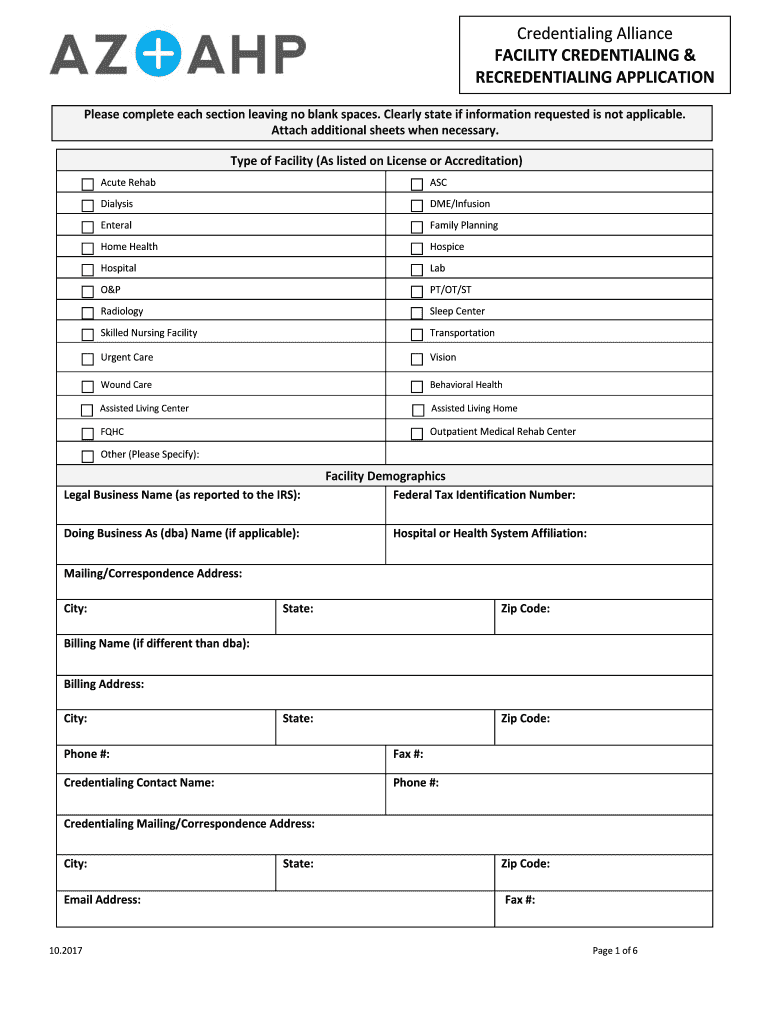
Itional sheets when necessary. Type of Facility (As listed on License or Accreditation) Acute Rehab ASC Dialysis DME/Infusion Enteral Family Planning Home Health Hospice Hospital Lab O&P PT/OT/ST Radiology Sleep Center Skilled Nursing Facility Transportation Urgent Care Vision Wound Care Behavioral Health Assisted Living Center Assisted Living Home FQHC Outpatient Medical Rehab Center Other (Please Specify): Facility Demographics Legal Business Name (as reported to the I.
Loading

Open form follow the instructions

Easily sign the form with your finger

Send filled & signed form or save
How to fill out the AZ AHP Facility Credentialing & Recredentialing Application Form online
Filling out the AZ AHP Facility Credentialing & Recredentialing Application Form online is a crucial step for facilities seeking credentialing or recredentialing. This guide will assist you in navigating the various sections of the form efficiently, ensuring all required information is submitted accurately.
Follow the steps to complete the application smoothly.
- Click ‘Get Form’ button to obtain the application form and open it in your editor.
- Identify the type of facility you are applying for by selecting from the provided options such as Acute Rehab, Hospital, or Skilled Nursing Facility. Ensure you include ‘Other’ if your facility does not fit any listed types.
- Fill out the Facility Demographics section, including the legal business name, federal tax identification number, and any applicable doing business as (dba) names. Make sure to include the mailing address, contact information, and the billing address if different from the dba.
- Provide the primary location address, phone number, and fax number. Include the State License number, CLIA number, and expiration dates as required, making sure the National Provider Identifier (NPI) number is valid.
- Indicate whether the facility is Medicare certified and fill in the corresponding Medicare and Medicaid numbers. Attach relevant copies of certifications and approvals as noted in the instructions.
- Complete the Disclosure Questions carefully. If any responses indicate 'yes', provide detailed explanations on separate sheets as instructed.
- Sign the Facility Attestation/Consent & Release Form, ensuring you attest accurately to the information provided in the application.
- Gather all necessary supplementary documentation such as State Licenses, Medicare certification letters, and declarations for insurance policies that are required to accompany your application.
- Review each section of your form to confirm all areas are completed, leaving no blank spaces. Make sure to check for accuracy before submission.
- Once final revisions are done, save your changes, and prepare the document for submission. Depending on specific guidelines, you may be able to download, print, or share the completed application.
Complete your AZ AHP Facility Credentialing & Recredentialing Application Form online today and ensure your facility is prepared for credentialing.
Experience a faster way to fill out and sign forms on the web. Access the most extensive library of templates available.
Related content
AzAHP Facility Credentialing and Re-credentialing Application - 2020. PDF icon...
May 6, 2016 — Proposals must be submitted in a sealed envelope or package with the...
Use professional pre-built templates to fill in and sign documents online faster. Get access to thousands of forms.
If you believe that this page should be taken down, please follow our DMCA take down process here.
This form is available in several versions. Select the version you need from the drop-down list below.