Loading
Form preview
  • US Legal Forms
  • Form Library
  • More Forms
  • More Multi-State Forms
  • Registered Mail - Usps Ribbs

Get Registered Mail - Usps Ribbs

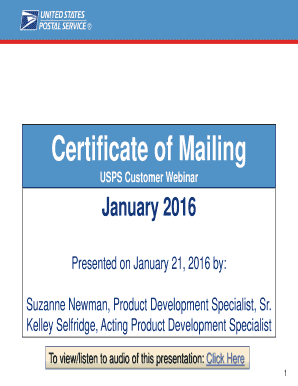
Opment Specialist To view/listen to audio of this presentation: Click Here 1 Agenda Agenda Overview Service Options Form Facsimiles and COM Tool Resources Questions May 2015 Changes to Certificate of Mailing (COM) Effective May 31, 2015, two new domestic Certificate of Mailing PS Forms created: PS Form 3606-D, Certificate of Bulk Mailing, Domestic PS Form 3665, Certificate of Mailing Firm (Domestic) Other changes: Revised PS Form 3606 for International Certificate of Bulk Mailing.

How it works

  1. Open form

    Open form follow the instructions

  2. Easily sign form

    Easily sign the form with your finger

  3. Share form

    Send filled & signed form or save

How to fill out the Registered Mail - Usps Ribbs online

Filling out the Registered Mail - Usps Ribbs form online is a straightforward process designed to enhance your mailing experience. This guide will walk you through each section and field of the form, ensuring that you complete it accurately and efficiently.

Follow the steps to complete the Registered Mail - Usps Ribbs form online.

  1. Click ‘Get Form’ button to obtain the Registered Mail - Usps Ribbs form and open it in your preferred document management interface.
  2. Begin by entering the sender's information in the designated fields. This includes your full name and address to ensure proper identification and delivery.
  3. Next, input the recipient’s information. Ensure that you provide the recipient's name and complete address carefully to avoid any mailing errors.
  4. Select the type of service you wish to use, such as Priority Mail or First-Class Mail. This will determine the speed and cost of your mail.
  5. Review all the details you have entered for accuracy. Correct any errors you may find to prevent any issues during mailing.
  6. Save your changes to the form. You may choose to download it, print it out, or share it as necessary.

Complete your documents online and simplify your mailing process today.

Get form

Experience a faster way to fill out and sign forms on the web. Access the most extensive library of templates available.
Get form

Related content

DMM 503 Extra Services - Postal Explorer
Registered Mail provides the sender with a mailing receipt and, upon request, electronic...
Learn more
DMM 507 Mailer Services
Jan 27, 2013 — The USPS holds undeliverable Certified Mail, insured, Registered Mail...
Learn more
DM-109 Business Mail Acceptance ...
Mar 31, 2010 — 2-7 Unpaid Mail. Unpaid mail is mail that enters the USPS mailstream...
Learn more

Related links form

1139A - Statement Of Assets And Liabilities Position. 1139A - Statement Of Assets And Liabilities Sample Bank Letter - Santa Monica College - Smc Sample Credit Report - Experian. Download A Sample Credit Report With Credit History Information Manvi Pattana Souharda Sahakari Bank

Questions & Answers

Get answers to your most pressing questions about US Legal Forms API.

Contact support

Filling out a Registered Mail form is a straightforward process. Begin by entering your name and return address, then include the recipient's address. Clearly state any special handling instructions if needed. This form is key to ensuring your Registered Mail - USPS Ribbs is tracked properly and reaches the intended recipient securely.

Preparing registered mail involves careful packaging and labeling. Start by selecting an appropriate envelope, ensuring it’s strong enough for important documents. Include your return address, the recipient’s information, and a Registered Mail label. This process confirms that your mail receives the protection it deserves throughout its journey.

Filling out a registered letter involves a few essential steps. First, clearly write your return address in the top left corner. Then, position the recipient’s address in the center, ensuring accuracy. For Registered Mail - USPS Ribbs, apply the required label and complete any necessary information to ensure that your letter is secure and traceable.

To prepare an envelope for Registered Mail, select a sturdy envelope to ensure durability during transit. Write your return address on the upper left corner and the recipient’s address clearly in the center. Attach the Registered Mail label securely to the envelope, and ensure you have adequate postage, which can be purchased at your local post office.

Filling out USPS mail requires careful attention to detail. Begin with your return address clearly displayed in the top left corner. Then, accurately write the recipient's name and address in the center of the envelope. Don't forget to affix the correct postage, especially if utilizing Registered Mail - USPS Ribbs for enhanced security.

When filling out a mail letter, begin with your return address at the top left corner. Next, center the recipient's address on the front of the envelope. Lastly, include adequate postage on the top right corner. For Registered Mail - USPS Ribbs, ensure to write 'Registered Mail' prominently to indicate the service.

USPS Registered Mail is a secure mailing option specifically designed for sensitive and valuable items. It includes tracking, insurance, and proof of delivery, allowing you to send your important documents with confidence. If you need a reliable way to send important papers, consider using USPS Registered Mail, and explore uslegalforms for templates and additional support.

To track a USPS Registered Mail, you can visit the USPS website or use their mobile app. Enter the tracking number assigned when you sent the mail, and it will display all the movement details. Tracking your Registered Mail ensures you stay informed about its status, which is very helpful, especially for important documents.

The main difference lies in the security and tracking features. Registered Mail provides additional security and is perfect for sending valuable items or sensitive documents. Regular mail lacks tracking capabilities and insurance, making Registered Mail a better choice when you need extra peace of mind.

Yes, you can track USPS Registered Mail using the tracking number provided at the time of shipment. This service allows you to check the current status and location of your mail item online. To track your Registered Mail, simply visit the USPS website or use the USPS mobile app, and enter your tracking number.

Get This Form Now!

Use professional pre-built templates to fill in and sign documents online faster. Get access to thousands of forms.
Get form
If you believe that this page should be taken down, please follow our DMCA take down processhere.

Industry-leading security and compliance

US Legal Forms protects your data by complying with industry-specific security standards.
  • In businnes since 1997
    25+ years providing professional legal documents.
  • Accredited business
    Guarantees that a business meets BBB accreditation standards in the US and Canada.
  • Secured by Braintree
    Validated Level 1 PCI DSS compliant payment gateway that accepts most major credit and debit card brands from across the globe.
Get Registered Mail - Usps Ribbs
Get form
  • Adoption
  • Bankruptcy
  • Contractors
  • Divorce
  • Home Sales
  • Employment
  • Identity Theft
  • Incorporation
  • Landlord Tenant
  • Living Trust
  • Name Change
  • Personal Planning
  • Small Business
  • Wills & Estates
  • Packages A-Z
  • Affidavits
  • Bankruptcy
  • Bill of Sale
  • Corporate - LLC
  • Divorce
  • Employment
  • Identity Theft
  • Internet Technology
  • Landlord Tenant
  • Living Wills
  • Name Change
  • Power of Attorney
  • Real Estate
  • Small Estates
  • Wills
  • All Forms
  • Forms A-Z
  • Form Library
  • Legal Hub
  • About Us
  • Help Portal
  • Legal Resources
  • Blog
  • Affiliates
  • Contact Us
  • Delete My Account
  • Site Map
  • Industries
  • Forms in Spanish
  • Localized Forms
  • State-specific Forms
  • Forms Kit
  • Real Estate Handbook
  • All Guides
  • Notarize
  • Incorporation services
  • For Consumers
  • For Small Business
  • For Attorneys
  • USLegal
  • FormsPass
  • pdfFiller
  • signNow
  • altaFlow
  • DocHub
  • Instapage
Form Packages
  • Adoption
  • Bankruptcy
  • Contractors
  • Divorce
  • Home Sales
  • Employment
  • Identity Theft
  • Incorporation
  • Landlord Tenant
  • Living Trust
  • Name Change
  • Personal Planning
  • Small Business
  • Wills & Estates
  • Packages A-Z
Form Categories
  • Affidavits
  • Bankruptcy
  • Bill of Sale
  • Corporate - LLC
  • Divorce
  • Employment
  • Identity Theft
  • Internet Technology
  • Landlord Tenant
  • Living Wills
  • Name Change
  • Power of Attorney
  • Real Estate
  • Small Estates
  • Wills
  • All Forms
  • Forms A-Z
  • Form Library
Customer Service
  • Legal Hub
  • About Us
  • Help Portal
  • Legal Resources
  • Blog
  • Affiliates
  • Contact Us
  • Delete My Account
  • Site Map
  • Industries
  • Forms in Spanish
  • Localized Forms
  • State-specific Forms
  • Forms Kit
Legal Guides
  • Real Estate Handbook
  • All Guides
Prepared for you
  • Notarize
  • Incorporation services
Our Customers
  • For Consumers
  • For Small Business
  • For Attorneys
Our Sites
  • USLegal
  • FormsPass
  • pdfFiller
  • signNow
  • altaFlow
  • DocHub
  • Instapage
Social Media
Call us now toll free:
+1 833 426 79 33
As seen in:
© Copyright 1999-2026 airSlate Legal Forms, Inc. 3720 Flowood Dr, Flowood, Mississippi 39232
  • Your Privacy Choices
  • Terms of Service
  • Privacy Notice
  • Content Takedown Policy
  • Bug Bounty Program