Get Onett Computation Sheet
How it works
-

Open form follow the instructions
-

Easily sign the form with your finger
-

Send filled & signed form or save
How to fill out the Onett Computation Sheet online
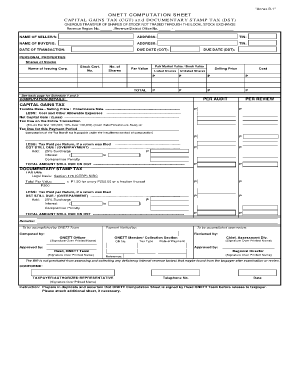
Filling out the Onett Computation Sheet is essential for reporting capital gains tax and documentary stamp tax related to the onerous transfer of shares. This guide provides you with a clear, step-by-step process to effectively complete this online form, ensuring accurate and compliant submissions.
Follow the steps to complete the Onett Computation Sheet online.
- Click ‘Get Form’ button to obtain the form and open it in the editor.
- Enter the revenue region number and revenue district office number in the designated fields.
- Fill in the names, addresses, and TINs (Tax Identification Numbers) of both the seller(s) and buyer(s). Ensure all names are spelled correctly and that the TINs are accurate.
- Provide the date of transaction and the due dates for both the capital gains tax and documentary stamp tax.
- In the 'Personal Properties' section, enter the details for shares of stocks including the name of the issuing corporation, stock certificate number, number of shares, fair market value/book value, par value, cost, and selling price for both listed and unlisted shares.
- Calculate the total amounts for listed and unlisted shares and ensure they are reflected accurately in the total section.
- Proceed to the 'Computation Details' section. Here, calculate the taxable base using the selling price and allowable expenses to determine the net capital gain or loss.
- For the documentary stamp tax, calculate the total par value and apply the necessary rates based on the total amount for the stamp tax.
- If applicable, input information related to any previous tax payments, surcharges, interests, and penalties.
- Upon completing all sections, review the information carefully for accuracy before finalizing.
- You can now save changes, download a copy, print, or share the completed Onett Computation Sheet.
Complete your Onett Computation Sheet online today to ensure compliance and accuracy in your tax reporting.
The eCAR, or electronic Certificate Authorizing Registration, is a crucial document for taxpayers transferring properties in the Philippines. It certifies that all tax obligations related to the transfer have been settled. To ensure compliance, incorporating the eCAR into your tax processes, alongside the Onett Computation Sheet, is advisable.