Loading
Form preview
  • US Legal Forms
  • Form Library
  • More Forms
  • More Uncategorized Forms
  • Master Signature Log

Get Master Signature Log

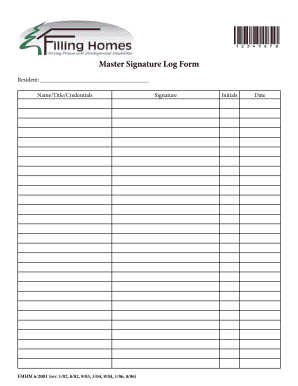
12345678 Master Signature Log Form Resident: Name/Title/Credentials FMHM 6/2001 (rev. 1/02, 8/02, 9/03, 3/04, 8/04, 1/06, 8/06) Signature Initials Date.

How it works

  1. Open form

    Open form follow the instructions

  2. Easily sign form

    Easily sign the form with your finger

  3. Share form

    Send filled & signed form or save

How to fill out the Master Signature Log online

The Master Signature Log is an essential document for recording signatures and credentials. This guide will assist you in accurately filling out the log online, ensuring that all necessary information is captured correctly.

Follow the steps to complete the Master Signature Log online.

  1. Click ‘Get Form’ button to access the Master Signature Log and open it in your preferred editing tool.
  2. In the 'Resident' field, enter your name, title, and credentials. Make sure to provide complete and accurate information to represent your qualifications.
  3. In the 'Signature' section, sign your name as you would normally. This serves as your official acknowledgment of the document.
  4. Next, fill in your initials in the designated area. This helps to confirm your identity for each entry you make.
  5. Enter the date of signing in the 'Date' field. Use the current date to ensure proper record-keeping.
  6. Review all the information entered to confirm accuracy. This step is vital to maintaining the integrity of the log.
  7. Finally, save your changes, download, print, or share the completed form as needed to ensure it is accessible when required.

Complete your Master Signature Log online today for accurate record-keeping.

Get form

Experience a faster way to fill out and sign forms on the web. Access the most extensive library of templates available.
Get form

Related content

Complying with Medicare Signature Requirements
MACs accept all signature logs regardless of the date you created them. Can I avoid delays...
Learn more
Log Requirements
Nov 6, 2023 — The Monitoring Log provides documentation at the site that the study was...
Learn more
Nightmare staff
The Nightmare staff is a staff that can be received as a drop from The Nightmare...
Learn more

Related links form

MANUAL ON WORK-LIFE BALANCE MEASURES - Opm.gov.mt - Opm Gov SPEECH-LANGUAGE SCREENING CONSENT Date Of Request INTERPRETER S ATTENDANCE FORM - Wordperfect.ie New Position Request Form

Questions & Answers

Get answers to your most pressing questions about US Legal Forms API.

Contact support

The correct abbreviation for a master's degree can be either 'MS' or 'MA,' depending on the field of study. An 'MS' typically stands for Master of Science, while an 'MA' indicates a Master of Arts. Be consistent in how you represent your qualifications in your Master Signature Log. This clarity will help others understand your educational background.

The correct way to write master's is to use an apostrophe, indicating possession. It reflects that the degree is one of mastery. In your signature, ensure that the abbreviation, like MA or MS, follows after your name. This consistency within your Master Signature Log reinforces your educational qualifications.

To write 'master's' in your signature, ensure that you follow it with the appropriate abbreviation, such as MA or MS. Write your name first, followed by a comma and the degree designation. Clarity is key for your Master Signature Log, so use familiar conventions that others can understand easily. This approach helps communicate your qualifications effectively.

Including 'MA' in your signature can enhance professionalism, especially in academic or business environments. It denotes your master's degree and can add credibility to your communications. When maintaining your Master Signature Log, always decide on a consistent format for clarity. Think about your audience when deciding what's appropriate to include.

A CMS signature log is a record used to track signatures for compliance and verification purposes. This log aids in maintaining an audit trail and ensuring accountability within an organization. Your Master Signature Log serves a similar purpose, keeping your signatures organized and secure. Utilizing such logs is beneficial for both personal and professional use.

Filling a signature form involves writing your name exactly as it appears in your identification documents. Include any required details such as your contact information and date. Be careful while signing, as this signature will be part of your Master Signature Log. Review the entire form before submission to ensure everything is correct.

When you write your master's degree in a signature, include the designation clearly after your name. For example, you would write 'Jane Doe, MA' or 'John Smith, MS.' This helps others recognize your credentials in your Master Signature Log. Always use the appropriate abbreviation that reflects your degree.

To fill out a signature card, start by writing your name clearly. Include your address and date of birth as required. Ensure that you sign the card in the designated area, as this will be important for your Master Signature Log. Always double-check your details for accuracy.

Mastering your signature requires practice and consistency in how you write it. You may find it helpful to use a digital signature app that enables you to create and refine your signature digitally. Over time, you can add this polished signature to your Master Signature Log, ensuring all of your documents reflect your true identity and professionalism.

Proving the authenticity of a signature involves comparing the signature to known examples and verifying its integrity with a digital signature certificate. By using a secure application that logs hashed signatures in your Master Signature Log, you can rest assured that your documents can be authenticated easily. This approach builds trust and transparency in your transactions.

Get This Form Now!

Use professional pre-built templates to fill in and sign documents online faster. Get access to thousands of forms.
Get form
If you believe that this page should be taken down, please follow our DMCA take down processhere.

Industry-leading security and compliance

US Legal Forms protects your data by complying with industry-specific security standards.
  • In businnes since 1997
    25+ years providing professional legal documents.
  • Accredited business
    Guarantees that a business meets BBB accreditation standards in the US and Canada.
  • Secured by Braintree
    Validated Level 1 PCI DSS compliant payment gateway that accepts most major credit and debit card brands from across the globe.
Get Master Signature Log
Get form
  • Adoption
  • Bankruptcy
  • Contractors
  • Divorce
  • Home Sales
  • Employment
  • Identity Theft
  • Incorporation
  • Landlord Tenant
  • Living Trust
  • Name Change
  • Personal Planning
  • Small Business
  • Wills & Estates
  • Packages A-Z
  • Affidavits
  • Bankruptcy
  • Bill of Sale
  • Corporate - LLC
  • Divorce
  • Employment
  • Identity Theft
  • Internet Technology
  • Landlord Tenant
  • Living Wills
  • Name Change
  • Power of Attorney
  • Real Estate
  • Small Estates
  • Wills
  • All Forms
  • Forms A-Z
  • Form Library
  • Legal Hub
  • About Us
  • Help Portal
  • Legal Resources
  • Blog
  • Affiliates
  • Contact Us
  • Delete My Account
  • Site Map
  • Industries
  • Forms in Spanish
  • Localized Forms
  • State-specific Forms
  • Forms Kit
  • Real Estate Handbook
  • All Guides
  • Notarize
  • Incorporation services
  • For Consumers
  • For Small Business
  • For Attorneys
  • USLegal
  • FormsPass
  • pdfFiller
  • signNow
  • altaFlow
  • DocHub
  • Instapage
Form Packages
  • Adoption
  • Bankruptcy
  • Contractors
  • Divorce
  • Home Sales
  • Employment
  • Identity Theft
  • Incorporation
  • Landlord Tenant
  • Living Trust
  • Name Change
  • Personal Planning
  • Small Business
  • Wills & Estates
  • Packages A-Z
Form Categories
  • Affidavits
  • Bankruptcy
  • Bill of Sale
  • Corporate - LLC
  • Divorce
  • Employment
  • Identity Theft
  • Internet Technology
  • Landlord Tenant
  • Living Wills
  • Name Change
  • Power of Attorney
  • Real Estate
  • Small Estates
  • Wills
  • All Forms
  • Forms A-Z
  • Form Library
Customer Service
  • Legal Hub
  • About Us
  • Help Portal
  • Legal Resources
  • Blog
  • Affiliates
  • Contact Us
  • Delete My Account
  • Site Map
  • Industries
  • Forms in Spanish
  • Localized Forms
  • State-specific Forms
  • Forms Kit
Legal Guides
  • Real Estate Handbook
  • All Guides
Prepared for you
  • Notarize
  • Incorporation services
Our Customers
  • For Consumers
  • For Small Business
  • For Attorneys
Our Sites
  • USLegal
  • FormsPass
  • pdfFiller
  • signNow
  • altaFlow
  • DocHub
  • Instapage
Social Media
Call us now toll free:
+1 833 426 79 33
As seen in:
© Copyright 1999-2026 airSlate Legal Forms, Inc. 3720 Flowood Dr, Flowood, Mississippi 39232
  • Your Privacy Choices
  • Terms of Service
  • Privacy Notice
  • Content Takedown Policy
  • Bug Bounty Program