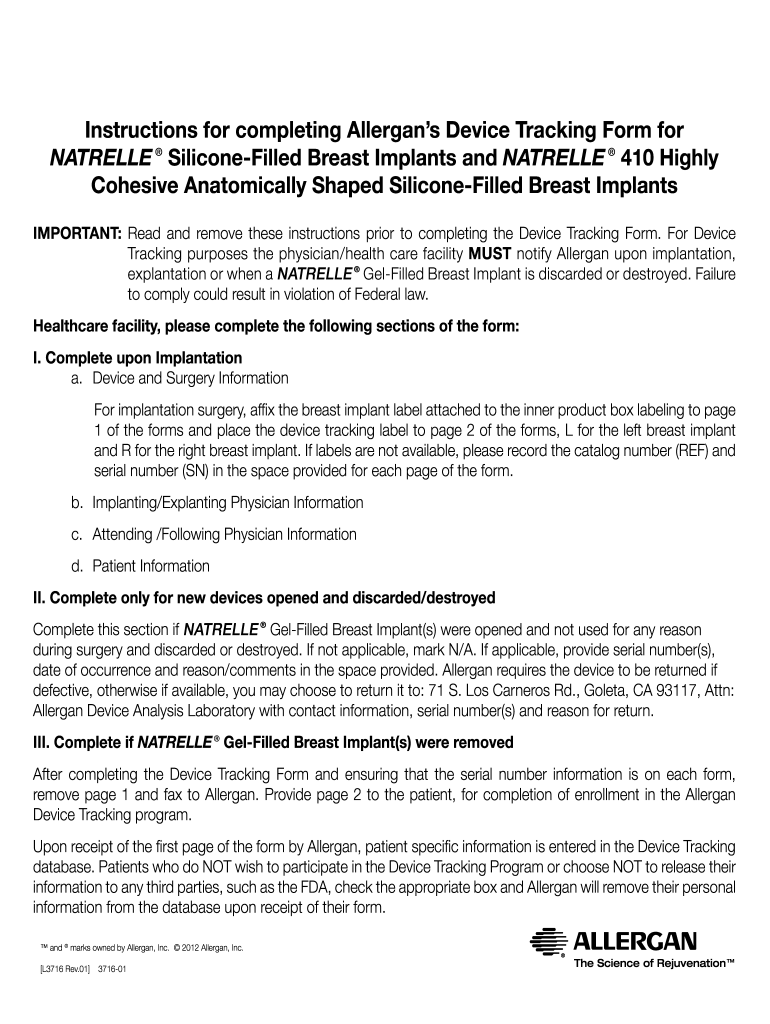
PORTANT: Read and remove these instructions prior to completing the Device Tracking Form. For Device Tracking purposes the physician/health care facility MUST notify Allergan upon implantation, explantation or when a Natrelle Gel-Filled Breast Implant is discarded or destroyed. Failure to comply could result in violation of Federal law. Healthcare facility, please complete the following sections of the form: I. Complete upon Implantation a. Device and Surgery Information For implantation s.

Open form follow the instructions

Easily sign the form with your finger

Send filled & signed form or save
How to fill out the Allergan Device Tracking online
This guide provides a clear and comprehensive overview of how to fill out the Allergan Device Tracking form for Natrelle Silicone-Filled Breast Implants and Natrelle 410 Highly Cohesive Anatomically Shaped Silicone-Filled Breast Implants. Follow the steps below to ensure the form is completed correctly and efficiently.
Follow the steps to complete the device tracking form.
- Press the ‘Get Form’ button to access the necessary document and open it in your preferred editor.
- Complete the section labeled 'Device and Surgery Information.' Attach the breast implant label from the product box to page 1 of the form. For each breast implant, indicate left or right and provide the catalog number (REF) and serial number (SN) if labels are unavailable.
- Fill out the 'Implanting/Explaining Physician Information' section with the last and first name, address, city, state/province, email, zip/postal code, telephone, and fax of the responsible physician.
- Enter the attending or following physician information if it differs from the implanting physician. Include the same details as in the previous step.
- Complete the 'Patient Information' section. Include the last name, first name, address, city, state/province, date of birth, social security number (if required), zip/postal code, and telephone number.
- If applicable, complete the section 'Complete Only for New Devices Opened and Discarded/Destroyed.' Provide the serial number, date of disposal, and reason/comments.
- For devices removed, fill out the explanted device information, including the date of explantation, serial numbers, reasons for removal, and original implanting physician's information.
- Review all information for completeness and accuracy. Once verified, fax page 1 to Allergan at the indicated number and provide page 2 to the patient for enrollment in the Device Tracking program.
- If any patient does not wish to participate in the Device Tracking program, they should indicate this on the appropriate checkbox.
- Ensure that the form is securely saved, printed, or shared as needed after completing all required fields.
Encourage others to complete their documents online for quick and efficient tracking.
Experience a faster way to fill out and sign forms on the web. Access the most extensive library of templates available.
Related content
Jun 1, 2020 — Allergan Aesthetics, an AbbVie company (NYSE: ABBV), is initiating a new...
Allergan has awarded Michelle Digman a $787,000 grant to study how a subunit of botulinum...
Jul 1, 2017 — This device is indicated for the replacement of diseased, damaged, or...
Get answers to your most pressing questions about US Legal Forms API.
Can a guy tell if you have implants?
Generally, it is possible for someone to notice implants, particularly if they are familiar with certain characteristics or features. However, many factors can influence noticeable differences, such as the type of implant and body placement. Feeling comfortable and confident is essential, and understanding your implant through tools like Allergan Device Tracking can help you appreciate what you have. Ultimately, the focus should be on how you feel about your choices regarding your health and appearance.
Can airport scanners see implants?
Airport scanners are generally capable of detecting implants, especially if they contain metal components. However, the level of visibility may depend on the type of implant and the specific scanner technology used. It is advisable to inform security personnel about the presence of your implant during airport screenings. The information provided by Allergan Device Tracking can assist you in clarifying any questions related to your device when traveling.
Do implants have tracking devices?
Yes, many modern implants are equipped with tracking devices for enhanced monitoring and safety. The inclusion of these tracking devices allows healthcare providers to ensure that the implant functions properly and aids in patient care. By using Allergan Device Tracking, you can utilize this technology to keep informed about your implant's status. This proactive approach can greatly improve your peace of mind.
Do implants have microchips?
Some medical implants include microchips to facilitate tracking and identification. These chips allow for seamless communication between the device and medical professionals, helping to ensure optimal functionality. In relation to Allergan Device Tracking, tools like these can enhance your experience by providing valuable insights about your implant's location and performance. Understanding the presence of microchips can help patients feel more secure about their healthcare devices.
Do implants have trackers?
Implants may contain tracking capabilities, depending on the type and manufacturer. Many medical devices, including some models from Allergan, come with enhanced tracking features for better monitoring. Utilizing Allergan Device Tracking can help you keep tabs on your implant's performance and status. This feature significantly enhances patient safety by providing important information about the device.
What is the fax number for Allergan device tracking?
To facilitate your inquiries regarding Allergan device tracking, you can reach out to their support team by fax. The specific fax number may vary, so it's best to check the official Allergan website or contact customer service directly. Providing the correct information will ensure your tracking issues are addressed promptly, allowing for a swift resolution.
Does Allergan still exist?
Yes, Allergan continues to operate as a prominent company within AbbVie. They remain focused on developing and providing innovative medical aesthetics and devices. This ongoing commitment ensures that patients have access to the latest advancements in healthcare. With resources like Allergan Device Tracking, individuals can manage and monitor their devices efficiently.
How do I claim AbbVie warranty?
To claim your AbbVie warranty, start by gathering all necessary documentation related to your Allergan device. Visit the AbbVie warranty page on their website, where you can find detailed instructions on the claim process. Be sure to provide accurate information about your device and the issue you are experiencing. Utilizing the Allergan Device Tracking feature can help you track your device's information and simplify the warranty claim.
What is the phone number for Allergan Natrelle?
The phone number for Allergan Natrelle is 1-888-525-8273. This number connects you to support specifically regarding the Natrelle product line. Should you need assistance related to your Allergan Device Tracking, having your device information ready when you call will help them serve you better.
What is the 800 number for Allergan?
The 800 number for Allergan is 1-800-433-8871. You can call this number for inquiries related to their implants and other products. Be prepared to provide details about your Allergan Device Tracking for a more personalized assistance experience.
Use professional pre-built templates to fill in and sign documents online faster. Get access to thousands of forms.
If you believe that this page should be taken down, please follow our DMCA take down process here.