Loading
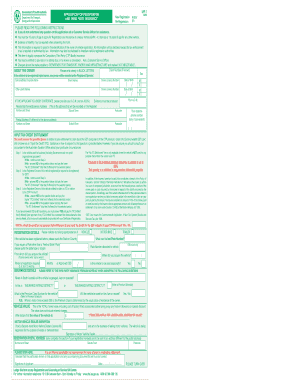
Get Mr1 Form
How it works
-

Open form follow the instructions
-

Easily sign the form with your finger
-

Send filled & signed form or save
How to fill out the MR1 form online
The MR1 form is essential for vehicle registration and third party insurance purposes. This guide provides detailed, step-by-step instructions to help you fill out the MR1 form online, ensuring a smooth application process.
Follow the steps to successfully complete the MR1 form online.
- Click the ‘Get Form’ button to download the MR1 form and open it in your editor.
- Begin by filling in the 'About the Owner' section. Enter the owner's surname, given names, and any joint names if applicable. Include the driver's license number and date of birth, ensuring clarity in your entries.
- Provide the residential or business address, including suburb/town and postcode. Indicate the vehicle's new status and its month/year of manufacture.
- Complete the questions about the vehicle's history, including whether it has been previously wrecked or written off. Specify the make and model of the vehicle, and enter its engine number and capacity.
- In the 'Insurance Details' section, indicate whether the vehicle will be used for hire, fare, or reward, and input the total market value of the vehicle, ensuring it reflects any factory-fitted accessories. Be cautious of penalties for under-declaration.
- If applicable, answer questions about the input tax credit entitlement, providing necessary information regarding business use and GST registration. Follow the steps outlined for input tax assessment carefully.
- Pay close attention to the registration details, including compliance plate information, VIN or chassis number, and seating capacity. Verify all provided information for accuracy.
- Finally, sign the application, confirming that all particulars are true and correct. Select the appropriate postal address for registration renewals if different from the residential address.
- Once you have completed the form, review your entries carefully before saving your changes, downloading, printing, or sharing the form as required.
Complete your MR1 form online today and ensure your vehicle is registered and insured!
Get form
Experience a faster way to fill out and sign forms on the web. Access the most extensive library of templates available.
To achieve MR1 in Monster Hunter Rise (MHR), focus on completing the game's introductory quests and leveling up your chosen weapons and armor. As you progress, engaging in various hunts will help you rank up. Once you reach the required experience, you will obtain MR1 status. If you need help with associated documents like the Mr1 form, consider checking out US Legal Forms.
Get This Form Now!
Use professional pre-built templates to fill in and sign documents online faster. Get access to thousands of forms.