Loading
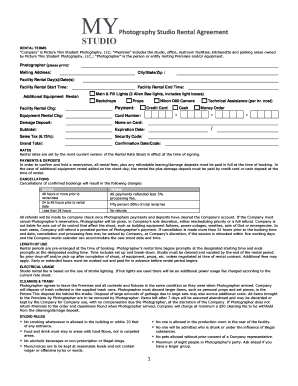
Get Studio Rental Agreement
How it works
-

Open form follow the instructions
-

Easily sign the form with your finger
-

Send filled & signed form or save
How to fill out the Studio Rental Agreement online
Filling out the Studio Rental Agreement online is a straightforward process designed to secure your rental of the photography studio. This guide will provide you with clear steps to ensure that you complete the form accurately and efficiently.
Follow the steps to successfully complete your Studio Rental Agreement.
- Click ‘Get Form’ button to access the Studio Rental Agreement. This will allow you to open the document for editing.
- In the 'Photographer' section, please print your full name clearly. Follow this by providing your mailing address, including the city, state, and zip code.
- Specify the intended rental day(s) and date(s) you wish to utilize the studio. Be precise with the dates to avoid any confusion.
- Indicate the rental start and end times. Make sure the times reflected align with your planned schedule.
- If you require additional equipment, check the boxes corresponding to the equipment you wish to rent, such as lights, backdrops, or cameras.
- Choose your payment method (credit card, cash, or money order) and fill in the necessary payment details which include card number, expiration date, and security code if paying by card.
- Provide the damage deposit amount, and calculate the subtotal, sales tax, and grand total for your rental by following the pricing details specified in the agreement.
- Write down the confirmation date and code if applicable.
- Review all the filled information to ensure accuracy and clarity, then save your changes.
- Finally, download, print, or share the completed form as required to finalize your booking.
Complete your Studio Rental Agreement online today to secure your rental and simplify your planning.
The lease or rental agreement is the key document of the tenancy, setting out important issues such as: the length of the tenancy. the amount of rent and deposits the tenant must pay. the number of people who can live on the rental property.