Loading
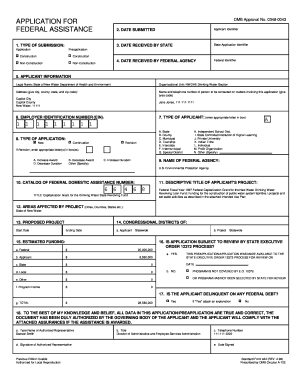
Get Standard Prescribed Form
How it works
-

Open form follow the instructions
-

Easily sign the form with your finger
-

Send filled & signed form or save
How to fill out the Standard Prescribed Form online
This guide provides a step-by-step method for completing the Standard Prescribed Form online. Designed for users of all experience levels, this comprehensive overview will help ensure your application is filed correctly.
Follow the steps to fill out the Standard Prescribed Form accurately.
- Click ‘Get Form’ button to obtain the form and open it in the editor.
- Identify the application type by selecting the appropriate box for either 'Preapplication' or 'Application', and specify if it is 'Construction' or 'Non-Construction'.
- Provide the applicant information, including the legal name, organizational unit, and complete mailing address with city, county, state, and zip code.
- Enter the contact person's name and telephone number who can provide further details regarding this application.
- Fill in the Employer Identification Number (EIN) in the designated field.
- Select the type of applicant by putting the corresponding letter in the box that fits your organization (e.g., A for State, B for County, etc.).
- Indicate the type of application as either 'New', 'Continuation', or 'Revision', and if it is a revision, specify the details in the provided boxes.
- State the name of the federal agency associated with your application.
- Complete the 'Areas Affected by Project' section by listing all relevant cities, counties, and states.
- Include the proposed project start and ending dates in the corresponding fields.
- In the 'Estimated Funding' section, provide the necessary financial information, including anticipated federal and non-federal amounts.
- Indicate whether the application is subject to the state executive order review process by selecting 'Yes' or 'No'.
- Declare if the applicant is delinquent on any federal debt and, if so, provide an explanation as an attachment.
- Type in the name, title, and signature of the authorized representative along with the date signed.
- Finally, review all entries for accuracy. After confirming that all data is true and correct, you can save changes, download, print, or share the completed application.
Begin your application process by completing the Standard Prescribed Form online today.
A prescription form generally pertains to a document used to authorize a medical prescription. However, in a broader legal context, it can indicate any formal document that dictates a process or authorization. Using a Standard Prescribed Form in various contexts ensures that you meet all legal requirements and maintain professionalism.
Industry-leading security and compliance
US Legal Forms protects your data by complying with industry-specific security standards.
-
In businnes since 199725+ years providing professional legal documents.
-
Accredited businessGuarantees that a business meets BBB accreditation standards in the US and Canada.
-
Secured by BraintreeValidated Level 1 PCI DSS compliant payment gateway that accepts most major credit and debit card brands from across the globe.