Loading
Get Faa Form 8070 1 2010-2026
How it works
-

Open form follow the instructions
-

Easily sign the form with your finger
-

Send filled & signed form or save
How to fill out the Faa Form 8070 1 online
Filling out the Faa Form 8070 1 online can be a straightforward process if you follow the appropriate steps. This guide will provide clear instructions on completing each section of the form to ensure accurate submissions.
Follow the steps to complete the Faa Form 8070 1 online effectively.
- Click ‘Get Form’ button to access the form and open it in your preferred editor.
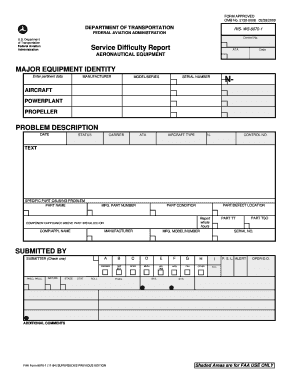
- Provide the major equipment identity by entering the pertinent data such as the manufacturer, model/series, and serial number of the aircraft, powerplant, or propeller related to the issue.
- In the 'Problem Description' section, indicate the date when the problem occurred. Clearly describe the circumstances leading to the reported issue, including any causes for the malfunction and emergency measures taken.
- Specify the parts related to the problem. Enter the part name, total service time on the part (Part TT), and the service time on the part since overhaul (Part TSO). Fill out the manufacturer’s part number and the condition of the part.
- Detail the specific location of the defect and provide any additional comments that could assist in addressing the problem. This could include compliance with airworthiness directives and suggested changes to avoid recurrence.
- Confirm that all information is accurate before submitting the form. You may save changes, download a copy for your records, print the completed form, or share it as needed.
Start filling out the Faa Form 8070 1 online to ensure timely and accurate reporting.
The FAA Form 8070-1 is commonly referred to as the service difficulty report. This form is essential for pilots and operators to communicate safety issues encountered during flight operations. Utilizing the FAA Form 8070-1 enhances accountability and promotes a safer aviation environment.