
Open form follow the instructions

Easily sign the form with your finger

Send filled & signed form or save
How to use or fill out the Florida Rt 6 Fillable Form online
Filling out the Florida Rt 6 Fillable Form online can be a straightforward process if you follow the right steps. This guide will provide you with a clear, step-by-step approach to ensure you complete the form accurately and efficiently.
Follow the steps to fill out the Florida Rt 6 Fillable Form online.
- Click ‘Get Form’ button to obtain the form and open it in the editor.
- Review the form carefully to understand its structure and the required fields. Familiarize yourself with the sections that pertain to wages, including gross wages, taxable wages, and any necessary adjustments.
- Begin filling in the employee details. Enter the employee's full name, social security number, and any other required identification information in the designated fields.
- In the 'Gross Wages Paid' section, input the total wages paid to each employee during the reporting period, ensuring not to include any exempt wages as per the Florida statutes.
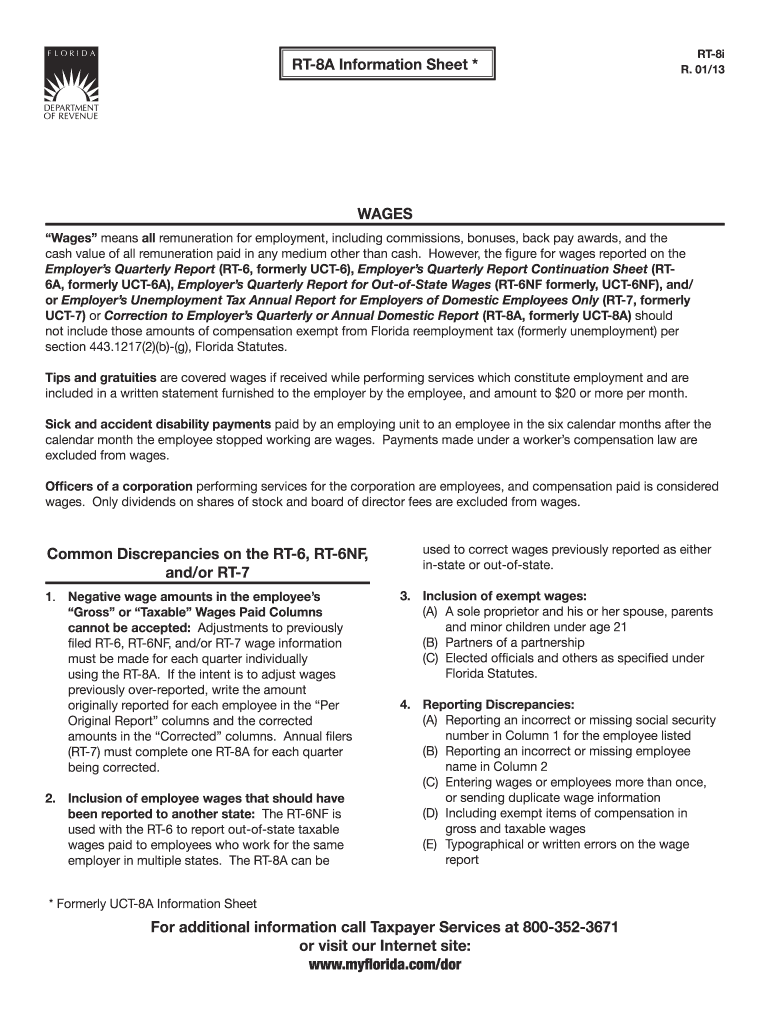
- If you need to correct previously reported amounts, ensure you enter the original reported figures in the 'Per Original Report' columns and the corrected amounts in the 'Corrected' columns.
- Double-check all entered information for accuracy, including names and numbers. Make sure there are no negative wage amounts and that all relevant fields are completed.
- Once you have filled in all required fields and reviewed your entries, you can proceed to save your changes. Options will typically include downloading, printing, or sharing the completed form.
Start completing your Florida Rt 6 Fillable Form online today!
Experience a faster way to fill out and sign forms on the web. Access the most extensive library of templates available.
Related content
If you select reporting mail, the agent will receive the Employer's Quarterly Report (Form...
Enter your federal identification number (fein) and reemployment tax (rt) account number...
Florida Form Rt 6 Instructions Uct 6 Form - Fill Online, Printable, Fillable, Blank |...
Get answers to your most pressing questions about US Legal Forms API.
Who is required to file form 6 in Florida?
Form RT-6 in Florida must be filed by any business that collects sales tax from customers. This includes retailers, wholesalers, and service providers who fall under taxable categories. If you engage in sales of any taxable goods or services, filing the Florida Rt 6 Fillable Form becomes a mandatory task. To ensure you meet these requirements accurately and on time, consider utilizing tools from uslegalforms for assistance.
What is an RT number in Florida?
An RT number is a unique identifier assigned to businesses registered to collect sales tax in Florida. This number is critical for filing tax returns, including the Florida Rt 6 Fillable Form, as it links your business to its sales tax obligations. It's essential to have this number ready when filing your reports to ensure proper compliance with state regulations. Remember, uslegalforms can assist you with the registration process.
How do I get an RT number in Florida?
To obtain an RT number in Florida, you must register your business with the Florida Department of Revenue. This process typically involves completing an application form, providing necessary documentation, and paying any fees associated. Once approved, you'll receive an RT number which you will use on the Florida Rt 6 Fillable Form for tax processing. For a smoother registration experience, consider using platforms like uslegalforms.
What is the Florida RT-6 form?
The Florida RT-6 form is a report used by businesses to report sales tax collected during a given period. Essentially, this form helps the Florida Department of Revenue track how much sales tax businesses remit. Completing the Florida Rt 6 Fillable Form accurately ensures you meet your tax obligations and avoids potential penalties. Utilizing uslegalforms can help you navigate the complexities of this filing.
Who has to file form 6 in Florida?
In Florida, businesses that collect sales tax are required to file Form RT-6. This includes various entities such as corporations, partnerships, and sole proprietorships. If your business sells tangible personal property or taxable services, you'll need to submit the Florida Rt 6 Fillable Form on a regular basis. Staying compliant is crucial, and using platforms like uslegalforms can simplify the process.
What is an RT-6 form in Florida?
The RT-6 form is a critical document used in Florida for reporting sales and use tax. Businesses must submit this form on a regular basis to the Florida Department of Revenue. The RT-6 includes calculations of taxes collected, and it plays a vital role in ensuring tax compliance. Utilizing the Florida RT 6 Fillable Form simplifies the process, as it allows for easy completion and submission online.
What is 6% tax in Florida?
The 6% tax in Florida refers to the state sales tax rate applied to several goods and services. This tax ensures that necessary public services receive funding, thus benefiting the community. Knowing this tax rate is important when calculating your sales tax obligations on taxable sales, including when you file your Florida RT 6 Fillable Form. Staying informed helps you manage your business taxes efficiently.
How to get Florida blue tax form?
To acquire the Florida blue tax form, visit the Florida Department of Revenue’s online portal. The blue tax form, often required for sales tax purposes, can typically be downloaded in a fillable format. Ensure you review the specific instructions associated with the form to avoid any filing errors. You can also find additional resources and support for filling out the Florida RT 6 Fillable Form on their site.
How do I get my Florida unemployment tax form?
You can obtain your Florida unemployment tax form directly from the Florida Department of Revenue's website. They provide necessary forms, including the Florida RT 6 Fillable Form, which is essential for reporting unemployment tax. It is crucial to ensure you download the correct year’s form to stay compliant with tax regulations. If you have further questions, consider reaching out to their customer service for assistance.
How do I find my Florida RT account number?
To find your Florida RT account number, you should check previous correspondence from the Florida Department of Revenue, as they usually include your account number. Alternatively, you can contact their office directly for assistance. Keeping this number handy is vital for filing the Florida RT 6 Fillable Form without errors. If you have further questions, uslegalforms can guide you through the process.
Use professional pre-built templates to fill in and sign documents online faster. Get access to thousands of forms.
If you believe that this page should be taken down, please follow our DMCA take down process here.