Loading
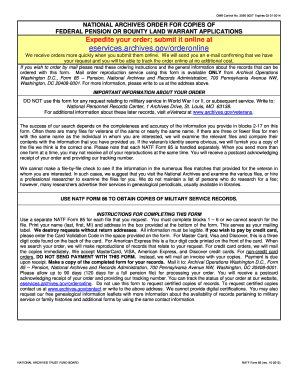
Get Natf Form 85
How it works
-

Open form follow the instructions
-

Easily sign the form with your finger
-

Send filled & signed form or save
How to fill out the Natf Form 85 online
Filling out the Natf Form 85 online is a crucial step in ordering copies of federal pension or bounty land warrant applications. This guide will provide clear instructions on each section of the form to ensure a smooth and successful submission.
Follow the steps to complete the Natf Form 85 online with ease.
- Click ‘Get Form’ button to access the Natf Form 85 and open it in the online editor.
- Indicate the type of file you wish to search in Section A by checking the appropriate box for a full pension application file, bounty-land warrant application, or pension documents packet.
- Complete Section A.2 through A.6 with the required minimum identification of the veteran, including the full name, branch of service, state served from, the war served in, and kind of service.
- If available, provide additional information about the veteran in blocks 7 to 17, such as the unit, rank, dates of birth and death, and widow's name.
- Choose your preferred method of receiving the completed order in Section B by selecting either paper copies or a CD/DVD.
- Fill out the payment method in Section C, ensuring to include your shipping address and contact information, as required.
- Review all entries to ensure accuracy and legibility before submitting the form.
- Save your changes and finalize your submission for processing. You can track your order online after submission.
Complete the Natf Form 85 online today to expedite your order and access essential records.
Accessing records in the National Archive involves understanding the cataloging system used for organizing documents. You may need to search the online database or visit in person to find specific records. If you require specific documents like the Natf Form 85, using services from US Legal Forms can help you navigate the complexities with ease, ensuring you find what you need.