Loading
Get Religare Kyc Form Download Pdf
How it works
-

Open form follow the instructions
-

Easily sign the form with your finger
-

Send filled & signed form or save
How to fill out the Religare Kyc Form Download Pdf online
Filling out the Religare Kyc Form Download Pdf online is an essential step for individuals and entities looking to update their Know Your Client details. This guide will provide you with a clear, step-by-step approach to completing the form accurately and efficiently.
Follow the steps to fill out the Religare Kyc Form Download Pdf online
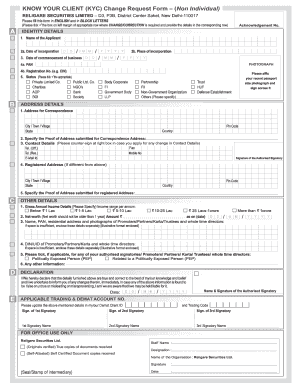
- Click the ‘Get Form’ button to obtain the Religare Kyc Form Download Pdf. This will allow you to access the form in an online editor.
- Begin by filling out the Acknowledgement Number section. Enter the appropriate date, ensuring you follow the DD/MM/YYYY format.
- In section 4a, provide the Permanent Account Number (PAN) that corresponds to your organization type, selecting from options such as NGO, Bank, Society, or Government Body.
- Specify the Proof of Address submitted for the Correspondence Address. Remember to counter-sign in the designated box if you are applying for changes to your contact details.
- For the Registered Address, specify the Proof of Address as well, including the name and signature of the authorized signatory.
- Input the applicable Trading & Demat Account Number clearly in the specified area.
- Ensure all signatories related to the application have entered their names and signatures. This may include one, two, or three signatories as required.
- After completion, you can save your changes, download the filled form, print a physical copy, or share it as needed.
Complete your Religare Kyc Form Download Pdf online today for a seamless update process.
To activate your Religare account, you first need to complete your KYC process. Once you have filled out the required forms, including the KYC form available via the Religare KYC Form Download PDF, submit them to Religare. After verification, your account will be activated, allowing you to access various services.