Loading
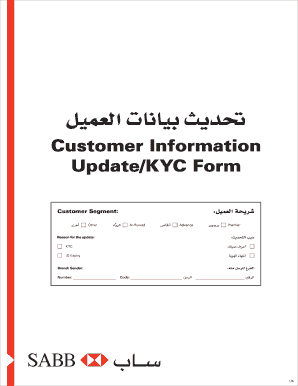
Get Sabb Customer Information Update/kyc Form 2020-2026
How it works
-

Open form follow the instructions
-

Easily sign the form with your finger
-

Send filled & signed form or save
How to fill out the SABB Customer Information Update/KYC Form online
This guide provides clear instructions for users on how to successfully complete the SABB Customer Information Update/KYC Form online. By following these steps, you can ensure that your personal information is accurately updated and compliant with regulations.
Follow the steps to complete the form efficiently.
- Press the ‘Get Form’ button to download the form and open it in your preferred document editor.
- Begin by filling out the 'Customer Segment' section, where you will select the relevant category that applies to you.
- In the 'Reason for the update' section, indicate why you are updating your information, such as KYC or ID expiry.
- Provide your personal information, including your customer number, account number, and credit card number. Ensure that the name matches the identification document.
- Fill in your date of birth, gender, and nationality information. Choose the appropriate identification type and provide the ID number along with the expiry date.
- Complete the contact details section with your telephone numbers, email address, and preferred address. Include optional fields such as house number, postal code, or additional contact information.
- In the employment details section, include your employer’s name, occupation, and work address. If you own a business, provide the necessary details.
- Fill out any additional sections regarding monthly salary and other sources of income, if applicable.
- Answer the anticipated activities section with details regarding your expected transaction behaviors.
- Review the declaration at the end of the form and ensure that you understand and agree with its contents before signing.
- Once you have filled out all sections, save your changes, and choose to download, print, or share the form as needed.
Complete your SABB Customer Information Update/KYC Form online today to keep your account updated.
You can update KYC through online banking by logging into your bank account and navigating to the account management section. Find the SABB Customer Information Update/KYC Form and fill it out with the necessary information. Submit the form electronically, and your updates should be reflected in your account shortly.