Open form follow the instructions
Easily sign the form with your finger
Send filled & signed form or save
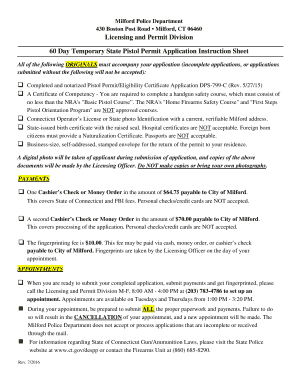
How to fill out the Milford Ct Pistol Permit Application online
Completing the Milford Ct Pistol Permit Application online can be a straightforward process when you are equipped with the right information. This guide is designed to assist you in filling out the application accurately and efficiently, ensuring you meet all necessary requirements.
Follow the steps to successfully complete your application online
- Click ‘Get Form’ button to obtain the form and open it in the editor.
- Begin by entering your name in the designated fields for the applicant's information. Ensure you include all parts of your name and any aliases if applicable.
- Provide your date of birth, indicating the month, day, and year accurately. This information is crucial for identity verification.
- Indicate your sex by selecting the appropriate option as required by the application.
- Fill in your height and weight measurements to complete the physical description section.
- Specify your race by checking the relevant category to provide more complete demographic information.
- If you have a social security number, include it in the optional section for further identification support.
- Provide your place of birth, as well as your current residential address, ensuring a valid address is listed, as post office box numbers are not permissible.
- List previous residential addresses for the last seven years in the stipulated section.
- Complete your contact information, including home and alternate phone numbers, and your motor vehicle operator's license number.
- Fill out your employment history for the last seven years, providing the names and contact information for your employers.
- Address your permit or eligibility certificate history, indicating if you have ever had a firearms permit denied, suspended or revoked.
- Answer the medical and criminal history questions truthfully. Ensure to provide any additional explanations if required.
- Upload proof of training by attaching a copy of your firearms safety course certificate as per the requirements.
- Review all information provided to ensure accuracy and completeness before submitting the application.
- After submission, save changes, download, print, or share the finished application form as needed.
Complete your Milford Ct Pistol Permit Application online today and ensure all required materials are submitted for a smooth application process.
Experience a faster way to fill out and sign forms on the web. Access the most extensive library of templates available.
Related content
The cost for obtaining a pistol permit is $70.00. The permit is good for a period of five...
Jan 6, 2023 — The Connecticut Information Sharing System (CISS) is an application with...
FCC permit phone -patching?") When a satis- factory answer has been found another question...
Get answers to your most pressing questions about US Legal Forms API.
Can I carry a loaded pistol in my car in CT?
In Connecticut, you can carry a loaded pistol in your car if you have a valid pistol permit. Your Milford CT Pistol Permit Application grants you the legal right to do so, provided the firearm is not in plain view. Always ensure that your firearm remains secure and compliant with local laws to avoid any issues while traveling.
Does CT pistol permit renewal need to be notarized?
When renewing your Connecticut pistol permit, notarization is not always required. However, it's essential to review the specific renewal guidelines associated with your Milford CT Pistol Permit Application. Some documents may require certification or additional paperwork, so always check with local authorities to ensure full compliance.
What states does a CT pistol permit let you carry in?
With a Connecticut pistol permit, you can carry in several states that recognize this permit. However, it's essential to verify each state's specific laws before carrying. Always carry proof of your Milford CT Pistol Permit Application with you while traveling. This ensures that you are in compliance with varying regulations.
Do you need an appointment for pistol permit in CT?
Pistol Permit Application appointments available. Once you have completed your notarized application you may book your appointment.
Where can I get my CT fingerprinted for a pistol permit?
Appointments can be made by calling (475) 473-3488. A $70.00 application fee will be collected at your fingerprinting appointment (check made out to the Town of Middlebury or exact cash amount).
Can I buy a gun without a permit in CT?
In Connecticut, a person may not purchase or receive a handgun unless he or she holds a valid permit to carry a handgun (see the Concealed Weapons Permitting in Connecticut section), a valid permit to sell a handgun (see the Dealer Regulations in Connecticut section), or a valid handgun eligibility certificate.
How much does it cost to get pistol permit in CT?
The cost for obtaining a pistol permit is $70.00. The permit is good for a period of five years. The application paperwork may be obtained from a local police department, city or town hall or first selectman's office in the case of a local permit, or Permitting offices in the case of a state pistol permit.
Is there a waiting period to buy a gun in CT?
Connecticut does not impose a waiting period on firearm purchases or transfers. However, a purchaser or transferee must obtain a permit or certificate prior to receiving a firearm.
Where do I get my CT pistol permit?
The application paperwork may be obtained from a local police department, city or town hall or first selectman's office in the case of a local permit, or Permitting offices in the case of a state pistol permit.
How long does it take to get a CT pistol permit?
The application has all the instructions necessary to obtain the permit. The cost of the permit is $70.00, and it generally takes eight weeks to obtain.
Use professional pre-built templates to fill in and sign documents online faster. Get access to thousands of forms.
If you believe that this page should be taken down, please follow our DMCA take down process here.