Loading
Get Teacher Agreement Form 2020-2026
How it works
-

Open form follow the instructions
-

Easily sign the form with your finger
-

Send filled & signed form or save
How to fill out the Teacher Agreement Form online
This guide provides clear and concise instructions for completing the Teacher Agreement Form online. Whether you are new to this process or have filled out similar forms in the past, this step-by-step guide will assist you in successfully submitting the required information.
Follow the steps to complete the Teacher Agreement Form.
- Click 'Get Form' button to obtain the Teacher Agreement Form and open it in the editor.
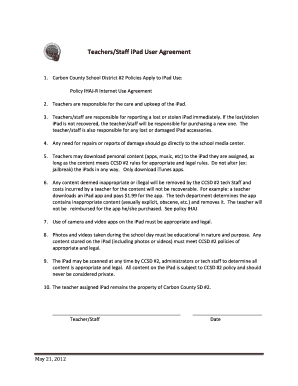
- Read the introductory section that outlines the policies related to iPad use. Familiarize yourself with the responsibilities you will assume as a teacher in relation to the iPad provided.
- In the designated field, enter your full name or the name as you wish it to appear on the form. Ensure that your name matches your identification documents.
- Review and acknowledge your responsibilities regarding the care, upkeep, and reporting of any lost or stolen iPads. This section will typically require you to check a box or provide electronic consent.
- Indicate your understanding that any personal content downloaded must comply with CCSD #2 rules. This may require you to agree to terms regarding content appropriateness.
- Provide your signature electronically by typing your name in the signature field, indicating your agreement to the outlined policies.
- Enter the date of completion in the designated field. This is important as it marks the official record of your agreement.
- Once all fields are completed, review the form for any inaccuracies or missing information. Make any necessary edits before finalizing your submission.
- Save any changes made to the form. You may then choose to download, print, or share the completed Teacher Agreement Form based on your needs.
Complete your Teacher Agreement Form online today to ensure compliance with district policies.
Writing an agreement form starts with a clear title, like 'Teacher Agreement Form.' Define the parties involved and describe the purpose of the agreement in straightforward language. Ensure that you include all relevant terms and conditions for clarity. This approach helps keep both parties informed and reduces potential misunderstandings.