Loading
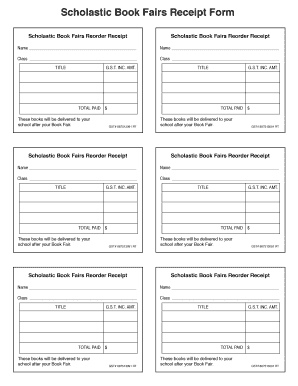
Get Canada Scholastic Book Fairs Receipt Form 2020-2026
How it works
-

Open form follow the instructions
-

Easily sign the form with your finger
-

Send filled & signed form or save
How to fill out the Canada Scholastic Book Fairs Receipt Form online
Filling out the Canada Scholastic Book Fairs Receipt Form online is an important step in processing orders efficiently. This guide provides clear and supportive instructions to help users complete the form accurately and effectively.
Follow the steps to complete the form successfully.
- Click ‘Get Form’ button to obtain the form and open it in the editor. This action allows you to access the necessary fields for your entries.
- Begin by entering your name in the designated field. Ensure that you provide your full name as it will be used for identification during the order process.
- Next, input your class information in the corresponding section. This detail is essential for tracking purchases related to specific classes.
- Proceed to list the title of the books you are ordering in the provided fields. Make sure each title is accurately spelled to avoid errors in the order.
- Fill in the G.S.T. (Goods and Services Tax) amount associated with each title. This information is crucial for calculating the total due.
- Once all titles and their respective G.S.T. amounts are entered, make sure to tally the total paid. This total should reflect the cumulative cost of all selected items.
- Finally, review your entries for accuracy. After confirming that all information is correct, you can save changes, download, print, or share the form as needed.
Complete your documents online today and streamline your book fair ordering process!
The Scholastic Book Club has seen controversy related to marketing strategies and the types of books offered. Some have raised concerns about the influence of commercialism in schools. Understanding this context can help you navigate the offerings listed in your Canada Scholastic Book Fairs Receipt Form more effectively.