Loading
Get Csms Nic In 2020-2025
How it works
-

Open form follow the instructions
-

Easily sign the form with your finger
-

Send filled & signed form or save
How to fill out the Csms Nic In online
Filling out the Csms Nic In form online is a straightforward process. This guide provides users with clear, step-by-step instructions to ensure an efficient and accurate submission.
Follow the steps to complete your Csms Nic In form successfully.
- Click the ‘Get Form’ button to access the Csms Nic In form online.
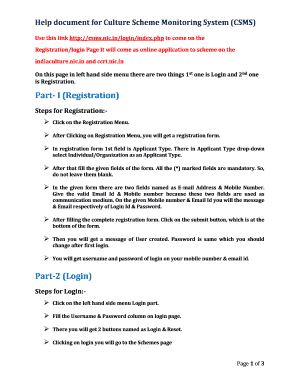
- Begin your registration process by selecting the ‘Registration’ option on the left-hand side menu.
- On the registration form, select either ‘Individual’ or ‘Organization’ from the Applicant Type dropdown menu as per your status.
- Complete all required fields, noting that fields marked with an asterisk (*) are mandatory and must not be left blank.
- Provide a valid email address and mobile number, as these will serve as your communication channels. You will receive your login credentials through these contacts.
- Once you have filled out the form completely, click the submit button located at the bottom of the registration form.
- You will see a confirmation message indicating that your user account has been created. The initial password will be the same as provided; remember to change it upon your first login.
- Retrieve your username and password from the messages sent to your email and mobile device.
- To log in, return to the left-hand side menu and click on the ‘Login’ option. Enter your username and password, then click the ‘Login’ button.
- Once logged in, you will access your dashboard where you can view a list of available schemes based on your applicant type.
- Select the relevant scheme you wish to apply for, then click on the ‘Apply Online Now’ link.
- Fill out the application form for the selected scheme and click the submit button once you have completed all sections.
- You will receive a message confirming that your application has been submitted successfully.
- To manage your profile, you can choose to edit your details, change your password, check the status of applications, or review sanction statuses.
- If you forget your password, follow the instructions on the ‘Forgot Password’ page to recover access to your account.
- In case your user account is blocked, follow the procedure outlined to receive a new auto-generated password and reset it for security.
- Finally, make sure any file attachments do not exceed the 5MB limit and avoid using spaces or special characters in file names.
Start filling out your Csms Nic In form online today for a seamless application experience.
Industry-leading security and compliance
US Legal Forms protects your data by complying with industry-specific security standards.
-
In businnes since 199725+ years providing professional legal documents.
-
Accredited businessGuarantees that a business meets BBB accreditation standards in the US and Canada.
-
Secured by BraintreeValidated Level 1 PCI DSS compliant payment gateway that accepts most major credit and debit card brands from across the globe.