Loading
Get Packing Declaration
How it works
-

Open form follow the instructions
-

Easily sign the form with your finger
-

Send filled & signed form or save
How to fill out the Packing Declaration online
Filling out the Packing Declaration is a necessary step for ensuring compliance with import and export regulations. This guide provides detailed instructions to assist users in accurately completing the form online.
Follow the steps to complete the Packing Declaration accurately.
- Click the ‘Get Form’ button to acquire the Packing Declaration and open it in your preferred editing tool.
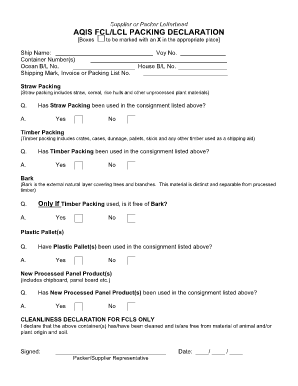
- Begin by entering the ship name and voyage number in the designated fields. Ensure that this information matches what is provided in your shipping documentation.
- Next, input the container number(s) along with the ocean Bill of Lading (B/L) number and house B/L number. Verify that all numbers are entered correctly to avoid discrepancies.
- Complete the shipping mark, invoice, or packing list number field. This reference is crucial for tracking and identifying your shipment.
- Similarly, for timber packing, indicate 'Yes' or 'No' based on its use. This includes checking if the items used for packing were crates, pallets, or other timber materials.
- For plastic pallets, specify if they were used by selecting 'Yes' or 'No'. This helps to account for all materials involved in the shipment.
Complete your Packing Declaration online to ensure a smooth shipping process.
Customs declaration forms can be obtained from your country's customs office or its official website. These forms are often available for download or in print at shipping and customs locations. If you're seeking convenience, platforms like US Legal Forms provide easy access to these forms along with guidance on how to fill them out accurately. This ensures you're prepared for a smooth customs experience.