Loading
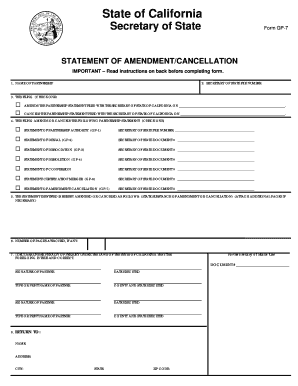
Get Gp7 Form 2020-2026
How it works
-

Open form follow the instructions
-

Easily sign the form with your finger
-

Send filled & signed form or save
How to fill out the Gp7 Form online
This guide provides clear and supportive instructions for completing the Gp7 Form, a document needed to amend or cancel a partnership statement in California. By following these steps, users with varying levels of experience can successfully navigate the online process.
Follow the steps to complete the Gp7 Form online:
- Press the ‘Get Form’ button to access the Gp7 Form and open it in a suitable online editor.
- In the first field, enter the name of the partnership exactly as it is filed with the Secretary of State of California.
- In the second field, input the Secretary of State file number assigned to your partnership.
- For the third section, select the appropriate box to indicate whether you are amending or canceling a previously filed partnership statement, and specify the date it was filed.
- In the fifth section, detail the substance of the amendment or cancellation. If more space is needed, attach additional pages and document the number of attachments in the next field.
- In the sixth field, state the number of pages that you are attaching, if applicable.
- For the seventh section, ensure that the form is signed by the relevant partners, confirming the information provided is accurate under penalty of perjury.
- Finally, in the eighth section, provide the name and mailing address of the individual or firm that should receive a copy of the filing after processing.
- After completing all fields, review your entries to ensure accuracy, then save your changes and prepare to download or print the form for submission.
Start completing your Gp7 Form online today to efficiently manage your partnership statements.
Obtaining the AP9 form is straightforward when you know where to look. You can access it through official websites or platforms that support legal documentation. Additionally, Uslegalforms provides a user-friendly interface where you can quickly find the AP9 form among other legal documents. This convenience ensures you have what you need without hassle.