Loading
Get Pdf Formklaim Rawat Inap Sinarmas
How it works
-

Open form follow the instructions
-

Easily sign the form with your finger
-

Send filled & signed form or save
How to fill out the Pdf Formklaim Rawat Inap Sinarmas online
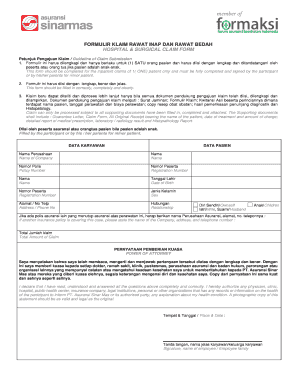
Filling out the Pdf Formklaim Rawat Inap Sinarmas online can streamline the claim submission process for inpatient treatment. This guide will walk you through each section and field of the form, ensuring that you complete it correctly and efficiently.
Follow the steps to complete your claim form online.
- Click the ‘Get Form’ button to obtain the form and open it for editing.
- Begin by filling in the employee data section. Include the name of the company, policy number, registration number, and contact details.
- Next, move to the patient data section. Enter the patient’s name, registration number, date of birth, sex, address, and relationship to the employee.
- If applicable, provide the information for any additional insurance that covers the treatment, including the insurance company's name, address, and phone number.
- Indicate the total amount of the claim to ensure that the processing team understands the financial aspect.
- In the power of attorney section, read the statement carefully and affirm that all information is correct. This section must be signed by the participant or their guardian if the patient is a minor.
- The attending physician will need to fill out their section. Ensure that the doctor includes all relevant medical information about the treatment, including diagnosis, procedures performed, and observations.
- After completing the form, review each section to ensure accuracy and completeness. Ensure that you have all necessary supporting documents attached.
- Finally, save your changes, and choose whether to download, print, or share the completed form as needed.
Complete your Pdf Formklaim Rawat Inap Sinarmas online today for efficient claim processing.