Loading
Get Participial
How it works
-

Open form follow the instructions
-

Easily sign the form with your finger
-

Send filled & signed form or save
How to fill out the Participial online
This guide will help you understand how to effectively complete the Participial form online. Through step-by-step instructions, you will learn to navigate each section of the form with confidence and ease.
Follow the steps to complete the Participial form online
- Press the ‘Get Form’ button to access the Participial form, ensuring it opens in your preferred online editor.
- In the provided field, enter your name, ensuring it is correctly spelled as it will appear on the document.
- Next, input the date in the designated area, utilizing the format requested (e.g., month/day/year).
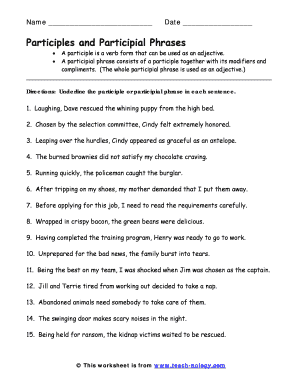
- Review the instructions regarding participles and participial phrases carefully to fully understand the tasks required.
- Proceed to each sentence one by one, using the online editing tools to underline the correct participle or participial phrase as indicated.
- Once you have completed all sentences, review your entries for accuracy, ensuring every participial element is properly identified.
- Lastly, save your changes, and choose to either download, print, or share the completed form as needed.
Start filling out your Participial form online today!
Five examples of participial phrases include 'barking loudly,' 'broken beyond repair,' 'exhausted from the race,' 'sitting by the window,' and 'running swiftly.' Each phrase contains a participle that modifies a noun, providing additional context and richness. Using participial phrases can elevate your writing and captivate your readers.