Loading
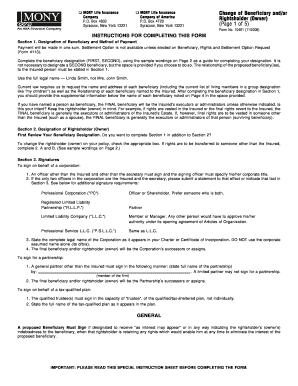
Get Mony Life Insurance Form 10481
How it works
-

Open form follow the instructions
-

Easily sign the form with your finger
-

Send filled & signed form or save
How to fill out the Mony Life Insurance Form 10481 online
This guide provides a clear and supportive approach for users looking to complete the Mony Life Insurance Form 10481 online. By following the outlined steps, users can confidently fill out the form with the necessary information.
Follow the steps to successfully complete your Mony Life Insurance Form 10481 online.
- Click ‘Get Form’ button to obtain the form and open it in your respective editor for further editing.
- Begin by completing Section 1, which is the Designation of Beneficiary and Method of Payment. You will input the full legal names of your first and potential second beneficiaries. Include their relationship to the insured and their addresses as required.
- If you wish to designate a rightsholder (owner), move to Section 2. Indicate if there is a new rightsholder and complete any necessary information relevant to their designation.
- In Section 3, gather the required signatures. Ensure that any signatures from corporations or partnerships are completed accurately according to the instructions provided.
- Review all sections for completeness. Make sure all beneficiaries’ names, relationships, and social security numbers are accurate and legible.
- Once all information is finalized, save your form. You can download, print, or share it directly from your editor based on your preferences.
Take action now and complete your Mony Life Insurance Form 10481 online to ensure your beneficiary designations are updated.
Mony Life Insurance has undergone several changes over the years, including mergers and rebranding. Currently, policies under the Mony name might be managed by other insurance companies due to these transitions. If you have specific queries about Mony Life Insurance Form 10481 or your policy, contacting their customer support can provide up-to-date information.