We use cookies to improve security, personalize the user experience, enhance our marketing activities (including cooperating with our marketing partners) and for other business use.
Click "here" to read our Cookie Policy. By clicking "Accept" you agree to the use of cookies. Read less
Read more
Accept
Loading
Form preview
  • US Legal Forms
  • Form Library
  • More Forms
  • More Multi-State Forms
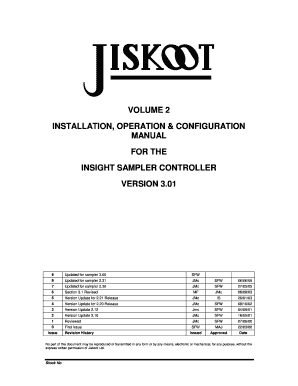
  • Jiskoot Sampler Manual 2020

Get Jiskoot Sampler Manual 2020-2025

How it works

  1. Open form

    Open form follow the instructions

  2. Easily sign form

    Easily sign the form with your finger

  3. Share form

    Send filled & signed form or save

How to fill out the Jiskoot Sampler Manual online

Filling out the Jiskoot Sampler Manual online can streamline your sampling processes, ensuring accuracy and efficiency. This guide provides detailed, step-by-step instructions to assist users in completing the form effectively.

Follow the steps to successfully fill out the Jiskoot Sampler Manual online.

  1. Use the ‘Get Form’ button to obtain the Jiskoot Sampler Manual and open it in the relevant editor.
  2. Begin by entering the date of submission in the appropriate field at the top of the manual. Ensure to follow the specified date format.
  3. Complete the section titled 'Installation' by providing details about the equipment being sampled. Include model numbers and any relevant configurations.
  4. In the ‘Configuration’ section, specify parameters such as the type of flow meter used and any calibration settings required.
  5. Fill out the 'Batch Details' section, including information on the expected batch volume, density, and the number of can changes allowed.
  6. Review the options for 'Performance Factors' and select any relevant indicators that apply to your specific sampling needs.
  7. Conclude by checking the 'Disclaimer' section to ensure you agree with the terms provided.
  8. Once all fields are completed, save your changes and choose to download, print, or share the completed manual.

Start completing the Jiskoot Sampler Manual online today for a more efficient sampling process.

Get form

Experience a faster way to fill out and sign forms on the web. Access the most extensive library of templates available.
Get form

Related content

attachment_19.docx
Manual Sampling. 1090.1335 (b)(1) Manual Sampling directs the sampler to perform TAP...
Learn more
(PDF) System Specification
The document outlines the specifications for a dynamic performance monitoring system named...
Learn more
CLIF MOCK True Cut C Series Samplers
The C Series isokinetic inline sampling probe (shown assembled with a controller) requires...
Learn more

Related links form

10th Ndrf Dwr Cymru - Welsh Water SELF LAY FORM SL1... - Dwrcymru Co Programme Downloaded In PDF Format - Tafprs Org Mathematical Methods Of Organizing And Planning - Feg Unesp

Questions & Answers

Get answers to your most pressing questions about US Legal Forms API.

Contact support

Using a rolling sampler involves setting up your sampler to capture audio continuously over a certain period. Simply select the 'roll' mode within the Jiskoot Sampler, allowing you to record and manipulate sounds on-the-fly. This method is ideal for live performances or spontaneous creativity, providing opportunities to create unique audio samples instantly.

To pull up the quick sampler in your DAW, look for the 'Sampler' section within the software. You can usually find it by navigating to the instrument track options. Selecting Quick Sampler within the Jiskoot Sampler provides a user-friendly interface to quickly load and edit your audio samples, facilitating a more efficient workflow in your music production.

Connecting a sampler to a computer typically involves using a USB cable or an audio interface for improved sound quality. Once the connection is established, check your DAW to confirm it recognizes the sampler. This connection permits you to seamlessly integrate the Jiskoot Sampler, allowing for effective sample manipulation and creative flexibility.

To link a mixing console to your computer, start by using a USB or FireWire connection, depending on the console's features. Connect the console’s output to your computer, and install any required drivers to ensure compatibility. This setup enhances your audio mixing capabilities and allows for better integration with the Jiskoot Sampler during your production sessions.

Connecting your sampler to a PC requires a USB connection or an audio interface. Plug the sampler into an available USB port or connect through the audio interface using the appropriate cables. Once connected, ensure that your DAW recognizes the sampler, allowing you to incorporate the Jiskoot Sampler in your projects seamlessly.

To connect a turntable to your computer, use a USB turntable for a direct connection or an audio interface for optimal sound quality. Connect the RCA cables from the turntable to the audio interface, and then link the interface to your computer via USB. This connection allows you to utilize the Jiskoot Sampler for sampling vinyl directly into your digital audio workspace.

Connecting a sound card to your computer is straightforward. Begin by inserting the sound card into a suitable slot on your motherboard or through a USB port. After installing any necessary drivers, access your computer’s audio settings to select the sound card as your primary audio device. This setup can significantly improve your audio quality and offer better integration with tools like the Jiskoot Sampler.

To load the Jiskoot Sampler in Logic Pro, first, open your project and navigate to the software instrument track. Click on the instrument slot and select 'Jiskoot Sampler' from the list of available options. Once selected, you can begin loading your samples by dragging and dropping audio files into the sampler. This process will enhance your workflow by allowing you to manipulate audio directly in Logic Pro.

A standard type of sample cell for ordinary solutions is a vertically standing cylindrical glass tube surrounded by a refractive index-matching liquid to reduce surface scattering on the sample tube.

The cell sampler is used for crude oils applications, which commonly contain water and sediment. Cell sampler systems are designed conform the Standard Practice for Automatic Sampling of Petroleum and Petroleum Products API 8.2, ASTM D.

Get This Form Now!

Use professional pre-built templates to fill in and sign documents online faster. Get access to thousands of forms.
Get form
If you believe that this page should be taken down, please follow our DMCA take down processhere.

Industry-leading security and compliance

US Legal Forms protects your data by complying with industry-specific security standards.
  • In businnes since 1997
    25+ years providing professional legal documents.
  • Accredited business
    Guarantees that a business meets BBB accreditation standards in the US and Canada.
  • Secured by Braintree
    Validated Level 1 PCI DSS compliant payment gateway that accepts most major credit and debit card brands from across the globe.
Get Jiskoot Sampler Manual
Get form
Form Packages
Adoption
Bankruptcy
Contractors
Divorce
Home Sales
Employment
Identity Theft
Incorporation
Landlord Tenant
Living Trust
Name Change
Personal Planning
Small Business
Wills & Estates
Packages A-Z
Form Categories
Affidavits
Bankruptcy
Bill of Sale
Corporate - LLC
Divorce
Employment
Identity Theft
Internet Technology
Landlord Tenant
Living Wills
Name Change
Power of Attorney
Real Estate
Small Estates
Wills
All Forms
Forms A-Z
Form Library
Customer Service
Terms of Service
Privacy Notice
Legal Hub
Content Takedown Policy
Bug Bounty Program
About Us
Help Portal
Legal Resources
Blog
Affiliates
Contact Us
Delete My Account
Site Map
Industries
Forms in Spanish
Localized Forms
State-specific Forms
Forms Kit
Legal Guides
Real Estate Handbook
All Guides
Prepared for You
Notarize
Incorporation services
Our Customers
For Consumers
For Small Business
For Attorneys
Our Sites
US Legal Forms
USLegal
FormsPass
pdfFiller
signNow
airSlate WorkFlow
DocHub
Instapage
Social Media
Call us now toll free:
+1 833 426 79 33
As seen in:
  • USA Today logo picture
  • CBC News logo picture
  • LA Times logo picture
  • The Washington Post logo picture
  • AP logo picture
  • Forbes logo picture
© Copyright 1997-2025
airSlate Legal Forms, Inc.
3720 Flowood Dr, Flowood, Mississippi 39232
Form Packages
Adoption
Bankruptcy
Contractors
Divorce
Home Sales
Employment
Identity Theft
Incorporation
Landlord Tenant
Living Trust
Name Change
Personal Planning
Small Business
Wills & Estates
Packages A-Z
Form Categories
Affidavits
Bankruptcy
Bill of Sale
Corporate - LLC
Divorce
Employment
Identity Theft
Internet Technology
Landlord Tenant
Living Wills
Name Change
Power of Attorney
Real Estate
Small Estates
Wills
All Forms
Forms A-Z
Form Library
Customer Service
Terms of Service
Privacy Notice
Legal Hub
Content Takedown Policy
Bug Bounty Program
About Us
Help Portal
Legal Resources
Blog
Affiliates
Contact Us
Delete My Account
Site Map
Industries
Forms in Spanish
Localized Forms
State-specific Forms
Forms Kit
Legal Guides
Real Estate Handbook
All Guides
Prepared for You
Notarize
Incorporation services
Our Customers
For Consumers
For Small Business
For Attorneys
Our Sites
US Legal Forms
USLegal
FormsPass
pdfFiller
signNow
airSlate WorkFlow
DocHub
Instapage
Social Media
Call us now toll free:
+1 833 426 79 33
As seen in:
  • USA Today logo picture
  • CBC News logo picture
  • LA Times logo picture
  • The Washington Post logo picture
  • AP logo picture
  • Forbes logo picture
© Copyright 1997-2025
airSlate Legal Forms, Inc.
3720 Flowood Dr, Flowood, Mississippi 39232