Get Sports Physical Form 2020-2026
How it works
-

Open form follow the instructions
-

Easily sign the form with your finger
-

Send filled & signed form or save
How to fill out the Sports Physical Form online
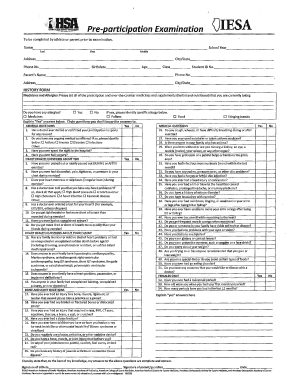
Filling out the Sports Physical Form online ensures that athletes provide all necessary information for their pre-participation examination. This guide offers clear, step-by-step instructions to help users navigate each section of the form efficiently and accurately.
Follow the steps to complete the Sports Physical Form online.
- Click ‘Get Form’ button to obtain the form and open it in the editor.
- Begin by entering the athlete's personal information, including their last name, first name, middle name, school year, and student ID number in the designated fields.
- Provide the athlete's address, city, state, phone number, date of birth, and age. Ensure all entries are accurate to avoid complications.
- Complete the medical history section. List all current prescription and over-the-counter medications and supplements being taken by the athlete.
- Proceed to the heart health questions, carefully providing answers related to any past medical history or family medical history relevant to heart conditions.
- Complete the medical questions section, which covers various health issues that may affect athletic participation.
- Review all filled sections for completeness. When finished, the user can save changes, download, print, or share the form as needed.
Complete your Sports Physical Form online today to ensure a smooth process for athletic participation.
Typically, a sports physical takes about 30 minutes to an hour to complete. During this time, the healthcare provider will review your Health History questionnaire, conduct a physical examination, and complete the Sports Physical Form. The overall time can vary based on the complexity of your medical history and additional tests required. To expedite the process, arrive prepared with your form and any relevant medical information.