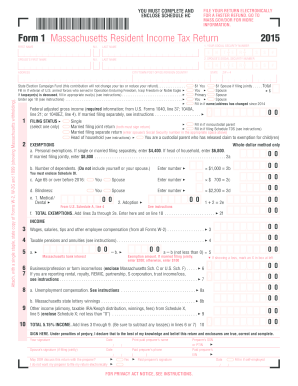
S, mark an X in box at left Exemption amount. If married filing jointly, enter $200; otherwise, enter $100 0 0 6 7 Business/profession or farm income/loss (enclose Massachusetts Sch. C or U.S. Sch. F) . . . . . 3 6 If you are reporting rental, royalty, REMIC, partnership, S corporation, trust income/loss, see instructions . . . . . . . . . . . . . . . . . . . . . . . . . . . . . . . . . . . . . . . . . . . . . . . . . . . . . . . . . . . . . . . 3 7 8 a. Unemployment compensation. See inst.

How it works
  • Open form

    Open form follow the instructions

  • Easily sign form

    Easily sign the form with your finger

  • Share form

    Send filled & signed form or save

How to fill out the MA DoR 1 online

The Massachusetts Department of Revenue Form 1 (MA DoR 1) is essential for residents to report their income and calculate their taxes. This guide provides clear, step-by-step instructions to assist users in completing the form accurately and efficiently online.

Follow the steps to fill out the MA DoR 1 online:

  1. Click ‘Get Form’ button to obtain the MA DoR 1 and access it in your preferred online form editor.
  2. Enter your first name, middle initial, and last name in the designated fields, followed by your Social Security number.
  3. If filing jointly, enter your partner's first name, middle initial, last name, and Social Security number in the appropriate sections.
  4. Complete your current address, including city/town, state, and ZIP code.
  5. If your name or address has changed since the previous year, ensure to update this information in the relevant section.
  6. Indicate your filing status by selecting the appropriate option: single, married filing jointly, married filing separately, or head of household.
  7. List any exemptions by entering the required values in the fields provided, including personal exemptions and dependent information.
  8. Report your federal adjusted gross income as directed, taking care to include all necessary sources of income.
  9. Subtract any allowable deductions as specified on the form to determine your taxable income.
  10. Calculate your total tax based on your taxable income and any applicable credits, then finalize your calculations.
  11. Review all fields for accuracy, then save your changes, download, print, or share the completed form as needed.

Get started on completing your MA DoR 1 online today!

Get form

Experience a faster way to fill out and sign forms on the web. Access the most extensive library of templates available.

Related content

Massachusetts Personal Income Tax Forms and...

Jan 15, 2024 — DOR has released its 2024 Massachusetts Personal Income tax forms. You...

Learn more
Form 1 Massachusetts Resident Income Tax Return...

1 FILING STATUS. Fill in one only. Single. Fill in if noncustodial parent. Married filing...

Learn more
PT Manual do utilizador 1 Atendimento ao Cliente e...

Este manual electrónico do utilizador destina-se a qualquer pessoa que utilize o monitor...

Learn more
Questions & Answers

Get answers to your most pressing questions about US Legal Forms API.

Contact support

Where do I mail my federal tax return from Massachusetts?

For your federal tax return, you will want to send it to the appropriate IRS address based on whether you are enclosing a payment or not. Typically, if you are mailing a payment, you send it to P.O. Box 37004, Hartford, CT 06176-0004. For no payment, send to the appropriate address outlined by the IRS for Massachusetts residents, ensuring you confirm the details on their website.

Mail your Massachusetts Form 1 to the Massachusetts Department of Revenue at P.O. Box 7010, Boston, MA 02204. This is the designated address for processing Form 1 submissions. Ensure your envelope is properly addressed and includes all necessary documents to avoid delays.

You do not need to attach a copy of your federal return when filing your Massachusetts state return. However, it is beneficial to keep a copy for your records. For additional clarification on filing your MA DoR 1, check resources available on the MA DoR website or platforms like uslegalforms.

Send your Massachusetts estimated tax payments to the Massachusetts Department of Revenue at P.O. Box 7000, Boston, MA 02204. Using the specific address ensures the timely processing of your payment. Remember to include any necessary forms to accompany your MA DoR 1.

Massachusetts source income includes any income earned from work performed within the state as well as certain types of passive income. This includes wages, salaries, bonuses, and certain investment earnings. If you're unsure of what qualifies, the MA DoR website provides a clear outline of these categories for your reference.

You can obtain your MassHealth tax form by logging into your MassHealth account online or by contacting their customer service. If you prefer, you can also request the form via mail by reaching out to MassHealth directly. Understanding how to access this information is crucial when handling your MA DoR 1.

To contact someone at the Massachusetts Department of Revenue, call their customer service line at 1-800-392-6089. You may also check their website for hours of operation and additional options like live chat. Clear communication will help you get the assistance you need regarding the MA DoR 1.

To mail your MA Form 1, you should send it to the Massachusetts Department of Revenue at P.O. Box 7010, Boston, MA 02204 for a mailed return. Ensure you use the correct address to avoid any delays in processing your return. For further guidance, consider visiting the MA DoR website for more specific mailing instructions.

Withholding from your paycheck means that your employer deducts a portion of your wages to cover your income tax obligations. This system helps ensure that you are making consistent payments toward state and federal taxes throughout the year. Understanding how this withholding works, especially through resources like the MA DoR 1, can help you plan your finances. Additionally, uslegalforms can provide assistance in managing and adjusting your withholdings.

The DoR in Massachusetts stands for the Department of Revenue, which is responsible for collecting taxes and enforcing tax laws within the state. This department plays a critical role in processing tax returns, including the MA form 1. Knowing your rights and responsibilities regarding tax matters is vital, and the MA DoR 1 form provides crucial information to assist taxpayers. Uslegalforms can guide you through interactions with the DoR.

Get This Form Now!

Use professional pre-built templates to fill in and sign documents online faster. Get access to thousands of forms.

If you believe that this page should be taken down, please follow our DMCA take down process here.

MA DoR 1 Form

This form is available in several versions. Select the version you need from the drop-down list below.

Get MA DoR 1