Loading
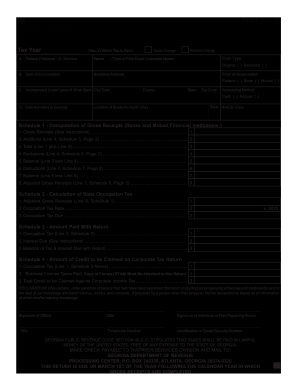
Get Ga Dor 900 2011
How it works
-

Open form follow the instructions
-

Easily sign the form with your finger
-

Send filled & signed form or save
How to fill out the GA DoR 900 online
Filling out the GA Department of Revenue Form 900, the Georgia Financial Institutions Business Occupation Tax Return, can be streamlined with this comprehensive guide. This step-by-step instruction will help users navigate the online process effectively.
Follow the steps to complete the GA DoR 900 online.
- Click ‘Get Form’ button to download the form and open it in your editor.
- Begin by entering the tax year and your Federal Employer Identification Number (EIN) in the respective fields.
- Provide the exact corporate name, along with any address change or name change checkboxes if applicable.
- Fill in the incorporation date, business address, and form of incorporation, indicating whether it is federal, state, or mutual.
- Complete the section regarding the state under which you are incorporated, along with the city/town, county, and postal code.
- Select your accounting method by checking either cash or accrual.
- Fill in the date admitted to Georgia and the NAICS code.
- Indicate the location of your books for audit purposes.
- Proceed to Schedule 1 and compute gross receipts, making entries as instructed for additions, exclusions, and deductions.
- Move on to Schedule 2 and calculate the state occupation tax based on adjusted gross receipts.
- Complete Schedule 3 by detailing the amount paid with the return, including occupation tax and any interest due.
- In Schedule 4, enter any credits to be claimed against your corporate tax return, making sure to attach Form PT440 if applicable.
- Sign and date the declaration section. Also, provide your title, telephone number, and identification or social security number.
- Review all entries for accuracy. Once finalized, save your changes, and download or print the completed form for submission.
Complete your Georgia DoR 900 form online today to ensure timely filing.
Get form
Experience a faster way to fill out and sign forms on the web. Access the most extensive library of templates available.
Related links form
To find out, 'Where's my GA state refund?', you'll want to use the online tracking tools provided by the Georgia Department of Revenue. By entering specific details, you can check the status of your refund quickly. If you're feeling uncertain, the GA DoR 900 program is a valuable resource to help residents stay updated on their refund process.
Get This Form Now!
Use professional pre-built templates to fill in and sign documents online faster. Get access to thousands of forms.