Loading
Form preview
  • US Legal Forms
  • Other Templates
  • Tax Forms
  • Executive Department Treasury IRS Forms
  • Irs Instruction 1041 2013

Get Irs Instruction 1041 2013

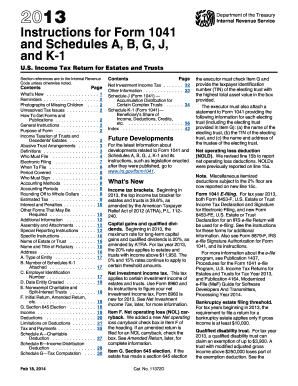
Tax brackets. Beginning in 2013, the top income tax bracket for estates and trusts is 39.6%, as amended by the American Taxpayer Relief Act of 2012 (ATRA), P.L. 112 240. Capital gains and qualified dividends. Beginning in 2013, the maximum rate for long-term capital gains and qualified dividends is 20%, as amended by ATRA. For tax year 2013, the 20% rate applies to estates and trusts with income above $11,950. The 0% and 15% rates continue to apply to certain threshold amounts. Net investment.

This website is not affiliated with IRS

How it works

  1. Open form

    Open form follow the instructions

  2. Easily sign form

    Easily sign the form with your finger

  3. Share form

    Send filled & signed form or save

How to fill out the IRS Instruction 1041 online

Filling out the IRS Form 1041 online can be a straightforward process when you follow the right steps. This guide will provide you with a clear, step-by-step outline to ensure accurate completion of the U.S. income tax return for estates and trusts.

Follow the steps to successfully complete the IRS Form 1041 online.

  1. Click ‘Get Form’ button to obtain the form and open it in the editor.
  2. Enter the name of the estate or trust as per the Form SS-4 application used to obtain the Employer Identification Number (EIN).
  3. Provide the name and title of the fiduciary responsible for the estate or trust.
  4. Include the complete address of the estate or trust, ensuring to add any suite or unit numbers.
  5. Select the appropriate type of entity, checking all boxes that apply to accurately represent the status of the estate or trust.
  6. Enter the number of Schedules K-1 attached to the form to report distributions.
  7. Input the EIN in the designated field and include the date the trust was created, or in case of an estate, the date of the decedent's death.
  8. Report income information, including all taxable interest, dividends, and any capital gains according to the instructions provided.
  9. Continue to document deductions, including fiduciary fees, taxes, and any contributions, as specified by the form.
  10. Review the completed form thoroughly for accuracy and ensure that all necessary schedules are attached.
  11. Save changes to the form, or download and print it for your records. Use the print option to create a physical copy if needed.
  12. Lastly, if you wish to submit electronically, follow the e-filing requirements as directed on the IRS site, ensuring to authorize any tax payments as applicable.

Get started by filling out your IRS Form 1041 online today!

Get form

Experience a faster way to fill out and sign forms on the web. Access the most extensive library of templates available.

Related content

2024 Instructions for Form 1041 and Schedules A...
Due date of return. Calendar year estates and trusts must file Form 1041 by April 15...
Learn more
Form 1041
9. 9. 10. Interest. Check if Form 4952 is attached ©. 10. 11. Taxes. 11. 12. Fiduciary...
Learn more
2014 Instructions for Form 1040NR
Apr 15, 2015 — Instructions for Form 1041, line 15c. When those line instructions refer...
Learn more

Related links form

OPM SF 86A(EG) 1995 SBA 2404 2009 SEC 870 S-1 2008 SEC Form D 2008

Questions & Answers

Get answers to your most pressing questions about US Legal Forms API.

Contact support

To close a trust with the IRS, you need to file a final IRS Form 1041 for the year in which the trust closes. You must report all income and expenses up to the date of closure. Following the guidance in IRS Instruction 1041 will ensure that you meet all necessary requirements and finalize the trust correctly.

In simple terms, a 1041 is a tax form used by estates and trusts to report income and file taxes. If you’re new to this, consider it as a tool to help manage financial obligations after a loved one's passing. Learning more about IRS Instruction 1041 can clarify the process and alleviate confusion.

No, if the estate has no income, you do not need to file IRS Form 1041. However, if there are deductions you want to claim, you might still consider filing. It’s best to consult a tax professional, or explore resources like US Legal Forms, which can guide you through the complexities outlined in IRS Instruction 1041.

You must file IRS Form 1041 if the estate or trust has a gross income of $600 or more during the tax year. Additionally, if any beneficiary is a non-resident alien, you will need to file the form regardless of income levels. Understanding these requirements helps ensure compliance with IRS Instruction 1041.

Yes, you can file IRS Form 1041 electronically through various tax software applications. This option makes submitting your return easier and faster while still ensuring compliance with IRS Instruction 1041. Many platforms allow direct e-filing, which can expedite the processing of your return.

Filling out a 1041 estate tax return involves reporting the estate’s income and calculating tax due. Begin by gathering financial information, such as income from investments and any expenses incurred. You should follow the IRS Instruction 1041 carefully, step by step, to ensure accuracy and completeness.

IRS Form 1041 is a tax return used by estates and trusts to report income, deductions, and tax liabilities. If you're a beginner, think of it as a way for the estate's executor to fulfill tax obligations. This form is essential for managing the financial aspects of an estate, following the IRS Instruction 1041 guidelines to ensure compliance.

As per IRS Instruction 1041, the exemption amount for estates may vary. Generally, a personal estate exemption applies, helping reduce taxable income. Familiarize yourself with current IRS limits or consult a tax professional for specific figures.

An example of Schedule D as referenced in IRS Instruction 1041 would include listing a stock sale. You would need to state the sale date, the sale proceeds, and your basis. This information allows the IRS to track capital gains or losses effectively.

Filling out Schedule D in IRS Instruction 1041 requires you to detail each capital asset transaction, providing dates, sale amounts, and any associated costs. Follow the IRS guidelines carefully, ensuring all required information is correct and complete. This attention to detail is essential for compliance.

Get This Form Now!

Use professional pre-built templates to fill in and sign documents online faster. Get access to thousands of forms.
If you believe that this page should be taken down, please follow our DMCA take down processhere.
Get IRS Instruction 1041
  • Adoption
  • Bankruptcy
  • Contractors
  • Divorce
  • Home Sales
  • Employment
  • Identity Theft
  • Incorporation
  • Landlord Tenant
  • Living Trust
  • Name Change
  • Personal Planning
  • Small Business
  • Wills & Estates
  • Packages A-Z
  • Affidavits
  • Bankruptcy
  • Bill of Sale
  • Corporate - LLC
  • Divorce
  • Employment
  • Identity Theft
  • Internet Technology
  • Landlord Tenant
  • Living Wills
  • Name Change
  • Power of Attorney
  • Real Estate
  • Small Estates
  • Wills
  • All Forms
  • Forms A-Z
  • Other Templates
  • Legal Hub
  • About Us
  • Help Portal
  • Legal Resources
  • Blog
  • Affiliates
  • Contact Us
  • Delete My Account
  • Site Map
  • Industries
  • Forms in Spanish
  • Localized Forms
  • State-specific Forms
  • Forms Kit
  • Real Estate Handbook
  • All Guides
  • Notarize
  • Incorporation services
  • For Consumers
  • For Small Business
  • For Attorneys
  • USLegal
  • FormsPass
  • pdfFiller
  • signNow
  • altaFlow
  • DocHub
  • Instapage
Form Packages
  • Adoption
  • Bankruptcy
  • Contractors
  • Divorce
  • Home Sales
  • Employment
  • Identity Theft
  • Incorporation
  • Landlord Tenant
  • Living Trust
  • Name Change
  • Personal Planning
  • Small Business
  • Wills & Estates
  • Packages A-Z
Form Categories
  • Affidavits
  • Bankruptcy
  • Bill of Sale
  • Corporate - LLC
  • Divorce
  • Employment
  • Identity Theft
  • Internet Technology
  • Landlord Tenant
  • Living Wills
  • Name Change
  • Power of Attorney
  • Real Estate
  • Small Estates
  • Wills
  • All Forms
  • Forms A-Z
  • Other Templates
Customer Service
  • Legal Hub
  • About Us
  • Help Portal
  • Legal Resources
  • Blog
  • Affiliates
  • Contact Us
  • Delete My Account
  • Site Map
  • Industries
  • Forms in Spanish
  • Localized Forms
  • State-specific Forms
  • Forms Kit
Legal Guides
  • Real Estate Handbook
  • All Guides
Prepared for you
  • Notarize
  • Incorporation services
Our Customers
  • For Consumers
  • For Small Business
  • For Attorneys
Our Sites
  • USLegal
  • FormsPass
  • pdfFiller
  • signNow
  • altaFlow
  • DocHub
  • Instapage
Social Media
Call us now toll free:
+1 833 426 79 33
As seen in:
© Copyright 1999-2026 airSlate Legal Forms, Inc. 17 Station Street, Suite 303, Brookline, MA 02445
  • Your Privacy Choices
  • Terms of Service
  • Privacy Notice
  • Content Takedown Policy
  • Bug Bounty Program
IRS Instruction 1041
This form is available in several versions.
Select the version you need from the drop-down list below.
2022 IRS Instruction 1041
Select form
  • 2022 IRS Instruction 1041
  • 2020 IRS Instruction 1041
  • 2019 IRS Instruction 1041
  • 2018 IRS Instruction 1041
  • 2017 IRS Instruction 1041
  • 2016 IRS Instruction 1041
  • 2015 IRS Instruction 1041
  • 2014 IRS Instruction 1041
  • 2013 IRS Instruction 1041
  • 2011 2011 Irs Form 1041irs Forms
Select form