Loading
Form preview
  • US Legal Forms
  • Other Templates
  • Tax Forms
  • Executive Department Treasury IRS Forms
  • Irs 1099-patr 2010

Get Irs 1099-patr 2010

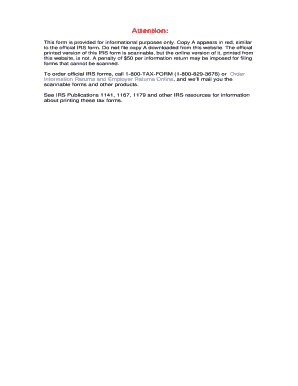
Of this IRS form is scannable, but the online version of it, printed from this website, is not. A penalty of $50 per information return may be imposed for filing forms that cannot be scanned. To order official IRS forms, call 1-800-TAX-FORM (1-800-829-3676) or Order Information Returns and Employer Returns Online, and we ll mail you the scannable forms and other products. See IRS Publications 1141, 1167, 1179 and other IRS resources for information about printing these tax forms. 9797 VOI.

How it works

  1. Open form

    Open form follow the instructions

  2. Easily sign form

    Easily sign the form with your finger

  3. Share form

    Send filled & signed form or save

How to fill out the IRS 1099-PATR online

Completing the IRS 1099-PATR form online can be straightforward with the right guidance. This guide will provide clear, step-by-step instructions on how to accurately fill out each section of the form to ensure compliance with IRS regulations.

Follow the steps to complete the IRS 1099-PATR online.

  1. Click ‘Get Form’ button to access the IRS 1099-PATR form and open it in your preferred editing tool.
  2. Begin by filling in the payer's name and address in the designated fields at the top of the form. Ensure this information is accurate as it is essential for identification purposes.
  3. Enter the payer's federal identification number in the appropriate box, followed by the recipient's identification number in the next field. This is vital for tracking and tax purposes.
  4. In box 1, report the total amount of patronage dividends paid during the year. This can include cash and qualified written notices of allocation.
  5. For box 2, input any nonpatronage distributions. Like box 1, include cash and qualified notices of allocation.
  6. In box 3, record any per-unit retain allocations. These are amounts associated with your share of profits from the cooperative.
  7. Box 4 is for any federal income tax withheld; input this amount if applicable.
  8. Box 5 should reflect any redemption of nonqualified notices and retain allocations that were redeemed during the year.
  9. In box 6, indicate the domestic production activities deduction if applicable. This should be specified in a written notice from the cooperative.
  10. Boxes 7, 8, and 10 may include investment credits and other credits or deductions. Input these amounts as reported by the cooperative.
  11. Review all entered information for accuracy and completeness to avoid penalties or delays.
  12. Finally, save your changes, and consider downloading, printing, or sharing the form as required.

Take the next step towards accurate tax filing by completing your IRS 1099-PATR form online today!

Get form

Experience a faster way to fill out and sign forms on the web. Access the most extensive library of templates available.

Related content

About Form 1099-PATR, Taxable Distributions...
Feb 19, 2025 — Cooperatives file Form 1099-PATR for each person: To whom the they paid...
Learn more
2012 - Instructions for Form 1099-PATR
Aug 11, 2011 — What's New. Statements to Recipients. If you are required to file Form...
Learn more
2017 Publication 505
Mar 1, 2017 — Form 1099-MISC, Miscellaneous Income;. Form 1099-OID, Original Issue...
Learn more

Related links form

IRS W-2 2014 IRS W-2 2013 IRS W-2 2012 IRS W-2 2011

Questions & Answers

Get answers to your most pressing questions about US Legal Forms API.

Contact support

Form 1099-PATR is used to report patronage dividends received from cooperatives. It informs the IRS about income you earned from these cooperatives and is essential for accurate tax reporting. Knowing how to handle IRS 1099-PATR will help you maintain compliance and avoid potential issues. If you have further questions about this form, uslegalforms offers comprehensive resources to assist you.

In TurboTax, you can enter IRS 1099-PATR by navigating to the section for 'Income' and selecting 'Enter Income from 1099s'. Follow the prompts to input your information accurately. TurboTax will guide you through the process, ensuring that you maximize your deductions and report your patronage dividends correctly. For additional detailed instructions, you might want to visit uslegalforms.

When you sell farmland, report the sale by using Schedule D and Form 1040, documenting the proceeds and your basis in the sale. This information allows you to calculate any capital gain or loss from the transaction. Make sure you keep thorough records to support your figures. If you have specific scenarios or additional questions, uslegalforms can provide further assistance.

To report IRS 1099-PATR on Schedule F, start by transferring the amount listed on your 1099-PATR to line 3. This line captures the income derived from cooperatives, which is essential for calculating your taxable income. Being meticulous about this entry can help prevent errors on your tax return. For more detailed instructions, consider using uslegalforms as a reliable resource.

You report IRS 1099-PATR on Schedule F, specifically under line 3, which is for income from cooperatives. This information should align with the amount shown on your 1099-PATR form. By correctly entering this data, you ensure compliance with IRS regulations while accurately reflecting your farm's income. Reach out to uslegalforms for additional support in this area.

When using CCH software, you can report IRS 1099-PATR under the 'Income' section of your tax return. Look for the area dedicated to Schedule F or Farm Income where patronage dividends typically apply. Ensuring that the information matches your 1099-PATR will help you maintain accuracy in your reporting. You can find detailed guidance on uslegalforms to assist you with this reporting.

The IRS 1099-PATR gets reported primarily on your tax return, specifically on Form 1040 and the accompanying schedules. This form is used to report patronage dividends from cooperatives, and it is crucial for accurately reporting your income. If you received a 1099-PATR, make sure to include it in your income calculation. Utilizing uslegalforms can help streamline this reporting process.

You should enter your 1099-MISC information in the appropriate section of your tax return. Most commonly, this information goes on Form 1040 or the relevant Schedule that corresponds with your income types. Additionally, if you are using tax software, the program will guide you to the right place to input your 1099-MISC data. For more comprehensive guidance, consider using resources from uslegalforms regarding IRS 1099-PATR.

In CCH, the 1099 LTC should be entered in the 'Other Income' section. Make sure to categorize this income accurately according to the instructions on the form. Proper entry is vital for transparency and for maintaining an organized record during tax season. Consider tools like US Legal Forms to streamline this process.

For Lacerte users, enter your 1099-PATR details in the 'Income' tab, specifically under the section designated for 1099 income. Ensure that each amount is entered accurately from the IRS form. This process is essential for maintaining compliance and achieving precise tax reporting.

Get This Form Now!

Use professional pre-built templates to fill in and sign documents online faster. Get access to thousands of forms.
If you believe that this page should be taken down, please follow our DMCA take down processhere.
Get IRS 1099-PATR
  • Adoption
  • Bankruptcy
  • Contractors
  • Divorce
  • Home Sales
  • Employment
  • Identity Theft
  • Incorporation
  • Landlord Tenant
  • Living Trust
  • Name Change
  • Personal Planning
  • Small Business
  • Wills & Estates
  • Packages A-Z
  • Affidavits
  • Bankruptcy
  • Bill of Sale
  • Corporate - LLC
  • Divorce
  • Employment
  • Identity Theft
  • Internet Technology
  • Landlord Tenant
  • Living Wills
  • Name Change
  • Power of Attorney
  • Real Estate
  • Small Estates
  • Wills
  • All Forms
  • Forms A-Z
  • Other Templates
  • Legal Hub
  • About Us
  • Help Portal
  • Legal Resources
  • Blog
  • Affiliates
  • Contact Us
  • Delete My Account
  • Site Map
  • Industries
  • Forms in Spanish
  • Localized Forms
  • State-specific Forms
  • Forms Kit
  • Real Estate Handbook
  • All Guides
  • Notarize
  • Incorporation services
  • For Consumers
  • For Small Business
  • For Attorneys
  • USLegal
  • FormsPass
  • pdfFiller
  • signNow
  • altaFlow
  • DocHub
  • Instapage
Form Packages
  • Adoption
  • Bankruptcy
  • Contractors
  • Divorce
  • Home Sales
  • Employment
  • Identity Theft
  • Incorporation
  • Landlord Tenant
  • Living Trust
  • Name Change
  • Personal Planning
  • Small Business
  • Wills & Estates
  • Packages A-Z
Form Categories
  • Affidavits
  • Bankruptcy
  • Bill of Sale
  • Corporate - LLC
  • Divorce
  • Employment
  • Identity Theft
  • Internet Technology
  • Landlord Tenant
  • Living Wills
  • Name Change
  • Power of Attorney
  • Real Estate
  • Small Estates
  • Wills
  • All Forms
  • Forms A-Z
  • Other Templates
Customer Service
  • Legal Hub
  • About Us
  • Help Portal
  • Legal Resources
  • Blog
  • Affiliates
  • Contact Us
  • Delete My Account
  • Site Map
  • Industries
  • Forms in Spanish
  • Localized Forms
  • State-specific Forms
  • Forms Kit
Legal Guides
  • Real Estate Handbook
  • All Guides
Prepared for you
  • Notarize
  • Incorporation services
Our Customers
  • For Consumers
  • For Small Business
  • For Attorneys
Our Sites
  • USLegal
  • FormsPass
  • pdfFiller
  • signNow
  • altaFlow
  • DocHub
  • Instapage
Social Media
Call us now toll free:
+1 833 426 79 33
As seen in:
© Copyright 1999-2026 airSlate Legal Forms, Inc. 17 Station Street, Ste. 203, Brookline, MA 02445
  • Your Privacy Choices
  • Terms of Service
  • Privacy Notice
  • Content Takedown Policy
  • Bug Bounty Program
IRS 1099-PATR
This form is available in several versions.
Select the version you need from the drop-down list below.
2022 IRS 1099-PATR
Select form
  • 2022 IRS 1099-PATR
  • 2021 IRS 1099-PATR
  • 2020 IRS 1099-PATR
  • 2019 IRS 1099-PATR
  • 2018 IRS 1099-PATR
  • 2017 IRS 1099-PATR
  • 2016 IRS 1099-PATR
  • 2015 IRS 1099-PATR
  • 2014 IRS 1099-PATR
  • 2013 IRS 1099-PATR
  • 2012 IRS 1099-PATR
  • 2011 IRS 1099-PATR
  • 2010 IRS 1099-PATR
Select form