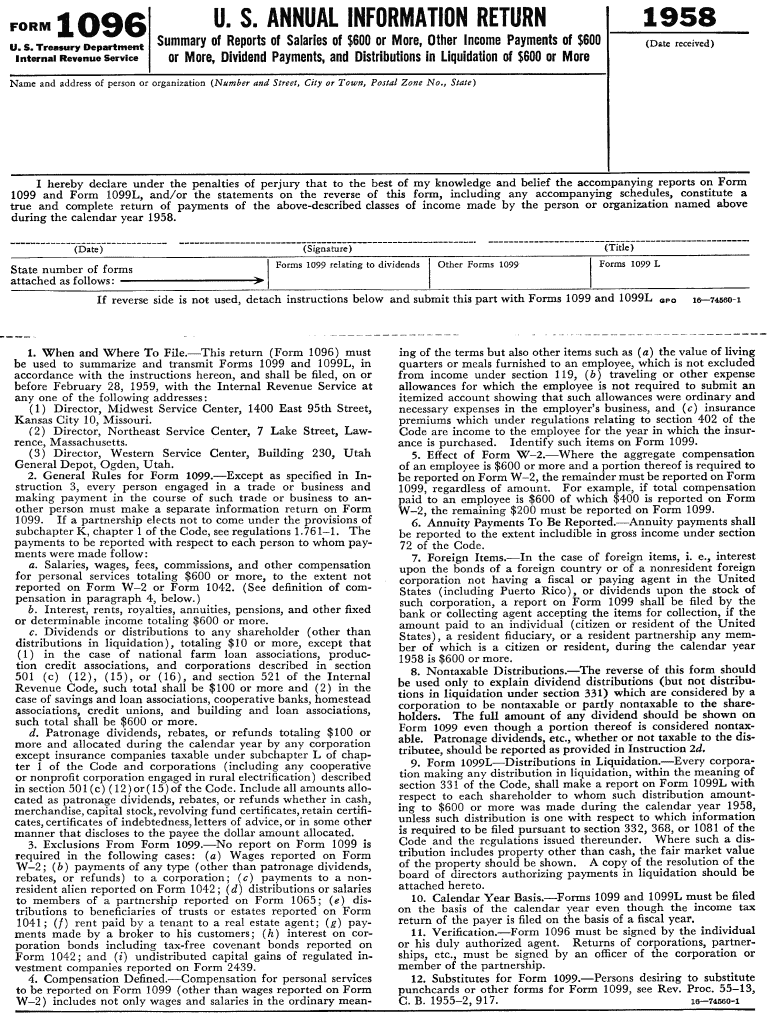
When and Where To File. -This return (Form 1096) must be used to summarize and transmit Forms 1099 and l099L, in accordance with the instructions hereon, .

Open form follow the instructions

Easily sign the form with your finger

Send filled & signed form or save
How to fill out the IRS 1096 online
Filling out the IRS 1096 form online can seem daunting, but with clear guidance, you can complete it accurately and efficiently. This guide provides a comprehensive step-by-step approach to ensure you understand each component of the form.
Follow the steps to successfully complete the IRS 1096 form online.
- Click ‘Get Form’ button to obtain the form and open it in the editor.
- Begin by entering the tax year at the top of the form. This indicates the year for which you are filing the information returns.
- Next, provide your name in the designated field. This is the name of the organization or individual that is reporting the information returns.
- In the next section, fill in your address, including street, city, state, and ZIP code. Accurate information here is crucial for your records.
- Insert your Employer Identification Number (EIN). If you do not have an EIN, consider applying for one prior to completing the form.
- For the “Total number of forms” field, state the total number of information returns you are submitting with this 1096 form.
- Under the “Filer's name” section, confirm the name of the person responsible for the filing process. Ensure this is clear and legible.
- Finally, review all the information you have entered for accuracy, then choose to save your changes, download the filled form, print it, or share it as needed.
Take the next step towards completing your IRS documentation by filling out the 1096 form online today.
Experience a faster way to fill out and sign forms on the web. Access the most extensive library of templates available.
Related content
Jun 6, 2025 — Use Form 1096 to transmit paper Forms 1097, 1098, 1099, 3921, 3922, 5498...
The form is used to report various types of income, including nonemployee compensation...
Caution: Because paper forms are scanned during processing, you cannot file Forms 1096...
Get answers to your most pressing questions about US Legal Forms API.
What is the deadline to file 1096?
The deadline to file IRS 1096, along with the 1099 forms, is typically January 31st. However, if you file electronically, there may be a later deadline. It is always a good practice to confirm the date each tax year to ensure compliance and avoid penalties.
What are the changes for 1099 for 2025?
While specific changes for 1099 forms in 2025 are not finalized yet, it's important to keep an eye on IRS announcements that may affect filing requirements. Usually, changes involve adjustments in reporting thresholds or deadlines. The IRS 1096 form will likely still play a key role in summarizing any new 1099 requirements.
Do you need to file 1096 with 1099-NEC?
Yes, if you are submitting Form 1099-NEC, you are also required to file IRS 1096 as a summary for paper submissions. The 1096 form helps the IRS manage and track the information submitted on various 1099 forms. Remember to include it alongside your 1099-NEC forms to meet all reporting obligations.
Is Form 1096 no longer required?
No, the IRS 1096 form is still a required document for businesses that file paper forms of certain information returns. As of now, if you are reporting payments with Forms 1099, you must include IRS 1096 as a summary sheet to the IRS. It's essential to stay updated on IRS requirements to ensure your filings remain compliant.
Where can I get the IRS Form 1096?
You can obtain the IRS 1096 tax form directly from the IRS website, where it is available for download. Additionally, many tax preparation services and legal form platforms like US Legal Forms provide this document in an easy-to-access format. Finding the IRS 1096 form is straightforward, but ensure you use the current version for accurate filing.
When must Form 1096 and Form 1099 be sent to the IRS by an employer?
Employers must send Form 1096 and accompanying Form 1099 to the IRS by January 31st of the year following the tax year. It's crucial to meet this deadline to avoid penalties and ensure compliance with IRS regulations. By adhering to this timeline, you promote proper reporting of payments associated with freelance services or other income.
How to file a 1096 electronically?
To file the IRS 1096 electronically, you must first prepare your 1099 forms using an IRS-approved e-filing software. Once your forms are ready, you can submit them along with IRS 1096 through the e-filing system. This method simplifies the filing process and helps you avoid potential errors and delays.
What is a 1096 tax form used for?
The IRS 1096 tax form serves as a summary transmittal form that you file with the IRS when submitting certain types of information returns, such as Form 1099. Essentially, it consolidates various 1099 forms, reporting payments made to non-employees or contractors throughout the tax year. By using IRS 1096, you ensure proper processing of these tax documents by the IRS.
How to fill out the IRS 1096 form?
Filling out the IRS 1096 form involves entering your information accurately, including your name, address, and specific payment totals. Be sure to check that your associated 1099 forms are properly filled out as well. For detailed guidance on this process, consider using resources available at USLegalForms, which simplify filing your IRS 1096 form.
Who fills out a 1096 form?
The 1096 form is typically filled out by the payer, who is responsible for reporting payments made to non-employees. This includes businesses, freelancers, and contractors who receive qualifying payments. If you need assistance, USLegalForms offers easy-to-use templates that guide you through filling out your IRS 1096 form accurately.
Use professional pre-built templates to fill in and sign documents online faster. Get access to thousands of forms.
If you believe that this page should be taken down, please follow our DMCA take down process here.
This form is available in several versions. Select the version you need from the drop-down list below.