Loading
Get Me Mrs 1040x-me 2008-2026
How it works
-

Open form follow the instructions
-

Easily sign the form with your finger
-

Send filled & signed form or save
How to fill out the ME MRS 1040X-ME online
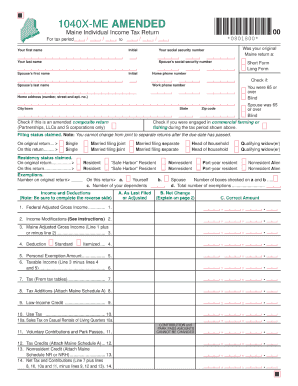
The ME MRS 1040X-ME is an important document for individuals looking to amend their previously filed tax returns in Maine. This guide provides a detailed walkthrough of how to accurately fill out this form online, ensuring a smooth process for users of all experience levels.
Follow the steps to successfully complete the ME MRS 1040X-ME online.
- Press the ‘Get Form’ button to access the ME MRS 1040X-ME form and open it in the designated editor.
- Review the introductory information provided on the form to understand its purpose and your responsibility as the filer.
- Enter your personal information in the designated fields, including your name, address, and Social Security number. Ensure that this information matches with your original tax return.
- In the section for the tax year you are amending, clearly specify which tax year the amendment applies to.
- Fill out the section outlining the change(s) you are making. Provide a detailed explanation of the reasons for the amendment to ensure clarity.
- Calculate any adjustments in income, deductions, or credits as required, providing the new amounts in the appropriate fields.
- Review the completed form for accuracy, checking that all required fields have been filled out correctly.
- Once you have completed the form, save your changes. You can choose to download, print, or share the ME MRS 1040X-ME form as necessary.
Start your document filing today by filling out the ME MRS 1040X-ME online!
To check the status of your Maine state tax refund online, go to https://portal.maine.gov/refundstatus/refund. Then, click “Submit” for refund status. Refund information is updated nightly.