We use cookies to improve security, personalize the user experience, enhance our marketing activities (including cooperating with our marketing partners) and for other business use.
Click "here" to read our Cookie Policy. By clicking "Accept" you agree to the use of cookies. Read less
Canada Fire Safety Plan - Single Stage Fire Alarm System - Town Of Smiths Falls 2011
Get Canada Fire Safety Plan - Single Stage Fire Alarm System - Town Of Smiths Falls 2011-2024
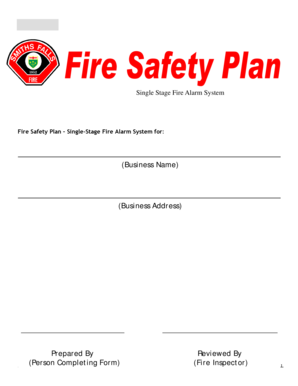
1 S Fire Plan Single Stage Fire Alarm System (Single-Stage Fire Alarm System) Fire Safety Plan Single-Stage Fire Alarm System for: (Business Name) (Business Address) Prepared By (Person Completing.
How It Works
Open form follow the instructions
Easily sign the form with your finger
Send filled & signed form or save
hydrostatically rating
★★★★★
★★★★
★★★
★★
★
4.8Satisfied
250 votes
Tips on how to fill out, edit and sign S536 online
How to fill out and sign Beckwith online?
Get your online template and fill it in using progressive
features. Enjoy smart fillable fields and interactivity. Follow the simple instructions
below:
Experience all the benefits of submitting and completing forms on the internet. Using our solution filling out Canada Fire Safety Plan - Single Stage Fire Alarm System - Town Of Smiths Falls requires just a few minutes. We make that possible by offering you access to our feature-rich editor capable of changing/fixing a document?s initial text, inserting unique fields, and e-signing.
Execute Canada Fire Safety Plan - Single Stage Fire Alarm System - Town Of Smiths Falls within a couple of minutes by simply following the recommendations below:
Choose the template you will need in the library of legal form samples.
Click the Get form key to open it and start editing.
Complete all the requested fields (they are yellow-colored).
The Signature Wizard will allow you to insert your electronic signature as soon as you have finished imputing details.
Insert the date.
Double-check the entire form to be certain you have filled in all the data and no changes are needed.
Click Done and save the resulting document to the device.
Send your new Canada Fire Safety Plan - Single Stage Fire Alarm System - Town Of Smiths Falls in an electronic form when you are done with completing it. Your information is securely protected, as we adhere to the latest security requirements. Become one of millions of satisfied users who are already submitting legal documents straight from their houses.
How to edit Signally: customize forms online
Use our advanced editor to turn a simple online template into a completed document. Read on to learn how to modify Signally online easily.
Once you discover a perfect Signally, all you have to do is adjust the template to your preferences or legal requirements. In addition to completing the fillable form with accurate data, you may want to delete some provisions in the document that are irrelevant to your case. Alternatively, you may want to add some missing conditions in the original template. Our advanced document editing features are the simplest way to fix and adjust the form.
The editor allows you to modify the content of any form, even if the file is in PDF format. You can add and erase text, insert fillable fields, and make further changes while keeping the original formatting of the document. You can also rearrange the structure of the form by changing page order.
You don’t have to print the Signally to sign it. The editor comes along with electronic signature functionality. Most of the forms already have signature fields. So, you simply need to add your signature and request one from the other signing party via email.
Follow this step-by-step guide to build your Signally:
Open the preferred template.
Use the toolbar to adjust the template to your preferences.
Fill out the form providing accurate details.
Click on the signature field and add your eSignature.
Send the document for signature to other signers if necessary.
After all parties sign the document, you will receive a signed copy which you can download, print, and share with others.
Our solutions allow you to save tons of your time and reduce the risk of an error in your documents. Streamline your document workflows with efficient editing capabilities and a powerful eSignature solution.
Get form
Experience a faster way to fill out and sign forms on the web.
Access the most extensive library of templates available.
Cathodic FAQ
As a building owner, manager, or other person with control of the building you are legally required to have a fire safety plan prepared in compliance with the Ontario Fire Code.
At a minimum, your fire prevention plan must include: A list of all major fire hazards, proper handling and storage procedures for hazardous materials, potential ignition sources and their control, and the type of fire protection equipment necessary to control each major hazard.
Standard for Safeguarding Construction, Alteration, and Demolition Operations. NFPA 241 provides measures for preventing or minimizing fire damage to structures, including those in underground locations, during construction, alteration, or demolition.
The Fire Code prescribes qualifications for fire alarm technicians that: test, inspect, repair, replace or alter fire alarm systems. test and maintain interconnected smoke alarm systems.
at least one smoke alarm on every level of your home, including the basement (but not in unfinished attics). Put smoke alarms in the hallways that lead to each bedroom. On floors without bedrooms, the smoke alarm in or near each living area such as dens, living and family rooms.
Do I Need a Fire Safety Plan For My Building? Fire safety plans are required for almost all buildings in Canada. a low hazard industrial occupancy where the occupant load exceeds 300.
The Ontario Fire Code O. Reg 213/07 as amended requires a Fire Safety Plan (Division B Section 2.8) for many properties and businesses. The Ontario Fire Code requires every Fire Safety Plan to be reviewed and approved by the Chief Fire Official of your local Fire Department.
Depending on the type of occupancy or building height, the fire alarm system will be a single stage or two stage system. Single stage fire alarm systems require the full evacuation of a building upon alarm. Two stage fire alarm systems require an alert signal to sound before full evacuation.
Ordinate Related content
(PDF) Fire Safety Management Handbook Third...
1. Set policies and establish plans. · 2. Create and sustain employee interest. · 3...
Use professional pre-built templates to fill in and sign
documents online faster. Get access to thousands of forms.
Keywords relevant
to Canada Fire Safety Plan - Single Stage Fire Alarm System - Town Of Smiths Falls
Extinguishment
40bc
hydrostatically
1995
ULC
pullstations
cathodic
ordinate
S536
fcp
co2
beckwith
signally
faa
HALON
If you believe that this page should be taken down, please
follow our DMCA take down processhere.
Ensure the security of your data and transactions
USLegal fulfills industry-leading security and compliance
standards.
VeriSign secured
#1 Internet-trusted security seal. Ensures that a website is
free of malware attacks.
Accredited Business
Guarantees that a business meets BBB accreditation standards
in the US and Canada.
TopTen Reviews
Highest customer reviews on one of the most highly-trusted
product review platforms.
BEST Legal Forms Company
TOP TEN REVIEWS WINNER - 9 YEARS STRAIGHT!
USLegal has been awarded the TopTenREVIEWS Gold Award 9 years in a row as the most comprehensive and helpful online legal forms services on the market today. TopTenReviews wrote "there is such an extensive range of documents covering so many topics that it is unlikely you would need to look anywhere else".
USLegal received the following as compared to 9 other form sites. Forms 10/10, Features Set 10/10, Ease of Use 10/10, Customer Service 10/10.