Loading
Get Irs Notice 746 2022-2026
How it works
-

Open form follow the instructions
-

Easily sign the form with your finger
-

Send filled & signed form or save
How to fill out the IRS Notice 746 online
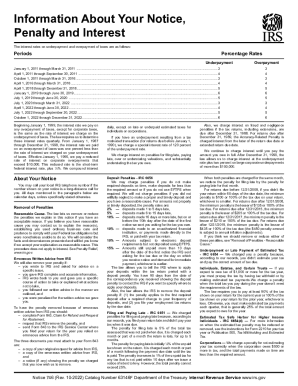
Filling out IRS Notice 746 online can help you understand your tax penalties and interest rates more clearly. This guide provides a straightforward, step-by-step approach to assist you in completing this crucial document efficiently.
Follow the steps to fill out the IRS Notice 746 online.
- Click ‘Get Form’ button to obtain the form and open it in the editor.
- Review the notice to understand the penalties and interest rates applicable to your account. Pay special attention to the specific periods and corresponding rates detailed within the notice.
- Identify the reason for the penalties stated in the document. Common reasons include late payments or insufficient estimated tax payments.
- Locate the section discussing 'Removal of Penalties.' If you believe you have a reasonable cause for waiver, gather documentation to support your claim.
- If you received erroneous written advice from the IRS, prepare to complete Form 843, Claim for Refund and Request for Abatement. Attach any relevant correspondence as required.
- Once all information is accurately filled, make sure to review your completed form to avoid any mistakes or omissions.
- Upon completion, save the changes, then download or print the form for your records. You may also need to share it with the IRS or your tax advisor as necessary.
Start filling out your IRS Notice 746 online today to manage your tax responsibilities effectively!
Related links form
The IRS charges underpayment interest when you don't pay your tax, penalties, additions to tax or interest by the due date. The underpayment interest applies even if you file an extension. If you pay more tax than you owe, we pay interest on the overpayment amount.