Loading
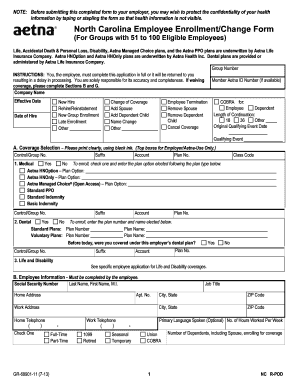
Get North Carolina Employee Enrollment/change Form (51-100 ... - Aetna
How it works
-

Open form follow the instructions
-

Easily sign the form with your finger
-

Send filled & signed form or save
How to fill out the North Carolina Employee Enrollment/Change Form (51-100 ... - Aetna online
Completing the North Carolina Employee Enrollment/Change Form accurately is essential for ensuring your health coverage with Aetna. This guide will walk you through each section and provide helpful tips for successful completion.
Follow the steps to complete your enrollment or change request.
- Press the ‘Get Form’ button to access the North Carolina Employee Enrollment/Change Form and open it in your preferred editing tool.
- Fill in general information at the top of the form including the company name and effective date of coverage.
- Indicate your status by selecting the applicable option, such as 'New Hire' or 'Change of Coverage'. Provide your date of hire if applicable.
- Complete Section A on coverage selection. Clearly check 'Yes' or 'No' for medical, dental, and life/disability plans. Enter the specific plan options you are electing.
- In Section B, provide personal information including your social security number, name, job title, and addresses. Make sure to note your primary language if desired.
- Complete Section C by listing all individuals for whom you are enrolling or changing coverage. It is crucial to include their birthdates and sex.
- If applicable, fill out Section D for dependents living at a different address and provide any additional information required.
- In Section E, indicate if you have other health insurance and provide the carrier name.
- Fill out Section F if you have any Medicare information related to yourself or dependents.
- In Section G, indicate any waivers of coverage. Make sure to check all relevant reasons for waiving coverage.
- Complete the Health Questionnaire in Section H if applicable. Be thorough while answering all health-related questions.
- If there are any 'Yes' responses in Section H, provide detailed information in Sections I and J regarding those conditions.
- Finally, review all provided information for accuracy. Sign and date the form, and ensure your health information is secure before submission.
Complete your documents online to ensure timely processing and secure your health coverage.
Such as =CHAR(RANDBETWEEN(65,90))& CHAR(RANDBETWEEN(65,90)) & CHAR(RANDBETWEEN(65,90)) & CHAR(RANDBETWEEN(65,90)). Then you will get a four random letters, and then drag the fill handle over to the range that you want to contain this formula.
Industry-leading security and compliance
US Legal Forms protects your data by complying with industry-specific security standards.
-
In businnes since 199725+ years providing professional legal documents.
-
Accredited businessGuarantees that a business meets BBB accreditation standards in the US and Canada.
-
Secured by BraintreeValidated Level 1 PCI DSS compliant payment gateway that accepts most major credit and debit card brands from across the globe.