Loading
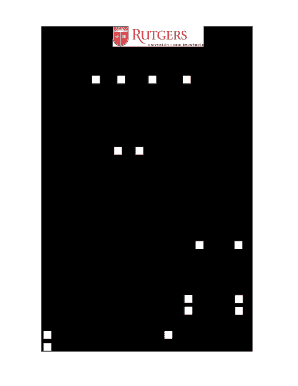
Get Rutgers University New Brunswick Undergraduate/graduate Diploma Application 2012-2025
How it works
-

Open form follow the instructions
-

Easily sign the form with your finger
-

Send filled & signed form or save
How to fill out the Rutgers University New Brunswick Undergraduate/Graduate Diploma Application online
Completing the Rutgers University New Brunswick Undergraduate/Graduate Diploma Application is an essential step in receiving your diploma. This guide provides clear and structured instructions to assist you in filling out the application online smoothly.
Follow the steps to accurately complete your diploma application
- Press the ‘Get Form’ button to access the diploma application and open it in your preferred editor.
- Enter your RUID number in the designated field. This unique identifier is crucial for processing your application.
- Indicate your graduation date by selecting from the available options: May, August, or October. For graduate students, January is also an option.
- Fill in the school name you are affiliated with to specify the program you are graduating from.
- In the curriculum section, provide the specific curriculum name corresponding to your program.
- Specify your degree in the provided field. This is essential for the accuracy of your diploma.
- Write your current name as it appears in the university database. Include your first name, middle initial or middle name, and last name.
- Input your requested diploma name, ensuring that you include any necessary punctuation, accents, or capitalization as desired.
- Indicate whether a name change is necessary by selecting either ‘Yes’ or ‘No.’
- Provide your current cell phone number and any other relevant contact information.
- Fill in your preferred email address to be used for correspondence regarding your application.
- Enter your current mailing address in the specified fields to ensure accurate delivery of your diploma.
- Answer whether your current address will be valid when diplomas are mailed, selecting ‘Yes’ or ‘No.’
- If you answered ‘No’ to the previous question, provide the date when your address will change and specify your new address.
- Indicate whether the new address should be considered your permanent address by selecting either ‘Yes’ or ‘No.’
- State whether you will attend the May commencement ceremony by selecting either ‘Yes’ or ‘No.’
- Choose how you wish to receive your diploma, selecting either to mail it to your current mailing address, new mailing address, or to pick it up in person at the Registrar’s office.
- Review all the information provided for accuracy before submitting the form. Once completed, save your changes, and you may then choose to download, print, or share the application.
Complete your diploma application online today to ensure a smooth graduation process.
To obtain your Rutgers diploma, you must complete all degree requirements and participate in the graduation ceremony. After this, the Registrar's office will process your diploma and mail it to you. Keep track of important dates regarding your Rutgers University New Brunswick Undergraduate/Graduate Diploma Application to ensure you do not miss out on receiving this important document.
Industry-leading security and compliance
US Legal Forms protects your data by complying with industry-specific security standards.
-
In businnes since 199725+ years providing professional legal documents.
-
Accredited businessGuarantees that a business meets BBB accreditation standards in the US and Canada.
-
Secured by BraintreeValidated Level 1 PCI DSS compliant payment gateway that accepts most major credit and debit card brands from across the globe.