Loading

Open form follow the instructions

Easily sign the form with your finger

Send filled & signed form or save
How to fill out the Chase online
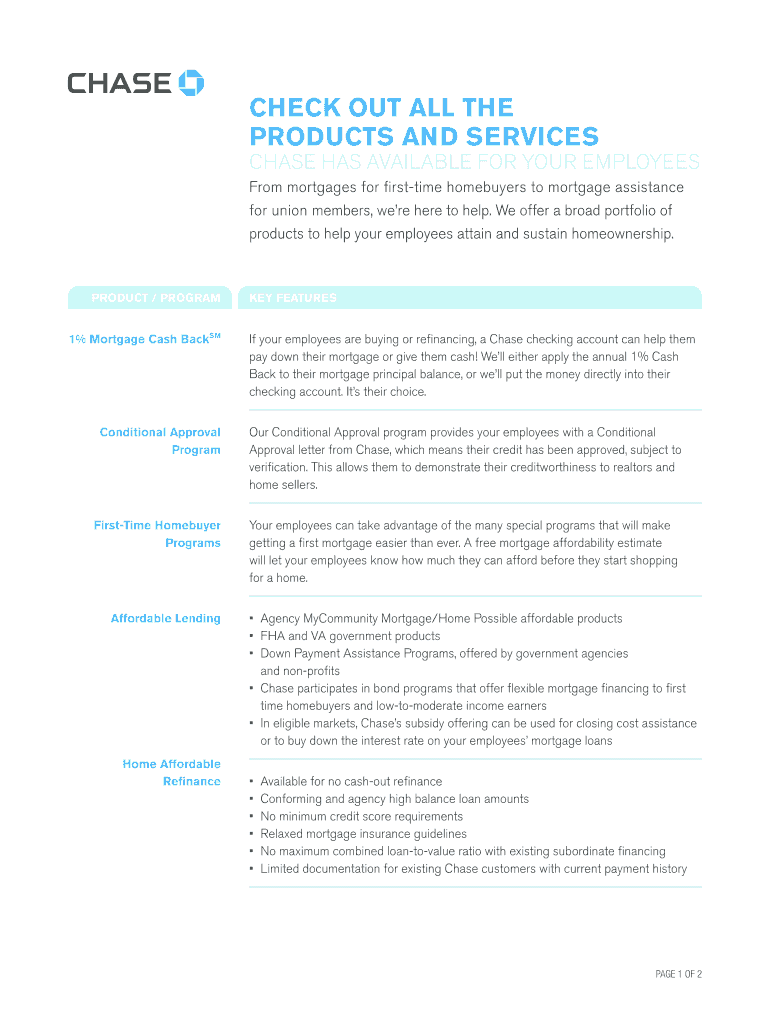
This guide provides clear and detailed instructions on how to fill out the Chase online form. Whether you are applying for a mortgage or exploring Chase's products and services, this resource will help you navigate the process with confidence.
Follow the steps to successfully complete the Chase online form.
- Click the ‘Get Form’ button to obtain the form and access the editor.
- Carefully read through the introductory information provided on the form. This section usually outlines the purpose of the form and any necessary prerequisites for completion.
- Fill in your personal information accurately. This typically includes your name, contact information, and any relevant identifiers such as an account number.
- Provide details about the specific program you are interested in, such as the 1% Mortgage Cash Back or First-Time Homebuyer Programs. Include any requested financial information to support your application.
- Complete any additional sections related to employment, income, or other relevant financial details required for processing your application.
- Review all entered information for accuracy and completeness. Ensure that you have attached any necessary documentation if required.
- After confirming all information is correct, you can save your changes, download, print, or share the form as needed.
Complete your Chase documents online today for a streamlined process.
Experience a faster way to fill out and sign forms on the web. Access the most extensive library of templates available.
Related content
FDIC Cert #. 628 ; Established. 01/01/1824 ; Bank Charter Class. National Banks, member of...
A new virtual call center—inspired by a similar model in Detroit—is creating jobs and...
Get answers to your most pressing questions about US Legal Forms API.
How do you qualify for Chase?
Qualifying for Chase accounts involves meeting certain requirements such as age, identification, and financial history. Generally, Chase looks for reliable credit history and a steady income. If you meet these criteria, you should have no trouble qualifying for a Chase account.
How to become a Chase member?
To become a Chase member, start by determining which type of account suits your needs best. You can then submit your application online or visit a nearby branch. After your application is approved, you’ll gain access to Chase services and benefits tailored for you.
How do I open a Chase account?
Opening a Chase account can be done online or in person at a local branch. You will need to provide identification documents and initial deposit funds. After completing the application, Chase will review your information and guide you through the setup of your new account.
Does Chase give you $300 for opening an account?
Yes, Chase often provides promotional offers, including bonuses for new account openings. These bonuses can vary based on the type of account and current promotions. To take advantage, make sure to complete the required actions, such as setting up direct deposits within the specified timeframe.
How do I become a private member of Chase?
To become a private member of Chase, you usually need to meet specific financial criteria that demonstrate your financial capability. Contact Chase directly to inquire about their private membership offerings, including the benefits and requirements. A personal banker can assist you in navigating this process to find the best fit for your financial situation.
Is it hard to get a Chase?
Acquiring a Chase account is not typically difficult, but it depends on various factors like your financial history. Chase evaluates your credit score and account history during the application process. If you maintain good financial practices, you will likely qualify for an account without any issues.
How do I become a member of Chase?
Joining Chase is a straightforward process. You can start by visiting their website or a local branch to complete your membership application. Ensure you have the necessary identification and financial information ready. After submission, Chase will guide you through any additional steps required.
How do I report something to Chase?
To report something to Chase, sign in to your online account or app and find the reporting feature. You can report issues like fraud or errors in transactions directly through this section. Be thorough in your description so that Chase can assist you effectively and ensure your concerns are addressed promptly.
How do I report something on Chase?
Reporting something on Chase can be done through their online banking platform. If you notice suspicious activity or have a concern, navigate to the reports section and follow the steps to report your issue. Providing detailed information helps Chase investigate and resolve your report swiftly.
How do I submit documents to Chase?
To submit documents to Chase, log into your account and look for the option to upload or attach documents securely. This feature allows you to send any documents needed for your transactions or claims. Make sure to follow any specific guidelines provided by Chase to ensure your documents are processed correctly.
Use professional pre-built templates to fill in and sign documents online faster. Get access to thousands of forms.
If you believe that this page should be taken down, please follow our DMCA take down process here.