Loading

Open form follow the instructions

Easily sign the form with your finger

Send filled & signed form or save
How to fill out the Phone Tree Template online
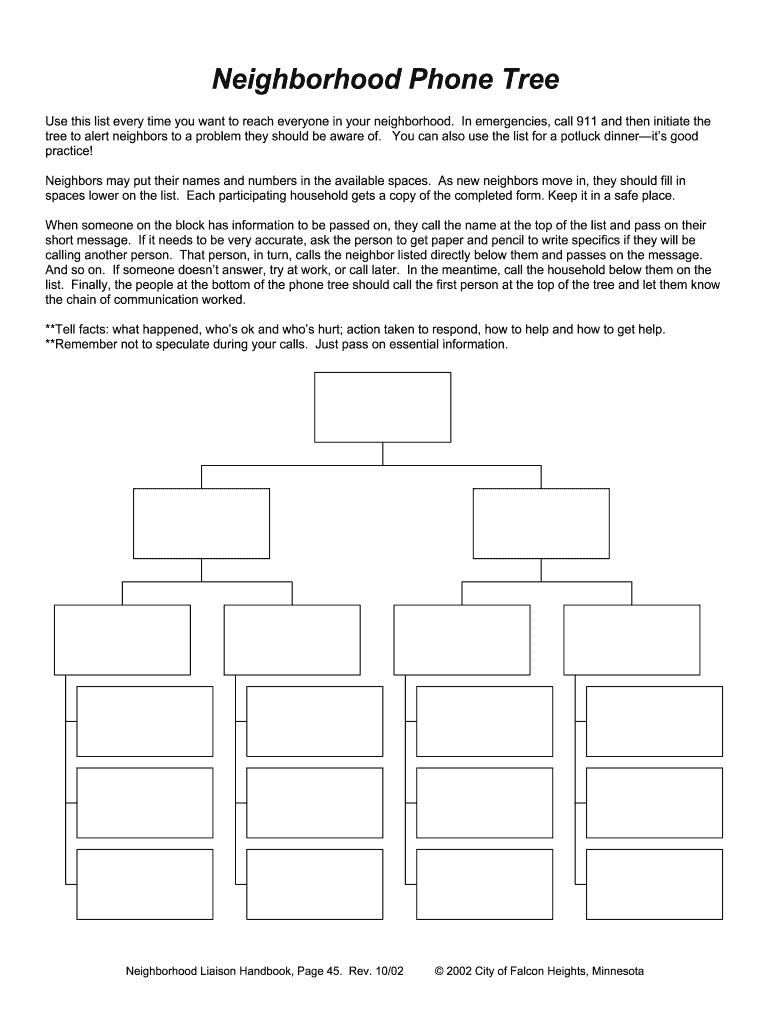
Filling out the Phone Tree Template online is a straightforward process designed to enhance communication within your neighborhood. This guide will provide you with step-by-step instructions to ensure your form is completed accurately and effectively.
Follow the steps to complete the Phone Tree Template.
- Click the ‘Get Form’ button to access the Phone Tree Template online and open it in your chosen editor.
- Begin by entering your name and phone number in the designated fields. This information will help neighbors recognize you as a key contact in the tree.
- Continue filling out the spaces with the names and numbers of other participating households in your neighborhood. Ensure that each entry is accurate.
- When new neighbors move in, remind them to complete their information in the lower available spaces on the form, ensuring everyone is included.
- Once all fields are filled, review the entire form for accuracy. It’s important that all contact details are correct to facilitate effective communication.
- After reviewing, you can save your changes. Options to download, print, or share the completed Phone Tree Template will be available, ensuring every participating household receives a copy.
Complete your Phone Tree Template online today to enhance communication and preparedness in your neighborhood.
Experience a faster way to fill out and sign forms on the web. Access the most extensive library of templates available.
Related content
2015 FC FIRE & EMERGENCY PHONE TREE – Updated__________ 2015. AREA: Dispatchers. Address...
If you get an answering machine, leave a message and then call the next person on the call...
4.2.3 How to Load the LDAP Template into the Phone . ... The left column contains the menu...
Get answers to your most pressing questions about US Legal Forms API.
What is the purpose of a call tree?
A call tree serves the same purpose as a phone tree—it ensures quick and effective communication within a group. This systematic approach helps relay important messages efficiently, whether it’s an emergency alert or a group meeting reminder. Adopting a Phone Tree Template can streamline this process and improve clarity.
How do I create a phone tree?
To create a phone tree, gather the contact information of everyone in your group. Then, outline how calls will pass from one person to the next, typically starting from a leader down to individual members. You can easily visualize this process by using a Phone Tree Template, keeping everything organized.
Do people still use phone calls?
Absolutely, people still use phone calls as a reliable means of communication. Despite the rise of messaging apps and social media, direct phone calls offer a personal touch. You can enhance your communication efforts with a Phone Tree Template, ensuring efficient outreach.
Do people still use phone trees?
Yes, many people still use phone trees for various purposes, including community group announcements and emergency notifications. While technology has evolved, the basic principle behind a phone tree remains relevant. Utilizing a Phone Tree Template provides a simple way to ensure everyone receives important messages promptly.
What is the purpose of a phone tree?
The purpose of a phone tree is to facilitate rapid communication among a group. It allows crucial information, such as alerts or updates, to reach everyone quickly through a structured call sequence. Using a Phone Tree Template ensures that communication is organized and efficient, minimizing the chance of someone being left out.
Can Google Voice do a phone tree?
Yes, Google Voice can effectively function as a phone tree. You can set up different numbers and assign them to various contacts, allowing incoming calls to be directed accordingly. This makes it easier to manage communications within a group using a Phone Tree Template.
What is another name for a phone tree?
Another common name for a phone tree is a call tree. Both terms describe a system that helps communicate information quickly to a group of people. A call tree or phone tree template can structure how messages propagate through a group, ensuring everyone stays informed.
How to make a phone tree in Word?
To create a phone tree in Word, start by opening a new document. Use a table format to organize contacts and their relationships; each row can represent a different member. Include columns for names and phone numbers. Once your data is set up, you can easily share this Phone Tree Template with others for reference.
How to create a phone tree?
To create a phone tree, start by gathering essential contact information, and then determine the call sequence. Ensure each participant knows who they need to call. Using a Phone Tree Template helps organize this information and provides a clear path for communication.
How to set up a phone tree?
Setting up a phone tree involves identifying key contacts and organizing them according to your needs. Use a clear structure that allows each person to know who they should contact. A Phone Tree Template can help visualize this setup, ensuring everyone knows their role in the communication chain.
Use professional pre-built templates to fill in and sign documents online faster. Get access to thousands of forms.
If you believe that this page should be taken down, please follow our DMCA take down process here.