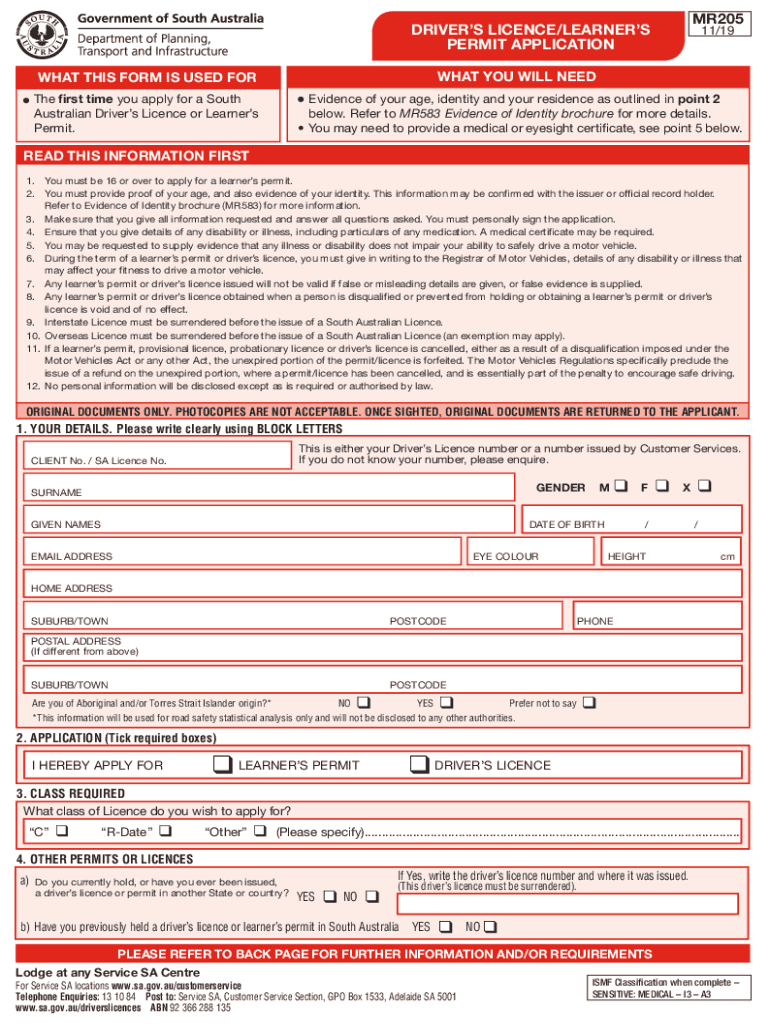
Ermit. Evidence of your age, identity and your residence as outlined in point 2 below. Refer to MR583 Evidence of Identity brochure for more details. You may need to provide a medical or eyesight certificate, see point 5 below. READ THIS INFORMATION FIRST 1. You must be 16 or over to apply for a learner s permit. 2. You must provide proof of your age, and also evidence of your identity. This information may be confirmed with the issuer or official record holder. Refer to Evidence o.
Loading

Open form follow the instructions

Easily sign the form with your finger

Send filled & signed form or save
How to fill out the AU MR205 online
Completing the AU MR205, the application for a driver’s licence or learner’s permit in South Australia, is a straightforward process. This guide offers step-by-step instructions to assist users in filling out the form accurately and efficiently.
Follow the steps to complete your AU MR205 application online.
- Click the ‘Get Form’ button to obtain the form and open it in your editor.
- Enter your personal details in the section labeled 'Your Details'. Use block letters to fill in your surname, given names, date of birth, email address, and home address along with your phone number. Ensure all information is accurate.
- In the 'Application' section, tick the box for either 'Learner’s Permit' or 'Driver’s Licence' as applicable to your situation.
- Indicate the class of licence you wish to apply for under 'Class Required'. Ensure to specify if you select 'Other'.
- Answer the questions regarding previous licence or permit history. If you have held a driver's licence or permit in another State or country, provide the details requested.
- If applicable, complete the 'Transport Concession' section by providing your concession number and confirming any relevant eligibility information.
- In the 'Organ Donation' section, indicate whether you are prepared to register as an organ donor.
- Provide detailed information about any medical conditions or impairments that may affect your driving in the 'Medical/Impairments' section.
- Respond honestly to the disqualification question under 'Disqualifications'. Provide any necessary details.
- Finally, sign and date the application in the 'Sign Here' section to confirm that you have completed the form truthfully.
- Once you have reviewed and filled out the form, you can save your changes, download it, print it, or share it as needed.
Begin the process of completing your AU MR205 application online today.
Experience a faster way to fill out and sign forms on the web. Access the most extensive library of templates available.
Related content
... scheme="http://www.sec.gov/CIK">0001004980< xbrli:period>2019-09-302019 ......
Jan 23, 2020 · Tectonics, 39(7), Article e2019TC005917...
21 . Il a déménagé à Munich en 1901. En 1907 , il a été nommé directeur musical à...
Use professional pre-built templates to fill in and sign documents online faster. Get access to thousands of forms.
If you believe that this page should be taken down, please follow our DMCA take down process here.
This form is available in several versions. Select the version you need from the drop-down list below.