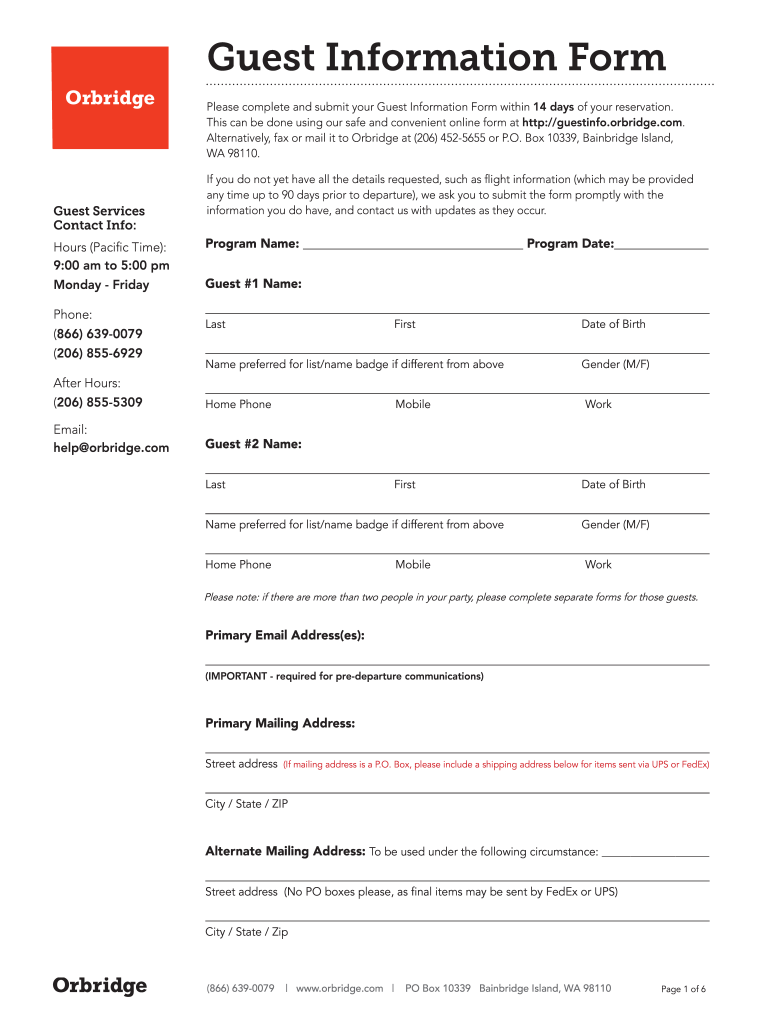
Alternatively, fax or mail it to Orbridge at (206) 452-5655 or P.O. Box 10339, Bainbridge Island, WA 98110. Guest Services Contact Info: Hours (Pacific Time): 9:00 am to 5:00 pm Monday - Friday Phone: (866) 639-0079 (206) 855-6929 If you do not yet have all the details requested, such as flight information (which may be provided any time up to 90 days prior to departure), we ask you to submit the form promptly with the information you do have, and contact us with updates as they occur. Progr.
Loading

Open form follow the instructions

Easily sign the form with your finger

Send filled & signed form or save
How to use or fill out the Http Guestinfo Orbridge Com online
Filling out the Guest Information Form online at Http Guestinfo Orbridge Com is a straightforward process designed to collect essential information for your upcoming reservation. This guide will walk you through each section of the form, ensuring that you can complete it with ease and accuracy.
Follow the steps to complete your Guest Information Form online.
- Click the ‘Get Form’ button to access the Guest Information Form. This will allow you to obtain and open the form for completion.
- Enter your program name and program date in the designated fields. This information is critical to ensure your form is properly associated with your reservation.
- Provide the names and contact information for the guests traveling with you. Include specific details such as last and first names, preferred names for identification, home phone numbers, and email addresses. Ensure that the primary email address is accurate as it is required for pre-departure communications.
- Fill in information regarding dietary preferences, medical conditions, and any special occasions that may be relevant to your travel party. This information helps the service provider accommodate specific needs.
- Complete the passport and immigration information if you are an international traveler. This includes entering exact names as they appear on the passport and providing passport numbers, issuance dates, and expiration dates.
- Input your flight arrangements for both arrival and departure, including dates, airlines, flight numbers, and times. If your flight arrangements are not finalized, you can submit this information later.
- Review all sections for completeness and accuracy. It is crucial to check all entered information to prevent any issues with your travel arrangements.
- After completing the form, save your changes. Depending on the options provided, you may have the opportunity to download, print, or share the completed form.
Complete your Guest Information Form online today to ensure a smooth travel experience!
Experience a faster way to fill out and sign forms on the web. Access the most extensive library of templates available.
Related content
... gssproxy_ticket_143_workaround_Service-HTTP.patch...
Sep 13, 2016 — For example: If the Flex Master URL is http://192.168.10.1/intune/...
Use professional pre-built templates to fill in and sign documents online faster. Get access to thousands of forms.
If you believe that this page should be taken down, please follow our DMCA take down process here.