Loading

Open form follow the instructions

Easily sign the form with your finger

Send filled & signed form or save
How to fill out the Waiver In Tagalog online
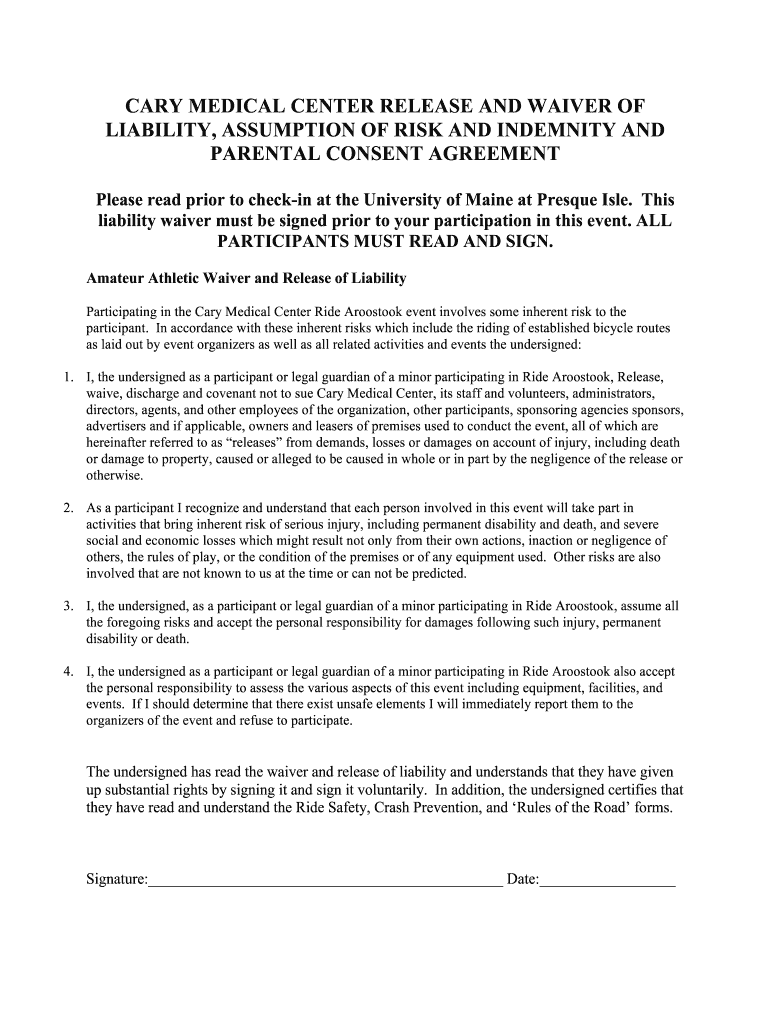
Filling out the Waiver In Tagalog is an important step for participants of the event at Cary Medical Center. This guide will provide clear instructions on how to complete the form online, ensuring that all necessary information is accurately submitted.
Follow the steps to successfully complete the Waiver In Tagalog online.
- Click ‘Get Form’ button to retrieve the Waiver In Tagalog and open it in your chosen editor.
- Begin by reading the introductory sections of the form to understand the risks and terms associated with the event. This is important information that helps inform your decisions.
- In the designated field, enter your full name as the participant or legal guardian. Ensure that the name is clearly written and matches your identification.
- Next, provide the date. This is the date when you are filling out the waiver, which is usually required at the end of the form.
- Read through the waiver clauses carefully. Acknowledge and accept the risks mentioned before you proceed to the signature area.
- Sign your name in the signature field. If you are signing on behalf of a minor, include your relationship to the minor in the relevant field.
- Once the form is completed, review all the information you have provided to ensure its accuracy. Make any adjustments if necessary.
- Finally, save your completed waiver, and share, download, or print it as needed for event participation.
Complete your Waiver In Tagalog online today to ensure your participation in the event.
Experience a faster way to fill out and sign forms on the web. Access the most extensive library of templates available.
Related content
Ang DDAD Waiver ay nagbibigay ng mga serbisyo para sa mga taong 21 taong gulang pataas na...
Home / Cal Poly Humboldt Forms / CSU Liability Waiver - Tagalog /. CSU Liability Waiver...
Business law consists of many different areas of law, including: contracts, the law of...
Get answers to your most pressing questions about US Legal Forms API.
What does it mean to get a waiver?
Getting a waiver means you have received permission to relinquish certain rights or obligations. It often occurs in contexts such as legal agreements or participation in events. Understanding the implications is crucial, so utilizing platforms like US Legal Forms can help clarify these terms, especially if you're looking for resources in Tagalog.
What is an example of a waiver?
An example of a waiver might include a participant releasing liability for an event, such as a sports tournament. In this case, the participant acknowledges the risks involved and agrees not to hold the organizers responsible for injuries. Many examples, including waivers in Tagalog, can be found through resources like US Legal Forms for your reference.
Can I create my own waiver?
Yes, you can create your own waiver, as long as you include all necessary details and ensure it meets legal standards. Start by outlining the specifics of the agreement and the rights you are giving up. If you're unsure, using a professional service like US Legal Forms can guide you through the creation process, including a waiver in Tagalog.
How can I make a waiver?
You can make a waiver by first determining its purpose and the rights you plan to waive. Use clear language and ensure all parties involved understand the terms. Consider templates available on platforms like US Legal Forms, which offer customizable waivers in Tagalog to simplify this task.
How to get a waiver in the Philippines?
To obtain a waiver in the Philippines, identify the specific rights you wish to waive and the relevant parties involved. You can draft the waiver yourself or seek legal assistance for a more formal document. Many online platforms, like US Legal Forms, offer templates to facilitate this process, including options for waivers in Tagalog.
How to write a good waiver?
Writing a good waiver starts with clarity and simplicity. Make sure to specify the rights you are waiving and provide details about the context. Avoid complex legal jargon to ensure easy understanding. For a structured approach, check out US Legal Forms, where you can find guidance and examples of waivers in Tagalog.
What is the Filipino word for waiver?
The Filipino word for waiver is 'pagsuko' or 'pagpawalang-bisa.' This term captures the essence of giving up a right or claim. If you want to understand how to use this term in context, look into legal resources or translations that delve into its implications in both English and Tagalog.
How to make a waiver?
Creating a waiver involves clearly outlining your intention to relinquish certain rights or claims. Start by detailing the parties involved and the specific activities or scenarios covered. It’s essential to include language that is easy to understand. If you need help, consider tools like US Legal Forms, where you can find templates for a waiver in Tagalog.
What is waiver in law in the Philippines?
In the Philippines, waivers in law allow individuals to give up certain rights, particularly in legal agreements or contracts. These documents have significant legal weight and should be carefully drafted. Understanding waiver legality in Tagalog is crucial for Filipino speakers involved in such processes.
What is waiver in Tagalog?
Waiver in Tagalog refers to the act of relinquishing a right or claim. It is critical to understand the context in which waivers are used, as they often arise in legal situations. Familiarizing yourself with the Tagalog terms ensures clarity when discussing waivers.
Use professional pre-built templates to fill in and sign documents online faster. Get access to thousands of forms.
If you believe that this page should be taken down, please follow our DMCA take down process here.