Loading

Open form follow the instructions

Easily sign the form with your finger

Send filled & signed form or save
How to fill out the Kwhlaq Chart Pdf online
Filling out the Kwhlaq Chart Pdf online can help you organize your thoughts, track your learning, and plan your actions effectively. This guide provides a detailed overview of each section of the form to ensure a smooth and successful completion experience.
Follow the steps to complete the Kwhlaq Chart Pdf seamlessly.
- Click ‘Get Form’ button to obtain the form and open it in the editor.
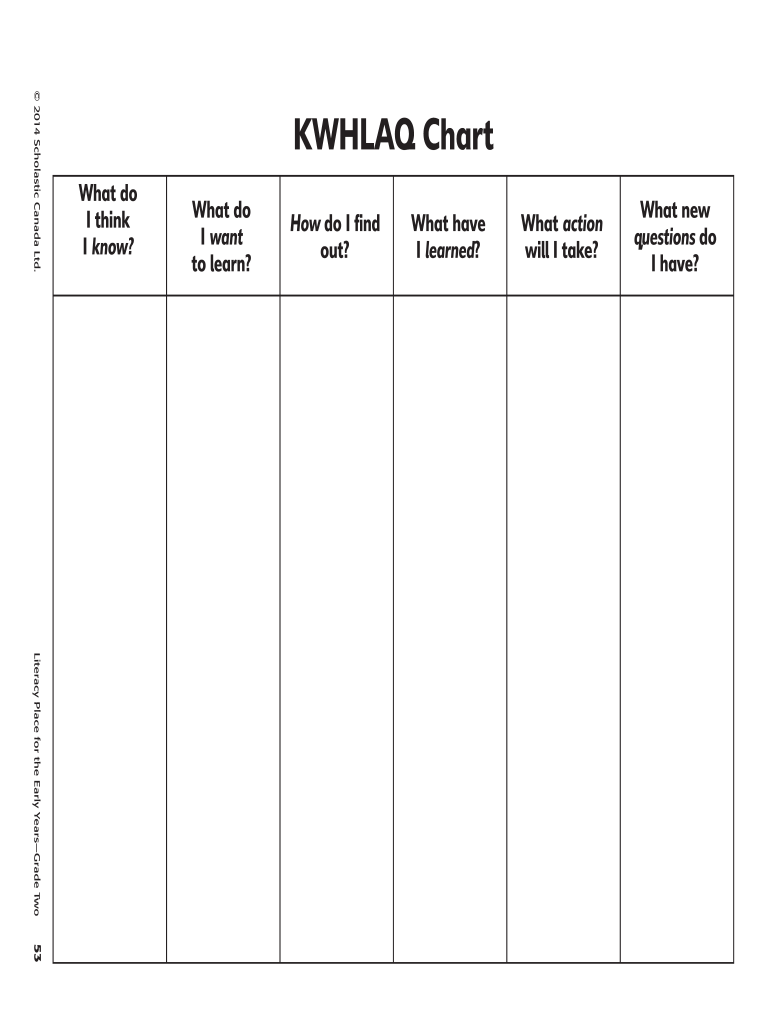
- Begin with the first section labeled 'What do I think I know?'. Reflect on your existing knowledge and record your thoughts in this field.
- Proceed to the next section titled 'What do I want to learn?'. Write down any questions or topics you wish to explore further.
- In the section marked 'How do I find out?', outline the methods or resources you plan to use to gather information on your topics of interest.
- Move to 'What have I learned?'. After conducting your research, summarize key insights and information you acquired.
- Next, fill in the field 'What action will I take?'. Detail the steps you intend to take based on what you have learned.
- Finally, in 'What new questions do I have?', note any further inquiries that arise from your learning process.
- Once you have completed all sections, ensure to review your responses for accuracy and clarity. Then, save changes to your form.
- You can download the completed Kwhlaq Chart Pdf, print it, or share it as needed.
Start filling out the Kwhlaq Chart Pdf online today for a structured approach to your learning!
Experience a faster way to fill out and sign forms on the web. Access the most extensive library of templates available.
Related content
K-W-H-L CHART is a graphic organizer that tracks what a student knows (K), what a student...
Note: You may wish to make only enough copies of the explanation KWHLAQ handout for each...
Get answers to your most pressing questions about US Legal Forms API.
What is a KWL chart examples?
KWL is a graphic organizer with three columns that is used during the beginning, middle, and ending of a lesson. The 'KWL' stands for what students Know, what students Want to learn, and what students Learned from the lesson.
What is a kwhlaq chart?
K-W-H-L CHART is a graphic organizer that tracks what a student knows (K), what a student wants to know (W), how a student will find the information, and what a student has learned (L) about a topic. It is used before, during, and after reading a text and/or conducting research.
What is the KWL chart?
K-W-L is an acronym that stands for “Know,” “Want to Know,” and “Learned.” The KWL chart is divided into three columns—one for each letter—under which students record: What they already know about the topic. What they want to know (or questions they have) about the topic.
When can we use a Kwhlaq chart?
K-W-L charts are graphic organizers that help students organize information before, during, and after a unit or a lesson. They can be used to engage students in a new topic, activate prior knowledge, share unit objectives, and monitor learning.
What is the meaning of Kwhlaq chart?
A KWHLAQ chart is a teaching tool that helps organize thoughts and ideas, before, during, and after a learning exercise. It is a simple but effective instructional technique which puts the learner at the center of inquiry-based learning. With KWHLAQ, learners first identify what they know about a topic.
Use professional pre-built templates to fill in and sign documents online faster. Get access to thousands of forms.
If you believe that this page should be taken down, please follow our DMCA take down process here.