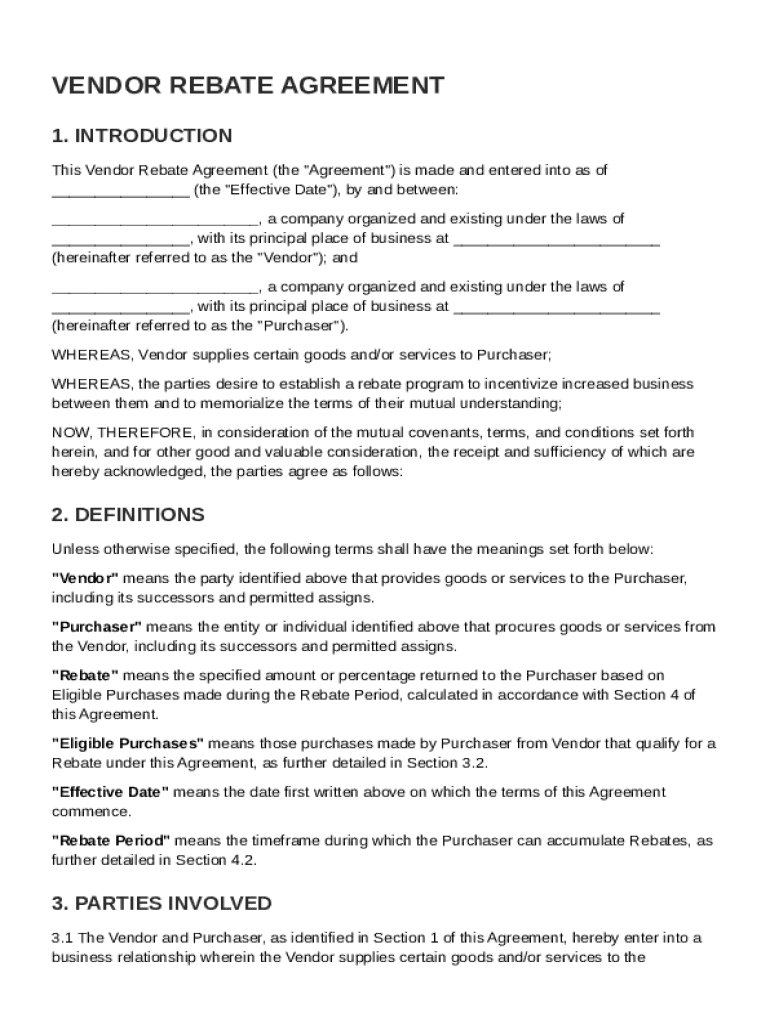
Any organized and existing under the laws of , with its principal place of business at (hereinafter referred to as the "Vendor"); and , a company organized and existing under the laws of , with its principal place of business at (hereinafter referred to as the "Purchaser"). WHEREAS, Vendor supplies certain goods and/or services to Purchaser; WHEREAS, the parties desire to establish a rebate.

Open form follow the instructions

Easily sign the form with your finger

Send filled & signed form or save
How to fill out and sign Vendor Rebate Agreement Template online?
Get your online template and fill it in using progressive features. Enjoy smart fillable fields and interactivity.Follow the simple instructions below:
Tax, legal, business along with other e-documents demand a top level of compliance with the law and protection. Our documents are regularly updated in accordance with the latest legislative changes. In addition, with us, all the details you provide in your Vendor Rebate Agreement Template is well-protected from leakage or damage with the help of industry-leading encryption.
The tips below will help you fill in Vendor Rebate Agreement Template easily and quickly:
- Open the document in our feature-rich online editing tool by clicking Get form.
- Complete the requested boxes that are marked in yellow.
- Hit the green arrow with the inscription Next to move on from field to field.
- Go to the e-autograph tool to add an electronic signature to the form.
- Put the relevant date.
- Read through the entire e-document to ensure that you have not skipped anything important.
- Press Done and save the new form.
Our service enables you to take the whole procedure of completing legal forms online. Due to this, you save hours (if not days or even weeks) and eliminate extra expenses. From now on, fill out Vendor Rebate Agreement Template from your home, workplace, and even on the go.
Tips on how to fill out, edit and sign Vendor Rebate Agreement Template online
How to fill and sign Vendor Rebate Agreement Template
Get your online template and fill it in using progressive features. Enjoy smart fillable fields and interactivity.Follow the simple instructions below:
Tax, legal, business along with other e-documents demand a top level of compliance with the law and protection. Our documents are regularly updated in accordance with the latest legislative changes. In addition, with us, all the details you provide in your Vendor Rebate Agreement Template is well-protected from leakage or damage with the help of industry-leading encryption.
The tips below will help you fill in Vendor Rebate Agreement Template easily and quickly:
- Open the document in our feature-rich online editing tool by clicking Get form.
- Complete the requested boxes that are marked in yellow.
- Hit the green arrow with the inscription Next to move on from field to field.
- Go to the e-autograph tool to add an electronic signature to the form.
- Put the relevant date.
- Read through the entire e-document to ensure that you have not skipped anything important.
- Press Done and save the new form.
Our service enables you to take the whole procedure of completing legal forms online. Due to this, you save hours (if not days or even weeks) and eliminate extra expenses. From now on, fill out Vendor Rebate Agreement Template from your home, workplace, and even on the go.
How to edit Vendor Rebate Agreement Template
Check out a single service to deal with all your paperwork effortlessly. Find, edit, and finish your Vendor Rebate Agreement Template in a single interface with the help of smart instruments.
The times when people needed to print forms or even write them manually are over. Right now, all it takes to get and finish any form, such as Vendor Rebate Agreement Template, is opening just one browser tab. Here, you will find the Vendor Rebate Agreement Template form and customize it any way you need, from inserting the text directly in the document to drawing it on a digital sticky note and attaching it to the document. Discover instruments that will simplify your paperwork without extra effort.
Click the Get form button to prepare your Vendor Rebate Agreement Template paperwork easily and start modifying it instantly. In the editing mode, you can easily complete the template with your details for submission. Simply click on the field you need to alter and enter the data right away. The editor's interface does not need any specific skills to use it. When done with the edits, check the information's accuracy once again and sign the document. Click on the signature field and follow the instructions to eSign the form in a moment.
Use More instruments to customize your form:
- Use Cross, Check, or Circle instruments to pinpoint the document's data.
- Add textual content or fillable text fields with text customization tools.
- Erase, Highlight, or Blackout text blocks in the document using corresponding instruments.
- Add a date, initials, or even an image to the document if necessary.
- Utilize the Sticky note tool to annotate the form.
- Use the Arrow and Line, or Draw tool to add graphic components to your file.
Preparing Vendor Rebate Agreement Template paperwork will never be puzzling again if you know where to find the suitable template and prepare it quickly. Do not hesitate to try it yourself.
How to fill and sign Vendor Rebate Agreement Template
Get your online template and fill it in using progressive features. Enjoy smart fillable fields and interactivity.Follow the simple instructions below:
Tax, legal, business along with other e-documents demand a top level of compliance with the law and protection. Our documents are regularly updated in accordance with the latest legislative changes. In addition, with us, all the details you provide in your Vendor Rebate Agreement Template is well-protected from leakage or damage with the help of industry-leading encryption.
The tips below will help you fill in Vendor Rebate Agreement Template easily and quickly:
- Open the document in our feature-rich online editing tool by clicking Get form.
- Complete the requested boxes that are marked in yellow.
- Hit the green arrow with the inscription Next to move on from field to field.
- Go to the e-autograph tool to add an electronic signature to the form.
- Put the relevant date.
- Read through the entire e-document to ensure that you have not skipped anything important.
- Press Done and save the new form.
Our service enables you to take the whole procedure of completing legal forms online. Due to this, you save hours (if not days or even weeks) and eliminate extra expenses. From now on, fill out Vendor Rebate Agreement Template from your home, workplace, and even on the go.
Experience a faster way to fill out and sign forms on the web. Access the most extensive library of templates available.
Related content
UFP shall rebate to USA Deck an amount equal to 1% of USA Deck's purchases of Wood...
Vendor shall pay Rebates to a Purchaser based on purchases of Products and/or Services by...
agreement." 15. ICAZO should: when extending, prolonging or supplementing old MSAs...
Get answers to your most pressing questions about US Legal Forms API.
How to write a rebate agreement?
To write a rebate agreement, start by clearly defining the parties involved and the terms of the rebate, including eligibility criteria and payment conditions. Include specific details, such as the time frames for purchasing and rebate claims. Furthermore, make sure to have a clear process for tracking sales and calculating rebates. For convenience, consider using a Vendor Rebate Agreement Template to structure your agreement effectively.
What is an example of a rebate clause?
An example of a rebate clause might specify that a retailer receives a 5% rebate on all purchases exceeding $10,000 within a fiscal quarter. This clause should clearly outline the calculation method and payment timelines to simplify processing. Including such details enhances clarity in the rebate process. A Vendor Rebate Agreement Template can provide a structured format for these essential clauses.
What is a supplier rebate agreement?
A supplier rebate agreement is a specific type of rebate agreement that focuses on arrangements between suppliers and retailers. It often contains provisions that detail how retailers can earn rebates based on their purchasing behaviors or sales targets. This type of agreement promotes loyalty and can enhance product sales. You may find that a Vendor Rebate Agreement Template helps streamline the creation of such agreements.
How to account for vendor rebates?
To account for vendor rebates, businesses should track the expected rebates separately from regular income in their accounting systems. It is crucial to record these rebates as either a reduction of expense or as income when received. Maintaining clear records of agreed terms helps in ensuring accurate financial reporting. A Vendor Rebate Agreement Template can assist in defining the accounting details upfront.
How do vendor agreements work?
Vendor agreements function as legal contracts between a business and its vendors, outlining expectations and obligations. They clarify the services provided, payment details, and other critical terms. By using a Vendor Rebate Agreement Template, both parties can engage in a transparent and organized arrangement.
What is an example of a vendor rebate?
An example of a vendor rebate is a promotional incentive where a business receives a percentage back on purchases made over a specific threshold. This agreement encourages larger purchases and fosters more robust relationships. Utilizing a Vendor Rebate Agreement Template can help clearly define these terms for transparency.
How to create a vendor agreement?
To create a vendor agreement, begin by gathering all necessary information like service descriptions, payment terms, and expectations. Ensure that you communicate openly with the vendor to finalize these details. A reliable Vendor Rebate Agreement Template can help you format this information engagingly.
How to create a rebate agreement in SAP?
Creating a rebate agreement in SAP requires you to access the SAP rebate processing module. Begin by entering your specific terms and conditions, including goals and monitoring metrics. A Vendor Rebate Agreement Template can guide you through the structure needed for effective integration into SAP.
How do I create a vendor agreement?
Creating a vendor agreement involves drafting a document that specifies the relationship between your business and the vendor. You should outline services, timelines, and payment details. For a seamless process, consider using a Vendor Rebate Agreement Template, which can simplify the creation while ensuring completeness.
What is a standard vendor agreement?
A standard vendor agreement outlines the terms and conditions between a business and a vendor. This document ensures clarity in expectations, payments, and delivery schedules. Incorporating a Vendor Rebate Agreement Template can help standardize the process and ensure compliance with industry practices.
Use professional pre-built templates to fill in and sign documents online faster. Get access to thousands of forms.
If you believe that this page should be taken down, please follow our DMCA take down process here.