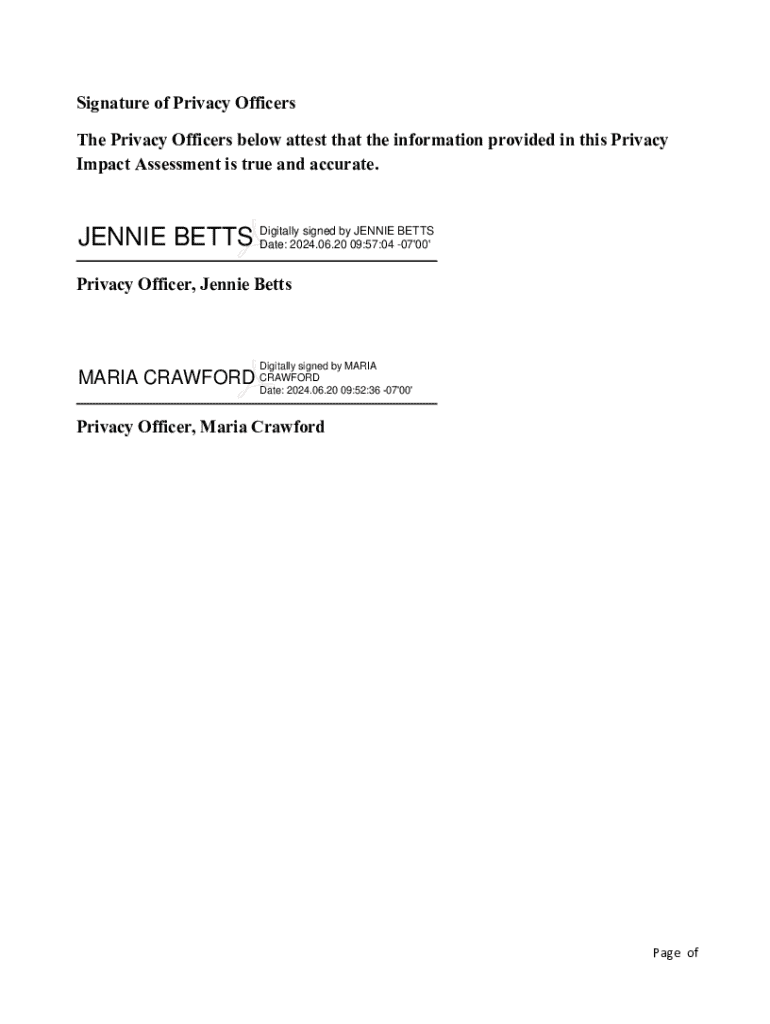
Mandated for any rulemaking, program, boundary, or practice that collects or uses PII under the authority of the E-government Act of 2002 (44 U.S.C. 208(b)) and VA Directive 6508, Implementation of Privacy Threshold Analysis and Privacy Impact Assessment. Version date: October 1, 2023 Page 1 of 54 Sites within Area: Sites Station Numbers 1)VA Sierra Nevada Health Care System 654 2)VBA Reno Regional Office 354 3)VA Carson Valley Outpatient Clinic (Gardnerville) 654GB 4)Lahontan Vall.
Loading

Open form follow the instructions

Easily sign the form with your finger

Send filled & signed form or save
How to fill out and sign VA Area Reno Pacific District online?
Get your online template and fill it in using progressive features. Enjoy smart fillable fields and interactivity.Follow the simple instructions below:
Feel all the benefits of completing and submitting legal forms on the internet. Using our solution filling out VA Area Reno Pacific District requires just a matter of minutes. We make that possible through giving you access to our full-fledged editor capable of changing/fixing a document?s initial text, adding unique fields, and e-signing.
Execute VA Area Reno Pacific District within several moments by simply following the instructions listed below:
- Select the template you want from the collection of legal forms.
- Choose the Get form key to open the document and move to editing.
- Submit all of the requested fields (these are yellow-colored).
- The Signature Wizard will enable you to put your e-autograph after you?ve finished imputing information.
- Add the relevant date.
- Double-check the whole template to make sure you?ve filled out all the information and no changes are required.
- Click Done and save the ecompleted template to the device.
Send the new VA Area Reno Pacific District in a digital form when you finish filling it out. Your information is securely protected, as we keep to the most up-to-date security requirements. Join numerous satisfied customers that are already filling in legal templates from their apartments.
Tips on how to fill out, edit and sign VA Area Reno Pacific District online
How to fill and sign VA Area Reno Pacific District
Get your online template and fill it in using progressive features. Enjoy smart fillable fields and interactivity.Follow the simple instructions below:
Feel all the benefits of completing and submitting legal forms on the internet. Using our solution filling out VA Area Reno Pacific District requires just a matter of minutes. We make that possible through giving you access to our full-fledged editor capable of changing/fixing a document?s initial text, adding unique fields, and e-signing.
Execute VA Area Reno Pacific District within several moments by simply following the instructions listed below:
- Select the template you want from the collection of legal forms.
- Choose the Get form key to open the document and move to editing.
- Submit all of the requested fields (these are yellow-colored).
- The Signature Wizard will enable you to put your e-autograph after you?ve finished imputing information.
- Add the relevant date.
- Double-check the whole template to make sure you?ve filled out all the information and no changes are required.
- Click Done and save the ecompleted template to the device.
Send the new VA Area Reno Pacific District in a digital form when you finish filling it out. Your information is securely protected, as we keep to the most up-to-date security requirements. Join numerous satisfied customers that are already filling in legal templates from their apartments.
How to edit VA Area Reno Pacific District
Use our advanced editor to transform a simple online template into a completed document. Continue reading to learn how to edit VA Area Reno Pacific District online easily.
Once you find an ideal VA Area Reno Pacific District, all you need to do is adjust the template to your needs or legal requirements. In addition to completing the fillable form with accurate information, you may want to erase some provisions in the document that are irrelevant to your circumstance. On the other hand, you might want to add some missing conditions in the original template. Our advanced document editing features are the best way to fix and adjust the document.
The editor allows you to change the content of any form, even if the file is in PDF format. You can add and erase text, insert fillable fields, and make additional changes while keeping the initial formatting of the document. Also you can rearrange the structure of the form by changing page order.
You don’t have to print the VA Area Reno Pacific District to sign it. The editor comes along with electronic signature functionality. Most of the forms already have signature fields. So, you simply need to add your signature and request one from the other signing party via email.
Follow this step-by-step guide to build your VA Area Reno Pacific District:
- Open the preferred template.
- Use the toolbar to adjust the template to your preferences.
- Complete the form providing accurate information.
- Click on the signature field and add your eSignature.
- Send the document for signature to other signers if needed.
Once all parties sign the document, you will receive a signed copy which you can download, print, and share with other people.
Our solutions enable you to save tons of your time and reduce the risk of an error in your documents. Improve your document workflows with efficient editing tools and a powerful eSignature solution.
How to fill and sign VA Area Reno Pacific District
Get your online template and fill it in using progressive features. Enjoy smart fillable fields and interactivity.Follow the simple instructions below:
Feel all the benefits of completing and submitting legal forms on the internet. Using our solution filling out VA Area Reno Pacific District requires just a matter of minutes. We make that possible through giving you access to our full-fledged editor capable of changing/fixing a document?s initial text, adding unique fields, and e-signing.
Execute VA Area Reno Pacific District within several moments by simply following the instructions listed below:
- Select the template you want from the collection of legal forms.
- Choose the Get form key to open the document and move to editing.
- Submit all of the requested fields (these are yellow-colored).
- The Signature Wizard will enable you to put your e-autograph after you?ve finished imputing information.
- Add the relevant date.
- Double-check the whole template to make sure you?ve filled out all the information and no changes are required.
- Click Done and save the ecompleted template to the device.
Send the new VA Area Reno Pacific District in a digital form when you finish filling it out. Your information is securely protected, as we keep to the most up-to-date security requirements. Join numerous satisfied customers that are already filling in legal templates from their apartments.
Experience a faster way to fill out and sign forms on the web. Access the most extensive library of templates available.
Related content
Call us 800-698-2411 TTY: 711 Visit a medical center or regional office Find a VA location...
The map below shows places in Reno that have been designated as historic for the...
Part 1 provides essential data concerning the type of aeronautical information available...
Get answers to your most pressing questions about US Legal Forms API.
What is RO 499?
RO 499, or Regional Office 499, serves as a key hub for veterans in the VA Area Reno Pacific District. It provides a range of services, including benefit claims processing and counseling for veterans. Learning more about RO 499 can lead to better navigation of VA services.
What is the VA $3600 payment?
The VA $3600 payment refers to a specific compensation amount available to eligible veterans under certain conditions. This financial assistance can aid veterans in managing their expenses and enhancing their quality of life. In the VA Area Reno Pacific District, veterans can explore this payment through local VA offices for guidance on eligibility and application processes.
What is a VA ROV?
A VA ROV, or Regional Outreach Volunteer, helps connect veterans with vital services and resources. In the VA Area Reno Pacific District, ROVs play an essential role in facilitating community outreach and ensuring veterans stay informed about available support. Engaging with an ROV can help veterans access the benefits they deserve.
How many visn are in VA?
In the context of the VA, there are 18 Veterans Integrated Service Networks (VISN) across the United States. Each VISN is responsible for managing and coordinating care for veterans within its geographic area, including the VA Area Reno Pacific District. Understanding the structure of VISN can help veterans find appropriate resources more efficiently.
What does vamc stand for in VA?
VAMC stands for Veterans Affairs Medical Center. These centers play a crucial role within the VA Area Reno Pacific District by offering medical care and other health services specifically for veterans. VAMCs strive to meet the unique healthcare needs of those who have served.
What is VA RO 499?
VA RO 499 refers to the Regional Office 499, which operates in the VA Area Reno Pacific District. This office provides essential services to veterans, including claims assistance, benefit information, and guidance on accessing VA resources. Understanding the role of VA RO 499 can help veterans navigate available services more effectively.
What does the VA stand for?
The VA stands for the Department of Veterans Affairs, an essential agency that serves America’s veterans. Its mission is to provide comprehensive care and benefits to veterans who have served in the military. In the VA Area Reno Pacific District, the VA plays a crucial role in ensuring veterans have access to the benefits and services they deserve. Understanding the function of the VA helps you navigate the available resources for veterans in your community.
What is the phone number for the VA disability?
For VA disability inquiries in the VA Area Reno Pacific District, you can reach the regional office at 1-800-827-1000. This phone number connects you directly to knowledgeable representatives who can assist you with your claims and benefits. It’s important to have your information handy when you call, as this will help streamline your conversation. By contacting this number, you open the door to getting the support you need.
How to file a VA claim for SMC?
To file a VA claim for Special Monthly Compensation (SMC), start by gathering necessary documents such as medical evidence and service records. Complete the relevant forms, ensuring all information is accurate and comprehensive. You can file your claim online, by mail, or in person at your local VA office in the VA Area Reno Pacific District. For assistance, platforms like uslegalforms offer helpful resources to guide you through each step of the filing process.
How do I address a letter to the VA?
When addressing a letter to the VA, include the Department of Veterans Affairs, the appropriate regional office (like the one in the VA Area Reno Pacific District), and your claim number if applicable. Make sure to clearly state the purpose of your letter, such as a claim submission or inquiry. Using professional language and structure enhances the clarity of your communication. For more detailed guidance, consider consulting uslegalforms for template letters.
Use professional pre-built templates to fill in and sign documents online faster. Get access to thousands of forms.
If you believe that this page should be taken down, please follow our DMCA take down process here.