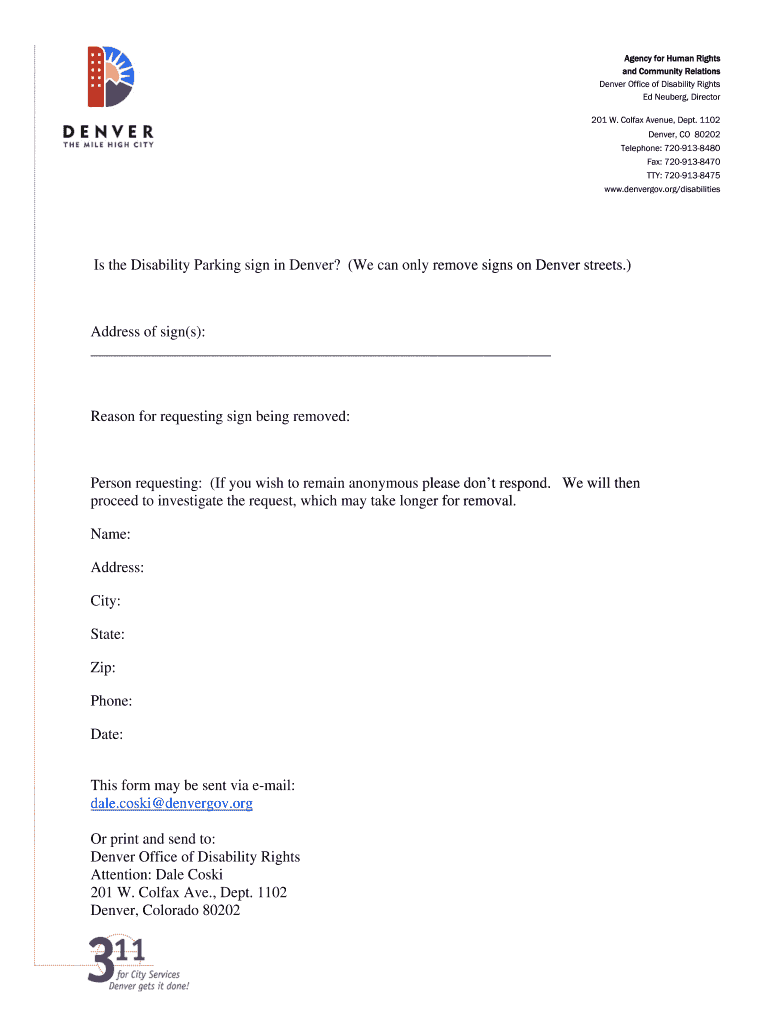
TTY: 720-913-8475 www.denvergov.org/disabilities Is the Disability Parking sign in Denver? (We can only remove signs on Denver streets.) Address of sign(s): _____________________________________________________________ Reason for requesting sign being removed: Person requesting: (If you wish to remain anonymous please don’t respond. We will then proceed to investigate the request, which may take longer for removal. Name: Address: City: State: Zip: Phone: Date: This form may be sent via e-.
Loading

Open form follow the instructions

Easily sign the form with your finger

Send filled & signed form or save
How to fill out the CO Disability Parking Sign Removal Form online
This guide provides step-by-step instructions for completing the CO Disability Parking Sign Removal Form online. Users will find clear guidance to assist with the process of submitting their requests for sign removal in Denver.
Follow the steps to complete the form online.
- Click ‘Get Form’ button to access the CO Disability Parking Sign Removal Form. This will direct you to the online document where you can fill in the required information.
- Indicate whether the sign is located on a Denver street, as this request can only pertain to signs in Denver.
- Provide the address of the sign(s) you wish to be removed in the designated field.
- State the reason for requesting the removal of the sign. Be as clear and specific as possible.
- Enter your personal information in the section labeled 'person requesting.' If you prefer to remain anonymous, please refrain from filling out this part.
- Fill in your name, address, city, state, zip code, and phone number if you are not choosing to remain anonymous. This information is necessary for processing your request.
- Record the date you are submitting the form.
- Once you have completed all necessary fields, you can save changes, download the form, print it, or share it as needed to finalize your submission.
Complete your CO Disability Parking Sign Removal Form online today!
Experience a faster way to fill out and sign forms on the web. Access the most extensive library of templates available.
Related content
Mar 31, 2025 — Forms can be found online at DMV.Colorado.gov/forms-and-publications...
The City of Boulder recently moved to a digital permitting process that will make...
Form CMS-2552-10, which contains instructions for the completion of the new cost report...
Get answers to your most pressing questions about US Legal Forms API.
Does a handicap parking ticket go on your driving record?
Again, a handicap parking ticket does not typically go on your driving record, as it is not classified as a moving violation. This means you usually won't face points or consequences that impact your insurance or driving privileges. Nonetheless, addressing the ticket quickly is wise, especially if you plan to handle related paperwork for a CO Disability Parking Sign Removal Form.
Does a parking ticket show up on a background check?
Generally, parking tickets do not appear on a standard background check. However, more comprehensive checks might reveal unpaid tickets if they escalate to collections. Therefore, staying on top of your tickets and fulfilling obligations like completing a CO Disability Parking Sign Removal Form can prevent any surprises down the line.
What are the rules for handicap parking in Maryland?
In Maryland, handicap parking spaces are reserved for individuals with disabilities who display the appropriate permit. These spaces must be clearly marked and are often located near building entrances for accessibility. Adhering to these rules ensures that everyone can utilize parking facilities effectively. If you need to navigate these rules, the CO Disability Parking Sign Removal Form is a useful tool.
Does getting a parking ticket affect your insurance?
In most cases, parking tickets do not influence your car insurance rates. Insurance companies primarily focus on moving violations and serious incidents when assessing risk. However, unresolved tickets can lead to additional penalties, so managing them, along with submitting a CO Disability Parking Sign Removal Form if needed, is crucial.
Do parking tickets show up on a driving record?
Parking tickets generally do not appear on your driving record, especially if they are related to the use of a handicap space. Authorities mainly check driving-related violations when reviewing driving records. If you face difficulties related to parking permits, consider completing a CO Disability Parking Sign Removal Form through a reliable platform like US Legal Forms.
What is disability code 8 in Maryland?
Disability code 8 in Maryland indicates a specific type of parking permit for individuals with disabilities. This code applies to persons who have a permanent disability that affects mobility. If you are looking for information on permits or certifications, the CO Disability Parking Sign Removal Form may serve as an important resource.
What qualifies you for a handicap placard in Colorado?
To qualify for a handicap placard in Colorado, you must have a medical condition that significantly limits your mobility. Common conditions include severe physical disabilities, respiratory issues, or other chronic ailments. A medical professional must verify your disability by completing a section of the application. For a smooth application process, consider using forms available on uslegalforms to ensure all documentation is correctly submitted.
Does the handicap person have to be in the car?
In Colorado, the individual for whom the handicap placard is issued does not need to be in the car at the time of parking. However, you should be aware that the vehicle must be used for the benefit of the person with the disability. Misuse of the placard can result in fines and penalties. For clarity on this issue, resources like uslegalforms are valuable in understanding the rules.
Can I use my handicap placard in a rental car?
Absolutely, you can use your handicap placard in a rental car, provided it's registered in your name. Just like with personal vehicles, make sure it is displayed correctly to avoid potential fines. Rental agencies may have their own policies regarding handicap placards, so it’s wise to check their guidelines. When in doubt, looking at uslegalforms can help clarify any questions about proper usage.
Is it illegal to use someone else's handicap placard in Colorado?
Yes, using someone else's handicap placard in Colorado is illegal and could result in significant penalties. The placard is issued to a specific individual and intended solely for their use during parking. Misusing someone else's placard undermines the laws in place to assist those with disabilities. If you're unsure about eligibility, consider consulting uslegalforms for guidance on proper usage.
Use professional pre-built templates to fill in and sign documents online faster. Get access to thousands of forms.
If you believe that this page should be taken down, please follow our DMCA take down process here.