Loading
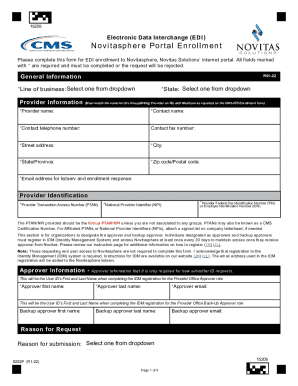
Get Novitas Solutions 8292p 2022-2026
How it works
-

Open form follow the instructions
-

Easily sign the form with your finger
-

Send filled & signed form or save
How to fill out the Novitas Solutions 8292P online
Filling out the Novitas Solutions 8292P form is essential for enrolling in the Novitasphere electronic data interchange. This guide provides a detailed walkthrough to ensure all necessary information is accurately completed to avoid any delays in processing your request.
Follow the steps to complete the Novitas Solutions 8292P form effectively.
- Click the ‘Get Form’ button to access the Novitas Solutions 8292P document and open it for editing.
- Begin by filling in the required general information. Select your line of business and state from the dropdown menus provided for both Part A and Part B.
- Provide your provider information. Ensure that the provider name, contact name, contact telephone number, street address, city, state/province, zip code/postal code, and email address are accurately entered. Note that all fields marked with an asterisk (*) are mandatory.
- Enter your provider identification details including your Provider Transaction Access Number (PTAN), National Provider Identifier (NPI), and Federal Tax Identification Number (TIN) or Employer Identification Number (EIN). This is crucial as the provided information must match what is on record with Medicare.
- Complete the approver information section if applicable. Input the first and last name, along with the email address, of the person designated as the provider office approver and backup approver.
- Select the reason for submitting the form from the dropdown options and choose the type of request you are making — either for a new submitter ID or modifications to an existing ID.
- Fill in the electronic remittance advice (ERA) section by designating your ERA preference. Choose from the provided options to manage your remittance setup appropriately.
- Complete the additional information section if you have any relevant details to provide that may assist in processing your enrollment.
- Review the agreement and ensure you understand the terms. This confirms your responsibilities while submitting Medicare claims electronically.
- Finally, print the completed form, sign, and date it in the required sections. You may then fax or mail the form to the designated Novitas Solutions addresses provided at the end of the document.
Start completing your Novitas Solutions 8292P form online today for successful enrollment in the Novitasphere portal.
A submitter ID is an EDI-specific ID that drives access to SPOT. A submitter ID is required, even if you are not submitting claims or retrieving electronic claim files through SPOT.