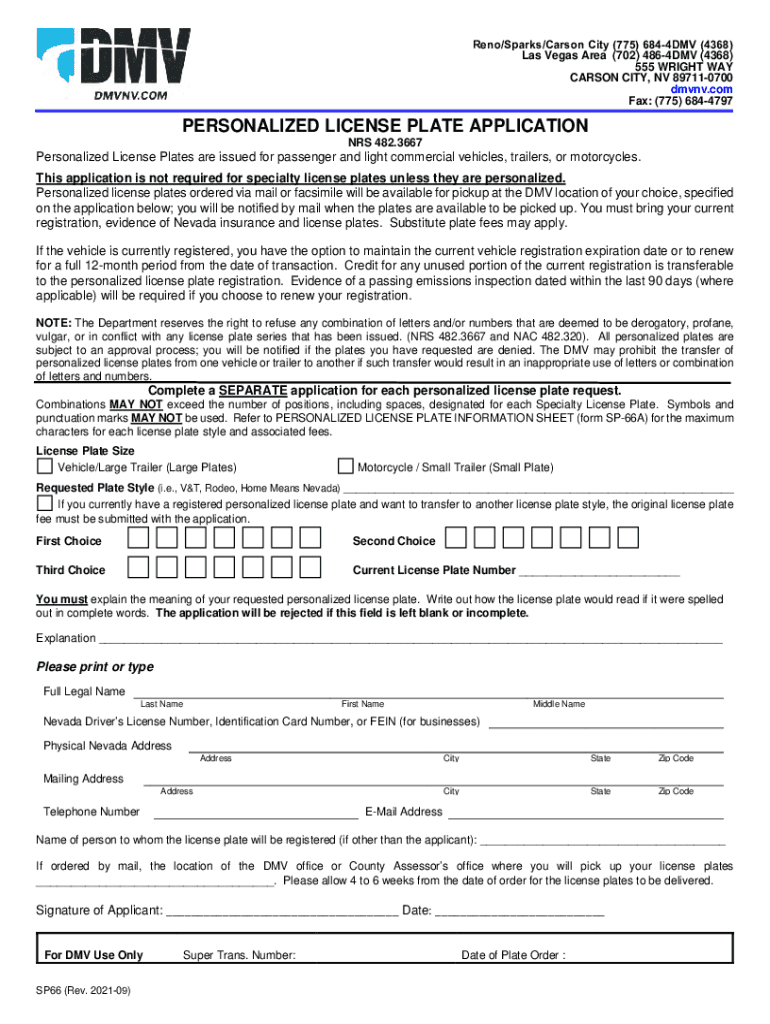
This application is not required for specialty license plates unless they are personalized. specified on the application below you will be notified by mail when the plates are available to be picked up. You must bring your current registration evidence of Nevada insurance and license plates. 555 WRIGHT WAY CARSON CITY NV 89711-0700 Reno/Sparks/Carson City 775 684-4DMV 4368 Las Vegas Area 702 486-4DMV 4368 Rural Nevada or Out of State 877 368-7828 www. dmvnv.com PERSONALIZED LICENSE PLATE APPLICATION NRS 482. 3667 Personalized License Plates are issued for passenger and light commercial vehicles trailers or motorcycles. Explanation Please print or type Full Legal Name Last First Middle Nevada Driver s License Number Identification Card Number or FEIN for businesses Physical Nevada Address City State Zip Code Mailing Address Telephone Number E-Mail Name of person to whom the license plate will be registered if other than the applicant If ordered by mail the location of the DMV office or ....
Loading

Open form follow the instructions

Easily sign the form with your finger

Send filled & signed form or save
How to fill out the NV DMV SP 66 online
This guide provides clear and supportive instructions on completing the NV DMV SP 66 form for personalized license plates. Whether you are a first-time applicant or familiar with the process, this guide will help you navigate each section with ease.
Follow the steps to successfully complete your application.
- Press the ‘Get Form’ button to access the NV DMV SP 66 form. Open the form in your preferred editor.
- Begin by providing a requested plate style. Specify your choices for first, second, and third options. Ensure that each selected option adheres to the character limits outlined in the accompanying information sheet.
- In the 'Explanation' section, describe the meaning of your requested personalized license plate. Write how it would read in full words; this section must not be left empty.
- Fill out your personal information accurately. Include your full legal name, Nevada Driver’s License number or identification card number, and physical address.
- Complete your mailing address, telephone number, and email address, ensuring all details are up to date.
- If you are submitting the application for someone other than yourself, include their name in the designated section.
- Select the DMV office or County Assessor’s office where you would like to collect your license plates if ordered by mail.
- Sign and date the application to confirm your request. Ensure your signature matches the name provided in the application.
- Upon completion, save any changes made to the form. You can download, print, or share the filled form as needed.
Complete your NV DMV SP 66 application online today to enjoy personalized license plates tailored to your preferences.
Experience a faster way to fill out and sign forms on the web. Access the most extensive library of templates available.
Related content
www.dmvnv.com. Fax: (775) 684-4797. SP66 (Rev. 2020-07). PERSONALIZED LICENSE PLATE...
Personalized Plates. New Vehicle Registration. Visit the Nevada DMV with your completed...
Use professional pre-built templates to fill in and sign documents online faster. Get access to thousands of forms.
If you believe that this page should be taken down, please follow our DMCA take down process here.