Redundancies? Yes State how many employees could be affected, and their positions. No A10 Is your business a registered company? Yes A11 Is the company or business GST-registered? 2 Employer Supplementary Form Work Visa Application No Yes No A12 State the names of any other companies or businesses you operate. Section B Position details Provide details of the position you have offered to the potential employee named in this application. (If you have a job desc.

Open form follow the instructions

Easily sign the form with your finger

Send filled & signed form or save
How to fill out the Inz1113 online
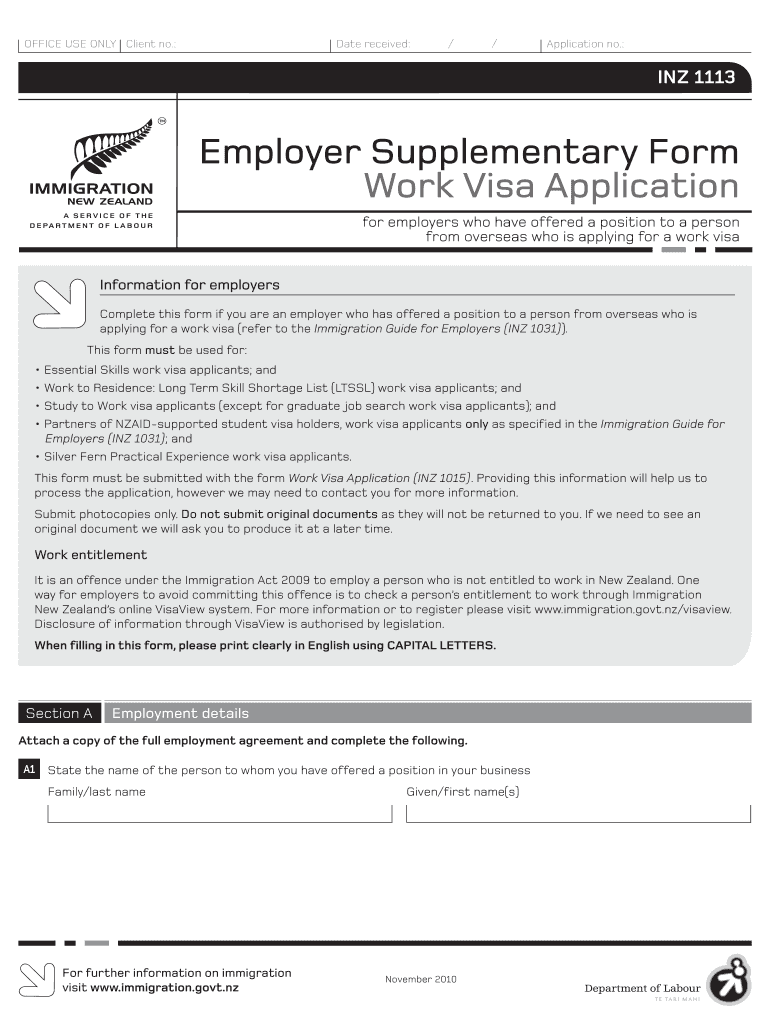
Completing the Inz1113 form is essential for employers who have offered a position to a person from overseas applying for a work visa. This guide provides a step-by-step approach to accurately fill out the form and ensure all necessary information is included.
Follow the steps to successfully complete your Inz1113 form.
- Click ‘Get Form’ button to obtain the form and open it for completion.
- In Section A, provide the employment details. Start with A1, stating the name of the person you have offered a position, including their family and given names.
- Continue with A2, entering your full name as the person offering employment along with contact details including telephone and email.
- In A3, fill in the company name (if applicable) along with both physical and postal addresses.
- Proceed to A4 to indicate whether you have received approval in principle from Immigration New Zealand for recruiting overseas workers, including providing your reference number if applicable.
- Answer A5 by stating the type of business you operate, and in A6, indicate how long your company has been in operation.
- In A7, specify the number of people currently employed and address any redundancies in A8 and A9.
- Complete A10 to indicate if your business is registered and A11 for GST-registration status.
- List any other companies or businesses you operate in A12.
- In Section B, provide information about the position offered, starting with B1 for the job title and continuing through required fields related to the job, such as pay, duration, and qualifications.
- Move to Section C if applicable, to detail your efforts in recruiting New Zealand residents and provide evidence of these attempts.
- Finally, Section D requires you to sign and date the employer declaration, confirming the accuracy of the information provided.
- After completing all sections, save your changes. You can then download, print, or share the completed form as needed.
Start the process of completing your Inz1113 form online today.
Experience a faster way to fill out and sign forms on the web. Access the most extensive library of templates available.
Related content
Feb 9, 2018 — Likewise, 2 · 2=4=1in Z3. Example. (Equations in Zn) Find 6 · 7 in Z11...
Get answers to your most pressing questions about US Legal Forms API.
How to check New Zealand visa status?
To check your visa conditions online you need to register and log in to our Visa Verification Service and enter your personal and visa details listed below: family name. passport nationality. current passport number. date of birth. gender. visa start date.
How should I check my visa status?
Check Visa Status with Passport Number Visit the official visa website of the country of visit. Find the option of tracking the visa application status. Enter the acknowledgement number or passport number and the date of birth. Following that, enter the captcha code and click 'submit'.
Is New Zealand visa stamped on passport?
We issue most visas electronically, without a visa label (sticker) in your passport. If you want a visa label, you can apply for one after your visa is granted. You will need to complete an application form, and pay a fee.
Is there an app to check visa status?
You can only check one visa holder using the vSure app. If you need to check more than one person, you can use vSure for HR Managers, or vSure Instant Visa Check.
How long does it take for a New Zealand tourist visa to be approved?
The average processing time for a New Zealand tourist visa is between 20 to 35 days. Here is a list of documents you need to submit for your New Zealand visa application: Original passport (as well as old passports, if any)
How much bank balance is required for New Zealand visa?
You must have at least NZD $1,000 per month, or NZD $400 per month if you've already paid for your accommodation. Evidence can include: proof of accommodation pre-payment, like hotel pre-paid vouchers or receipts. bank statements.
How long does it take for NZ visa to be approved?
Other visas and applications Visa50% of applications completed within:90% of applications completed within:Partner of a New Zealander resident visa6 months12 monthsPermanent Resident Visa28 weekdays43 weekdaysVariation of travel conditions on a resident visa5 weekdays20 weekdaysVisa Transfersless than a day9 weekdays
Is Tier 1 role eligible for straight to residence?
You may apply for the Straight to Residence Visa if you work for an accredited employer or you have a job offer from one and your role is on Tier 1 of the Green List. This is an indefinite visa and you must be 55 years of age and under.
Use professional pre-built templates to fill in and sign documents online faster. Get access to thousands of forms.
If you believe that this page should be taken down, please follow our DMCA take down process here.