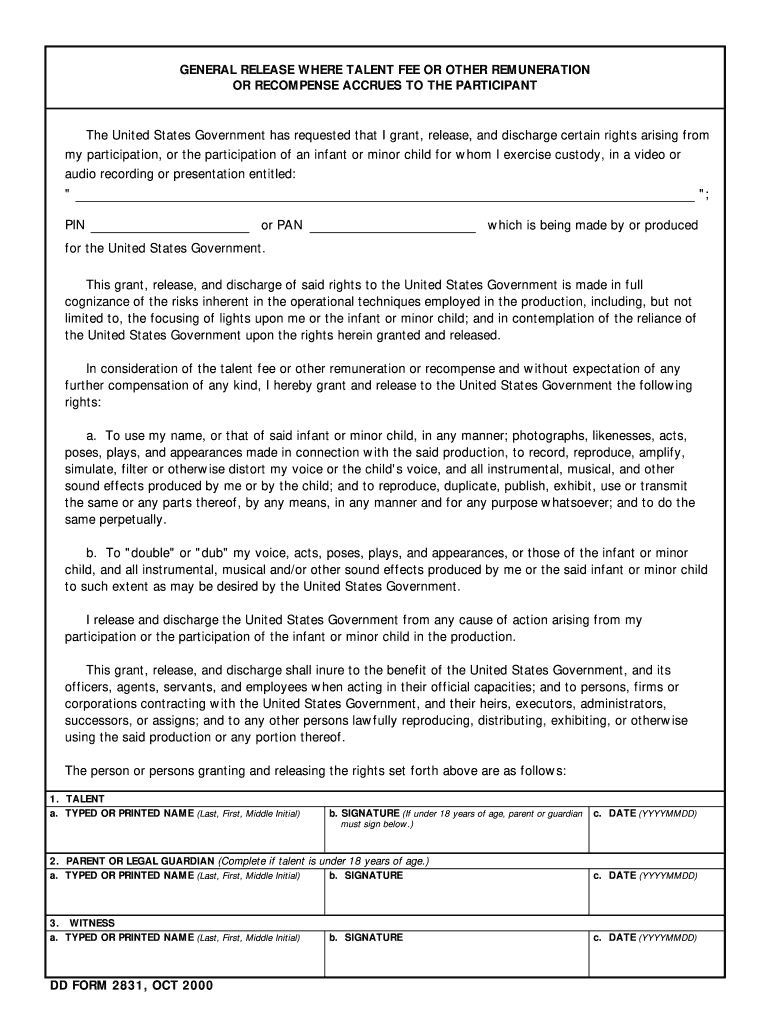
C. DATE YYYYMMDD 2. PARENT OR LEGAL GUARDIAN Complete if talent is under 18 years of age. 3. WITNESS DD FORM 2831 OCT 2000 Reset. U.S. DOD Form dod-dd-2831 GENERAL RELEASE WHERE TALENT FEE OR OTHER REMUNERATION OR RECOMPENSE ACCRUES TO THE PARTICIPANT The United States Government has requested that I grant release and discharge certain rights arising from my participation or the participation of an infant or minor child for whom I exercise custod.

Open form follow the instructions

Easily sign the form with your finger

Send filled & signed form or save
How to fill out the Dd Form 2831 online
The Dd Form 2831 is an important document required by the United States Government for participants in video or audio recordings. This guide will help you navigate the online process of completing the form with ease, ensuring that you understand each section and its requirements.
Follow the steps to effectively fill out the Dd Form 2831 online.
- Click the ‘Get Form’ button to retrieve the form and open it in your chosen editor.
- Begin by entering the title of the video or audio recording in the specified field, along with any identification number such as a PIN or PAN.
- In the talent section, provide your full name, followed by your signature. If you are completing this for a minor, ensure that a parent or guardian also signs below.
- Next, fill in the date of signing in the YYYYMMDD format.
- If applicable, complete the parent or legal guardian section by providing their full name, signature, and date.
- In the witness section, include the witness's printed name, signature, and the date of signing.
- Review all entries for accuracy. Once completed, save your changes, and you will have the option to download, print, or share the form as needed.
Complete your Dd Form 2831 online today for a streamlined process.
Experience a faster way to fill out and sign forms on the web. Access the most extensive library of templates available.
Related content
PLEASE DO NOT RETURN YOUR FORM TO THE ABOVE ORGANIZATION. ... DoD Civilian Expeditionary...
Oct 12, 2020 — Reference the form for General Release Where Talent Fee or Other...
a more detailed instrument such as the full form of the. International Index of ... Med...
Get answers to your most pressing questions about US Legal Forms API.
What is the Army pub dd2813?
PURPOSE: To collect patient information necessary to determine the patient's readiness to participate in a military deployment. ROUTINE USES: Information in your records may be disclosed to other components within the Department of Defense to determine your readiness to participate in a military deployment.
What is Class 3 dental Army?
Class 3: Patient with an oral condition that, if not treated, is expected to result in dental emergencies within the next 12 months.
What is dental readiness classification DRC?
The dental readiness classification (DRC) is a simple number – 1, 2, or 3 – that indicates whether a service member is ready for deployment worldwide, or if the service member is likely to experience a dental emergency within the next 12 months. The latter would disqualify the service member for deployment.
What is a dd2813?
Department of Defense Active Duty/Reserve/Guard/Civilian Forces Dental Examination Form (DD Form 2813) This form is used to used to assist active duty and National Guard and Reserve members in documenting dental health for worldwide duty. It should be downloaded and given to the dental provider to complete.
What does military dental class mean?
Dental Class 1 indicates the soldier has had a complete dental checkup and cleaning within the past year and requires no dental treatment (dental wellness); Class 2 assignment means the soldier requires some type of dental care, such as a simple filling or dental cleaning, but the treatment needs are unlikely to cause ...
How do I submit a dd2813?
Be sure to have a DD 2813 completed and submit it to https://lhi.care/. If treatment is needed, contact LHI for an appointment and treatment at no cost. Active Guard and Reserve (AGR) Soldiers (outside military health system area) may call 1-888-984-2337 to make an appointment free of charge.
Use professional pre-built templates to fill in and sign documents online faster. Get access to thousands of forms.
If you believe that this page should be taken down, please follow our DMCA take down process here.