Loading

Open form follow the instructions

Easily sign the form with your finger

Send filled & signed form or save
How to fill out the Family Dollar Letterhead online
This guide provides a comprehensive overview of how to effectively fill out the Family Dollar Letterhead online. Users will learn the essential components of the form and receive clear instructions on completing it accurately.
Follow the steps to fill out the Family Dollar Letterhead with ease.
- Click the ‘Get Form’ button to obtain the Family Dollar Letterhead and open it in an online editor.
- Begin with the header of the document, ensuring that the date is correctly filled in at the top. Make sure to use the current date or the date specific to your correspondence.
- Next, include the recipient's information. Fill in the 'Dear' line with the appropriate title and name of the vendor you are addressing, ensuring accurate spelling.
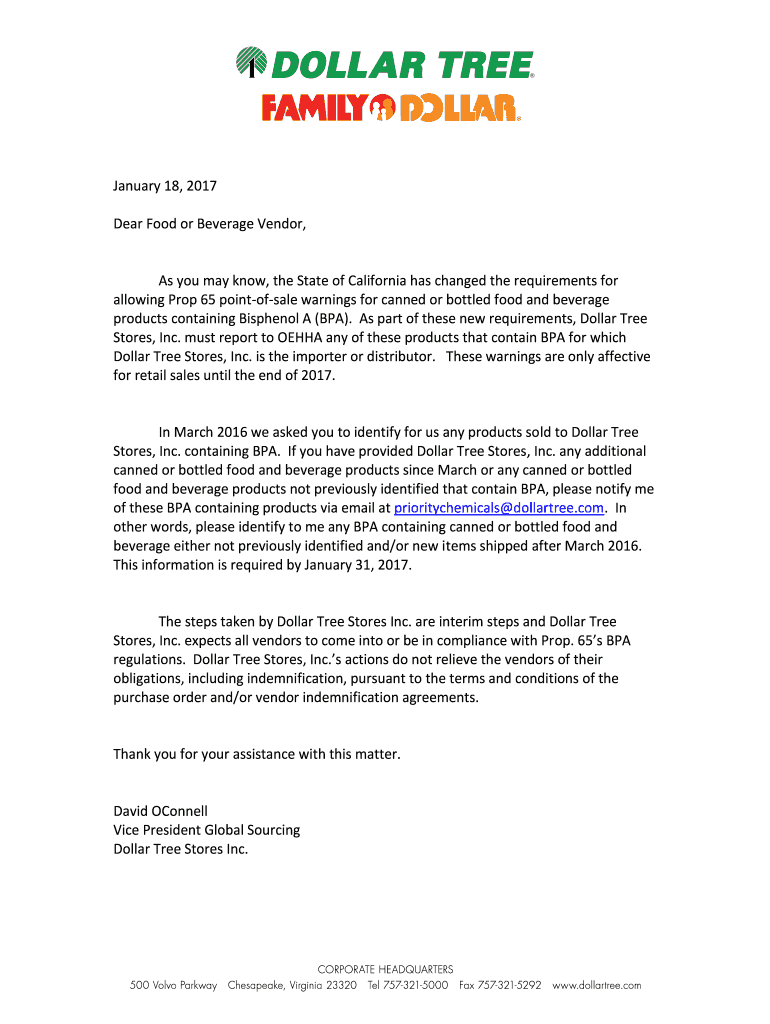
- In the body of the letter, clearly state the purpose of your communication regarding Prop 65 point-of-sale warnings and specify the nature of the request for BPA-containing products.
- Concisely clarify the requirements, including the deadline for submission, so that the recipient understands the urgency of the request.
- Conclude the letter with a courteous closing, such as 'Thank you for your assistance,' followed by your name and title.
- Finally, review the completed letterhead for accuracy and clarity. Save your changes, and utilize the options to download or print the completed document as needed.
Start completing your Family Dollar Letterhead online now!
Experience a faster way to fill out and sign forms on the web. Access the most extensive library of templates available.
Related content
This retention letter (this “Retention Letter”) memorializes our discussions...
... letterhead with dollar amount equal to one year's tuition, housing, etc. University...
Mar 31, 2010 — Ensure the dollar amount ($123.45) matches the written dollar amount (One...
Get answers to your most pressing questions about US Legal Forms API.
What is the Family Dollar controversy?
The Family Dollar controversy revolves around various operational challenges and legal issues faced by the company. It has sparked discussions regarding corporate responsibility, employee treatment, and community impact. Understanding these aspects can provide valuable insight into the brand while considering the use of their official letterhead.
How to adjust pdf to print on letterhead?
To adjust a PDF for printing on letterhead, open the file in a PDF viewer and select print settings. Ensure that the page size aligns with your letterhead dimensions and check the scaling options. These adjustments will help you achieve the best results when printing your Family Dollar Letterhead.
How to get a digital letterhead?
To get a digital letterhead, you can create one using design software or use professional templates available online. Some platforms, like US Legal Forms, offer ready-to-use digital letterhead templates that you can customize. Once you personalize it, download it in a digital format for your future use.
How to load paper to print on letterhead?
Loading paper to print on letterhead is essential for quality results. Ensure the printer is set up properly and that you have letterhead sheets ready. Load the paper into the printer's designated tray, making sure it's aligned correctly, and adjust the printer settings to recognize the letterhead as the paper type.
How to make a printable letterhead?
To make a printable letterhead, begin by designing it using a document creation tool like Microsoft Word. Include essential elements such as your logo, company name, and contact information. Once complete, save the document in both editing and PDF formats for easy printing and distribution.
How to get letterhead on pdf?
To get letterhead on PDF, start by creating your letterhead in a document editing program. After finalizing the design, select the option to 'Save As' or 'Export' and choose PDF as the file format. This process will secure your Family Dollar Letterhead design in a format suitable for sharing and printing.
How to give print on letterhead?
To give print on letterhead, you'll need the recipient to have access to the formatted letterhead file. Share the file in a compatible format such as PDF or Word. Instruct them to load the letterhead into their printer correctly and to adjust any print settings to ensure the design prints as intended.
How to get print on letterhead?
To get print on letterhead, first ensure you have the correct letterhead file ready. You can use software like Microsoft Word or Google Docs to open the letterhead design. Once your document is set up, simply select your printer and adjust the settings to match your letterhead size before clicking print.
How to use letterhead properly?
To use Family Dollar Letterhead properly, always ensure it represents your brand accurately and maintains a professional standard. Only use the letterhead for official communication to uphold brand integrity. Additionally, ensure that the content is well-written, clear, and relevant. Platforms like USLegalForms provide templates that can be particularly helpful in creating and using letterhead effectively.
What is the proper format for a letterhead?
The proper format for Family Dollar Letterhead typically includes a logo, company name, address, phone number, and website. These elements should be clearly formatted at the top or in a header area. Use a font that is easy to read, and ensure there is adequate white space for visual balance. This structured format enhances readability and conveys professionalism.
Use professional pre-built templates to fill in and sign documents online faster. Get access to thousands of forms.
If you believe that this page should be taken down, please follow our DMCA take down process here.