We use cookies to improve security, personalize the user experience, enhance our marketing activities (including cooperating with our marketing partners) and for other business use.
Click "here" to read our Cookie Policy. By clicking "Accept" you agree to the use of cookies. Read less
Read more
Accept
Loading
Form preview
  • US Legal Forms
  • Form Library
  • More Forms
  • More Multi-State Forms
  • Document Management Operating Manual

Get Document Management Operating Manual

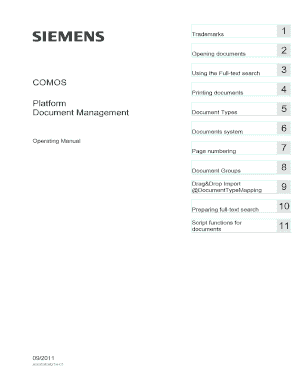
Printing documents 5 Document Types 6 Documents system Operating Manual 7 Page numbering 8 Document Groups Drag&Drop Import 9 DocumentTypeMapping 10 Preparing full-text search Script functions for 11 documents 09/2011 A5E03638214-01 Legal information Legal information Warning notice system This manual contains notices you have to observe in order.

How it works

  1. Open form

    Open form follow the instructions

  2. Easily sign form

    Easily sign the form with your finger

  3. Share form

    Send filled & signed form or save

How to fill out and sign Document Management Operating Manual online?

Get your online template and fill it in using progressive features. Enjoy smart fillable fields and interactivity.Follow the simple instructions below:

The preparation of legal papers can be high-priced and time-consuming. However, with our predesigned online templates, everything gets simpler. Now, creating a Document Management Operating Manual takes no more than 5 minutes. Our state online blanks and simple recommendations eradicate human-prone errors.

Comply with our easy steps to get your Document Management Operating Manual prepared quickly:

  1. Select the web sample in the catalogue.
  2. Complete all necessary information in the necessary fillable fields. The intuitive drag&drop interface makes it easy to include or relocate fields.
  3. Ensure everything is completed appropriately, without any typos or lacking blocks.
  4. Apply your e-signature to the page.
  5. Click on Done to save the adjustments.
  6. Save the papers or print out your copy.
  7. Submit immediately towards the recipient.

Take advantage of the quick search and innovative cloud editor to produce a correct Document Management Operating Manual. Get rid of the routine and create paperwork on the web!

Tips on how to fill out, edit and sign Document Management Operating Manual online

How to fill out and sign Document Management Operating Manual online?

Get your online template and fill it in using progressive features. Enjoy smart fillable fields and interactivity.Follow the simple instructions below:

The preparation of legal papers can be high-priced and time-consuming. However, with our predesigned online templates, everything gets simpler. Now, creating a Document Management Operating Manual takes no more than 5 minutes. Our state online blanks and simple recommendations eradicate human-prone errors.

Comply with our easy steps to get your Document Management Operating Manual prepared quickly:

  1. Select the web sample in the catalogue.
  2. Complete all necessary information in the necessary fillable fields. The intuitive drag&drop interface makes it easy to include or relocate fields.
  3. Ensure everything is completed appropriately, without any typos or lacking blocks.
  4. Apply your e-signature to the page.
  5. Click on Done to save the adjustments.
  6. Save the papers or print out your copy.
  7. Submit immediately towards the recipient.

Take advantage of the quick search and innovative cloud editor to produce a correct Document Management Operating Manual. Get rid of the routine and create paperwork on the web!

How to edit Document Management Operating Manual: customize forms online

Enjoy the usability of the multi-featured online editor while completing your Document Management Operating Manual. Use the variety of tools to rapidly complete the blanks and provide the required information right away.

Preparing documentation is time-consuming and costly unless you have ready-to-use fillable templates and complete them electronically. The simplest way to deal with the Document Management Operating Manual is to use our professional and multi-functional online editing solutions. We provide you with all the essential tools for fast form fill-out and enable you to make any adjustments to your forms, adapting them to any needs. In addition to that, you can make comments on the changes and leave notes for other parties involved.

Here’s what you can do with your Document Management Operating Manual in our editor:

  1. Fill out the blank fields using Text, Cross, Check, Initials, Date, and Sign options.
  2. Highlight significant details with a favorite color or underline them.
  3. Conceal sensitive data using the Blackout option or simply remove them.
  4. Import pictures to visualize your Document Management Operating Manual.
  5. Replace the original text using the one corresponding with your needs.
  6. Leave comments or sticky notes to inform others about the updates.
  7. Create extra fillable areas and assign them to exact people.
  8. Protect the sample with watermarks, add dates, and bates numbers.
  9. Share the document in various ways and save it on your device or the cloud in different formats once you finish editing.

Dealing with Document Management Operating Manual in our powerful online editor is the fastest and most efficient way to manage, submit, and share your documentation the way you need it from anywhere. The tool works from the cloud so that you can access it from any location on any internet-connected device. All forms you create or fill out are safely kept in the cloud, so you can always open them whenever needed and be confident of not losing them. Stop wasting time on manual document completion and get rid of papers; make it all online with minimum effort.

Get form

Experience a faster way to fill out and sign forms on the web. Access the most extensive library of templates available.
Get form

Related content

RECORDS MANAGEMENT MANUAL
The Office of Surface Mining Reclamation and Enforcement (OSM) records must be maintained...
Learn more
FILE MANAGEMENT MANUAL
If you own or manage larger files, the introduction will give you some groundwork to help...
Learn more
Content Manager OnDemand: User's Guide
This publication covers OnDemand client programs that run under Windows®. 2000, Windows...
Learn more

Related links form

KEY INFORMATION MEMORANDUM 200.10 AFFIDAVIT IN PROOF OF SERVICE Key Information Memorandum & Application Form PA 015 AFFIDAVIT FOR CONFIDENTIAL ADDRESS

Questions & Answers

Get answers to your most pressing questions about US Legal Forms API.

Contact support

The four C's of documentation are clarity, consistency, completeness, and correctness. Clarity helps users understand the information provided, while consistency ensures that similar documents follow the same format and style. Completeness guarantees that all necessary information is included, and correctness confirms that the content is accurate. Adopting these principles in your Document Management Operating Manual will significantly enhance overall document quality.

The five elements of a standard operating procedure (SOP) include title, purpose, scope, responsibilities, and procedures. The title identifies the document, while the purpose explains its necessity. The scope outlines who and what the SOP applies to, responsibilities designate who will execute the tasks, and the procedures section details the specific steps. Incorporating these elements into your Document Management Operating Manual ensures clarity and consistency in your documentation processes.

A standard operating procedure for documentation defines the steps necessary to create, manage, and maintain documents consistently. This process ensures that all team members follow the same guidelines, which enhances efficiency and reduces errors. By implementing a Document Management Operating Manual, organizations can standardize documentation practices, making it easier to train new employees and maintain compliance.

A standard operating procedure (SOP) in document management outlines the steps for creating, storing, and retrieving documents within an organization. This ensures consistency, efficiency, and compliance with regulations. An effective Document Management Operating Manual provides guidelines for maintaining document integrity and security. By following these procedures, you can streamline your document management process and enhance productivity.

The three main types of Electronic Document Management systems (EDMs) include document imaging, document management, and workflow management. Document imaging focuses on digitizing paper documents for easier storage and retrieval. Document management centers on organizing, storing, and tracking electronic documents, while workflow management automates processes related to document handling. A comprehensive Document Management Operating Manual can help your organization implement these systems effectively.

Get This Form Now!

Use professional pre-built templates to fill in and sign documents online faster. Get access to thousands of forms.
Get form
If you believe that this page should be taken down, please follow our DMCA take down processhere.

Industry-leading security and compliance

US Legal Forms protects your data by complying with industry-specific security standards.
  • In businnes since 1997
    25+ years providing professional legal documents.
  • Accredited business
    Guarantees that a business meets BBB accreditation standards in the US and Canada.
  • Secured by Braintree
    Validated Level 1 PCI DSS compliant payment gateway that accepts most major credit and debit card brands from across the globe.
Get Document Management Operating Manual
Get form
Form Packages
Adoption
Bankruptcy
Contractors
Divorce
Home Sales
Employment
Identity Theft
Incorporation
Landlord Tenant
Living Trust
Name Change
Personal Planning
Small Business
Wills & Estates
Packages A-Z
Form Categories
Affidavits
Bankruptcy
Bill of Sale
Corporate - LLC
Divorce
Employment
Identity Theft
Internet Technology
Landlord Tenant
Living Wills
Name Change
Power of Attorney
Real Estate
Small Estates
Wills
All Forms
Forms A-Z
Form Library
Customer Service
Terms of Service
Privacy Notice
Legal Hub
Content Takedown Policy
Bug Bounty Program
About Us
Help Portal
Legal Resources
Blog
Affiliates
Contact Us
Delete My Account
Site Map
Industries
Forms in Spanish
Localized Forms
State-specific Forms
Forms Kit
Legal Guides
Real Estate Handbook
All Guides
Prepared for You
Notarize
Incorporation services
Our Customers
For Consumers
For Small Business
For Attorneys
Our Sites
US Legal Forms
USLegal
FormsPass
pdfFiller
signNow
airSlate WorkFlow
DocHub
Instapage
Social Media
Call us now toll free:
+1 833 426 79 33
As seen in:
  • USA Today logo picture
  • CBC News logo picture
  • LA Times logo picture
  • The Washington Post logo picture
  • AP logo picture
  • Forbes logo picture
© Copyright 1997-2025
airSlate Legal Forms, Inc.
3720 Flowood Dr, Flowood, Mississippi 39232
Form Packages
Adoption
Bankruptcy
Contractors
Divorce
Home Sales
Employment
Identity Theft
Incorporation
Landlord Tenant
Living Trust
Name Change
Personal Planning
Small Business
Wills & Estates
Packages A-Z
Form Categories
Affidavits
Bankruptcy
Bill of Sale
Corporate - LLC
Divorce
Employment
Identity Theft
Internet Technology
Landlord Tenant
Living Wills
Name Change
Power of Attorney
Real Estate
Small Estates
Wills
All Forms
Forms A-Z
Form Library
Customer Service
Terms of Service
Privacy Notice
Legal Hub
Content Takedown Policy
Bug Bounty Program
About Us
Help Portal
Legal Resources
Blog
Affiliates
Contact Us
Delete My Account
Site Map
Industries
Forms in Spanish
Localized Forms
State-specific Forms
Forms Kit
Legal Guides
Real Estate Handbook
All Guides
Prepared for You
Notarize
Incorporation services
Our Customers
For Consumers
For Small Business
For Attorneys
Our Sites
US Legal Forms
USLegal
FormsPass
pdfFiller
signNow
airSlate WorkFlow
DocHub
Instapage
Social Media
Call us now toll free:
+1 833 426 79 33
As seen in:
  • USA Today logo picture
  • CBC News logo picture
  • LA Times logo picture
  • The Washington Post logo picture
  • AP logo picture
  • Forbes logo picture
© Copyright 1997-2025
airSlate Legal Forms, Inc.
3720 Flowood Dr, Flowood, Mississippi 39232